


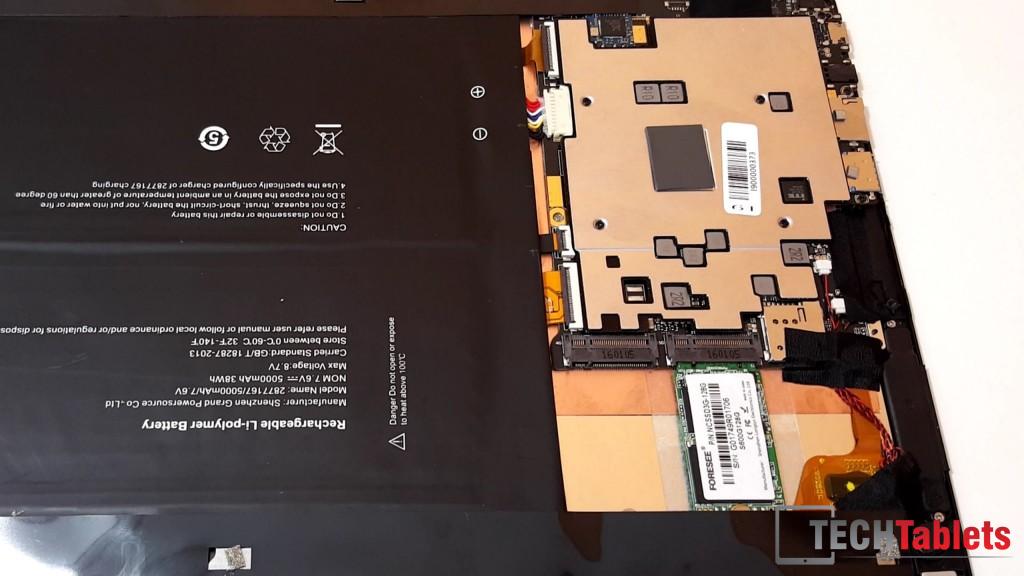
I opened up my Cube i9 before I bricked the bios to have a look at the internals. Here are some images of the Cube i9 from this semi teardown. There is a SIM reader slot on the motherboard and a spare M.2 (NGFF) 22 x 42mm slot for a Huawei LTE or similar 4G modem. I’m not sure it will support another SSD, I highly doubt it.


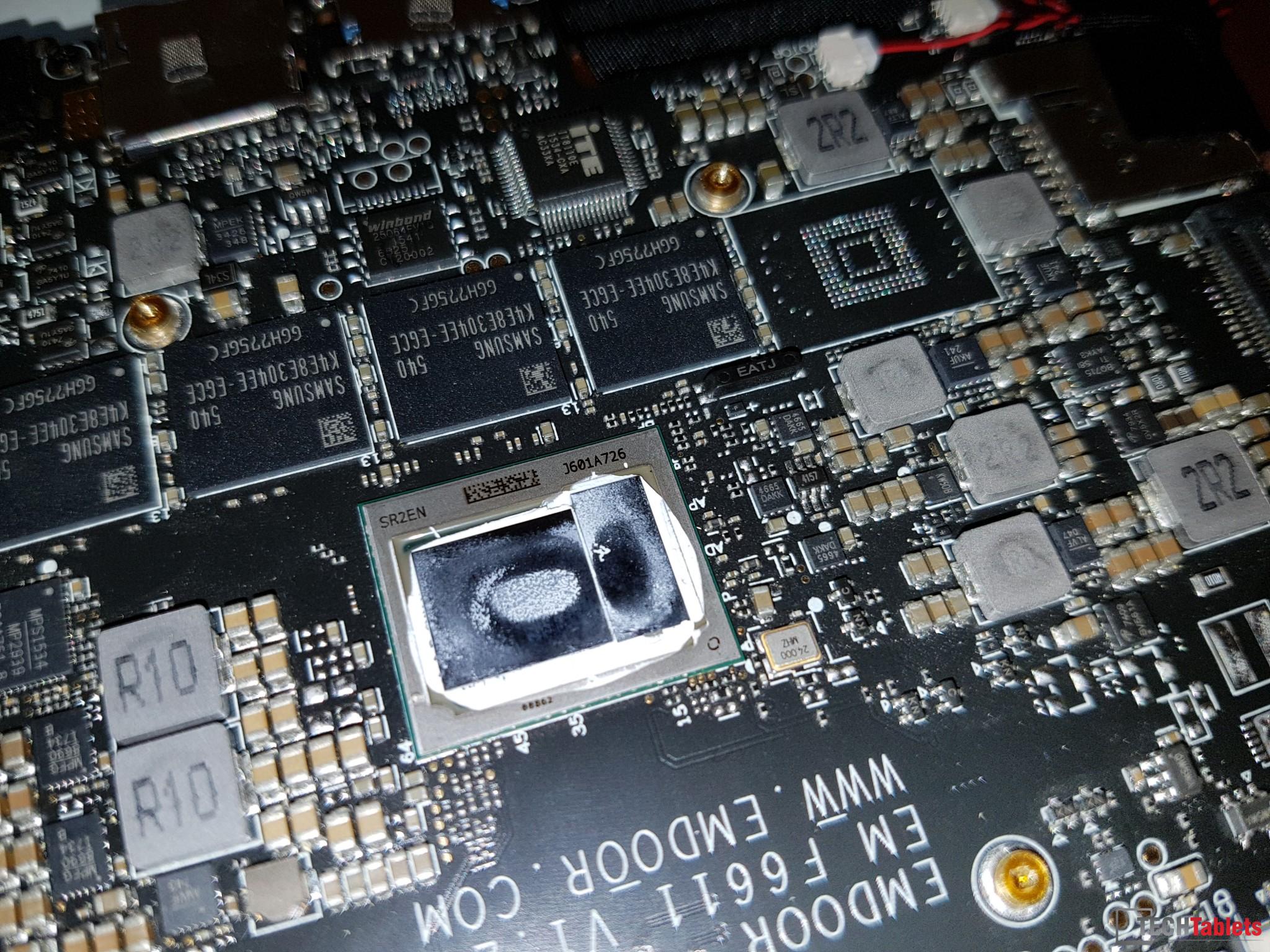

This this alone to me proves the Cube i9 will come with an upgraded LTE model or it was planned and later axed due to costs?

Before I killed my unit, I did a quick and easy copper heatsink mod as a quick test, the results were great. However, I cannot show you proof of how much it lowered temps as I then bricked the tablet soon after. But what my 20mm x 20mm x 1mm copper shim and new thermal pad did was lowered max temps around 21 degrees. It brought the highest temp down from 88 degrees to around 67 degrees.
I result was a Geekbench 3 and 3dmark Icestorm 1.2 score of the Surface Pro 4 M3 6Y30.

This video above shows my mod, all I did was use the copper plate and some thermal adhesive to secure it to the heat spreader. And then some paste instead of the thermal pads on the CPU die and screwed in back in place.
Lastly, a new thermal pad on the top of the stock aluminum head spreader/heatsink. Due to my tablet being dead I highly doubt I have enough notes to finish a full review of it. But all benchmarks and results will, like always be based on an unmodified stock unit.
Curiosity got the best of me I’m highly pissed off right now at how stupid I was and easy it is to brick the Cube i9. DO NOT enter the bios flash menu or settings. There is no sub menu, no safe, no confirmation. IT WILL WIPE the bios and proceed to flash nothing and fail. The end result isn’t pretty.
And a quick guide on how to open the Cube i9:
