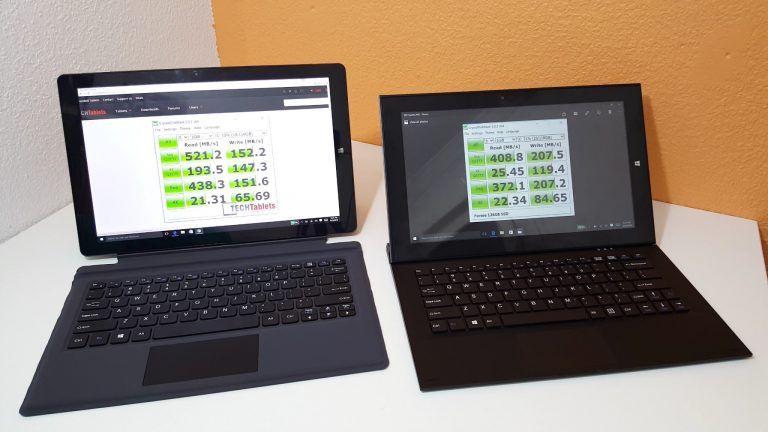
Cube i9 Vs Teclast X3 Pro Comparison
The two flagship Intel Core M3’s compared in this video comparison, the X3 Pro uses last years X2 Pro housing and keyboards. But it’s got an edge (pun intended) over the Cube i9 with its 8GB of RAM, Stylus support and Wireless AC. Speed wise they are very similar, the X3 Pro has slightly better scores in most benchmarks, but not all. The X3 Pro has slower SSD drive. And benchmarks aren’t everything, the Cube i9 for me is a more refined machine with a better typing experience thanks to the wider, larger keyboard and high-quality one at that. The round edges of the Cube i9 make it better when held using it as a tablet, where my biggest complaint of the X2 Pro continues in the X3 Pro, the sharp edges make it very uncomfortable to hold. And the Cube has a kickstand so it can be stood up to watch a movie for example without having to hold it tiring your hands. And the screen of the Cube i9 is just more practical, smaller bezels, sharper with better colors. It’s more accurate than the 11.6-inch touch panel on the X3 Pro. More responsive and smoother when scrolling in Edge for example. (As demonstrated in the video) Both tablets run into power limiting when pushed hard gaming. Both reach around 85+ degrees. But don’t reach TJ limits risking powering off to protector the CPU’s. This isn’t ideal and if they had better thermal heatsink designs with come copper, performance could be increased from the 6W Power Limit to 7W. So to sum it up: Reasons to buy the Cube i9 over the Teclast X3 Pro: Better design and build. Better, larger keyboard offers an improved typing experience over the X2 Pro keyboards 1920 x 1200 16:10 screen looks better with smaller bezels and touch is more responsive. Faster SSD Marginally better battery life over the X3 Pro. (Around 30 minutes) Louder speakers with better stereo separation Kickstand USB 3.1 Type-C port Reasons to buy a Teclast X3 Pro over the Cube i9: More RAM, 8GB Vs the Cube’s 4GB (But the Teclast’s is clocked slightly slower) Stylus support, the X3 Pro offers support for an active pressure sensitive stylus. Intel Wireless AC support. (The Cube has only Realtek Wireless N) Cheaper than the Cube i9 Slightly faster in some benchmarks My winner is the Cube i9 of the two. But then I don’t need a stylus and can live without wireless N taking into account all the pros of the Cube i9. Ideally, I would love to see the i9 with stylus support and wireless AC. I hope to see Cube release a new Core M3 model that combines the best of the i9 with features the X3 Pro has. Or Teclast should release a new design Core M3 that addresses the audio, an improved screen and more ergonomic design with rounded edges. *Note: Both units are being compared with stock benchmark results. Both can be modified with improved heatsinks as seen on my Cube i9.
