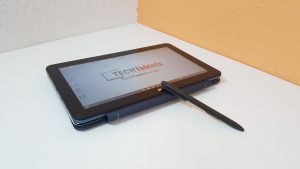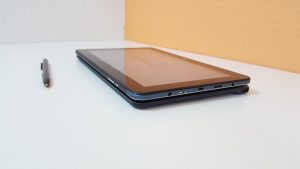
Cube’s latest Core M3 tablet, is an upgraded i7 Stylus. Now called the i7 Book (Due to its new keyboard) it’s powered by an Intel 6th Gen Skylake Core M3-6Y30 with a max turbo of 2.20 Ghz. It has a 64GB Forsee SSD, 4GB of 1866Mhz RAM (Dual Channel) and Intel wireless AC 3165 with two antennas. The battery is made up of two 4300 mAh cells (3.7 volts 2 x 4300 mAh cells 31.8Wh) Windows & Battery Bar only seems to report one of the cells.
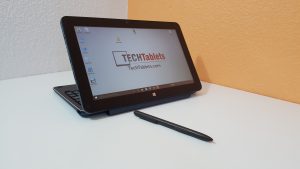
I also got the keyboard dock, stylus and unboxed them in the video. For artists out there and writers, the i7 Book retains the best feature of the i7 Stylus. The Wacom enabled 1080p screen, it’s the old Surface Pro 2 screen. Unboxing, hands-on and first impressions below.
The i7 Book is also on sale now on Gearbest for $359 here with coupon I7BOOKGB : http://www.gearbest.com/tablet-pcs/pp_366651.html Which is only about $60 US more than it’s predecessor.

First impressions:
Tablet:
- Core M3 is super quick and snappy. Outclasses an Atom in every way. (For any serious work Core M is the way to go)
- The Samsung LTL106HL01-001 IPS screen is bright and on 0% very dull, good for late night use.
- The screen is the old Microsoft Surface Pro 2 screen.
- 1080p isn’t the sharpest at 10.6 inches but still looks great with good colors, blacks and contrast.
- Great build quality for the price.
- Very similar to the Cube i7 Stylus as expected.
- All USB ports power external HDDs and SSD’s
- Stylus is very fast and fluid with palm rejection in apps that support it (OneNote for example)
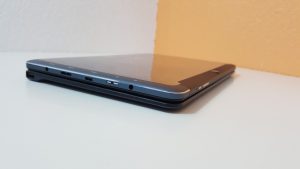
- Type-C USB 3.1 works correctly, proper USB 3.1. Display out works
- Can charge via the type-c port at 14 to 15 watts using my iVoler 75W Type-C charger
- MicroSD card slot reads my Samsung 128GB Pro+ just fine. Need more time to test all my MicroSD cards.
- Speakers are very poor, some distortion at 100% and they lack volume and are very tinny sounding.
- 3.5mm jack offers loud and clear output, just as well since the speakers are so poor!
- The Intel Wireless AC dual band 3165 chipset works great. Great range and speeds. No BT lag when using BT mice, keyboard and wifi at the same time.
- Forsee 64GB 2242 M.2 SSD offers ~500 MB/s reads and ~170 MB/s writes.
- The RAM is correctly clocked to 1866Mhz and not 1600Mhz like the Teclast X3 Pro.
- Battery looks good for around 5 hours. (Like all other Core M’s reviewed)
Keyboard & Trackpad:
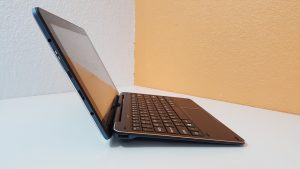
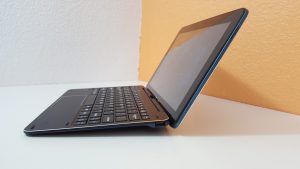
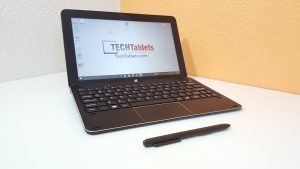
- Really like this keyboard, one of the best transformer style docks
- Works in presentation mode, due to having 10 pogo pins and not 5.
- Very nice build, metal top with matte textured rubber paint finish on the rear.
- 120-degree angle, sadly no more than this or it would risk tipping
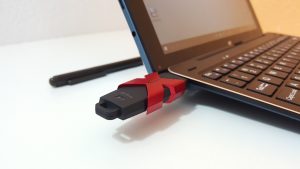
- USB 2.0 ports work fine and can power external hard drives.
- Nowhere to store the stylus, unlike the i7 Stylus fixed keyboard (personally I prefer an extra USB port rather than stylus holder)
- Closing the tablet when docked puts it to sleep.
- Can’t be opened with on hand.
- Keyboard has PrintSreen, page up/down, home, end ekys via Fn.
- Supports Windows gestures, no way to disable it.
- Trackpad apart from the gestures is useable.
- Goodtyping experience once you adjust to the smaller 10.6″ size.
- Good key travel and no flex or bounce.
So far in my early testing period of the updated i7, I’m enjoying it. If the Cube i9 is too big for you and you want something more portable with stylus support. I think this could be it. The only downside so far, is the speakers aren’t very good at all.
Benchmarks, thermals, and further tests required. This will all be covered in my full review due soon.
Cube i7 Book & Keyboard Images: