


The S1 has now been fully reviewed, you’ll find the Livefan S1 review here.
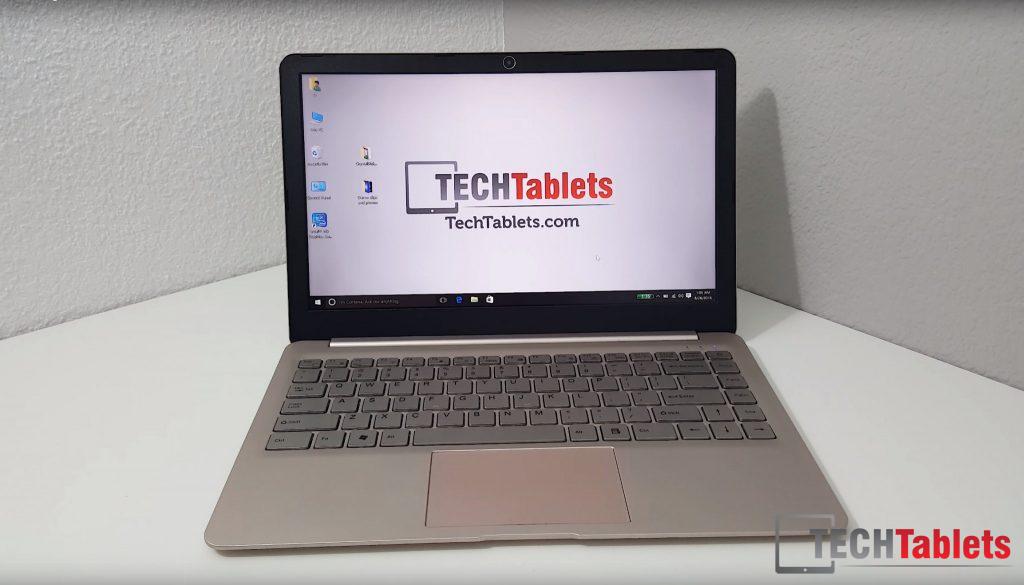
Livefan, a brand you probably haven’t heard of (I hadn’t until a forum user pointed it out) has an interesting notebook. The S1, it’s powered by a Core M-5Y10, 8GB of dual channel DDR3 RAM, has a 13.3″ 2650 x 1440 anti-glare matte coated display, Wireless AC and user accessible M.2 SSD bay. You can buy the model with or without a SSD and add your own M.2 2260/2242 SATA3 SSD. My one has a 128GB Kingston SSD preinstalled with Windows 10.
This model 128GB costs $569 from Banggood, it’s cheaper than the Core M3 Xiaomi Notebook Air, I reviewed, but doesn’t have a backlit keyboard. But if you have you own a 22×42 or 22x60mm SATA3 SSD it’s $509 USD. Here’s the unboxing:

First impressions of the Live fan S1:
- Very nice, sharp and bright matte coated 2560 x 1440 screen
- The build quality isn’t bad at all.
- Intel Wireless AC 3165
- The keyboard is spacious, with a good tactile feel to it and travel. Nothing like the cheap Voyo vBook V3 keyboard with stuck keys.
- The rear is made of aluminium, including the M.2 bay door
- Screwdriver included for opening up and installing your own M.2 SSD
- The lid is made of alloy, only the palm rest and sides are made of plastic.
- The champagne gold color doesn’t look as bad in person as it did in the press shots
- Power supply is 12V 3A, it’s rather small, and feels a little cheap compared to the rest of the notebook
- Windows 10 Pro is installed on my unit. Says it’s activated, I’ll have to check it’s legit and not a KMS hacked version
- Speakers sound okay, average at best. Lacking bass. Not a patch on the Mi Notebook Air’s AKG speakers
- Touchpad works well but doesn’t have a nice smooth glass like finish. The left and right mouse buttons have a little too much travel which makes them feel a bit cheap.
- Battery life looks to be around 6 hours (Like the Mi Notebook Air)
- USB 3 type C port accepts charge, data, and can power an external HDD (No display output)
- Both the USB 2.0 and USB 3.0 ports can power external HDD’s
- SSD speeds seem okay for a Sata3 unit.
- The mic is located above the keyboard.
- 3.5mm jack supports microphones.
So cons encountered so far:
- (Obvious ones) Core M 5Y10 is last years Core M model, No SD or MicroSD slot & no backlit keys
- Average sounding speakers
- Touchpad material and buttons
- Thermals – 90 degrees+ when gaming or running intensive apps.
More on thermals, benchmarks and battery life in the coming days. I’ll be putting it through my tests and a little bit of gaming to see just what it can do. My many concern now is battery life. Often cheaper ultrabooks (This isn’t really cheap) fall short when it comes to battery life.