


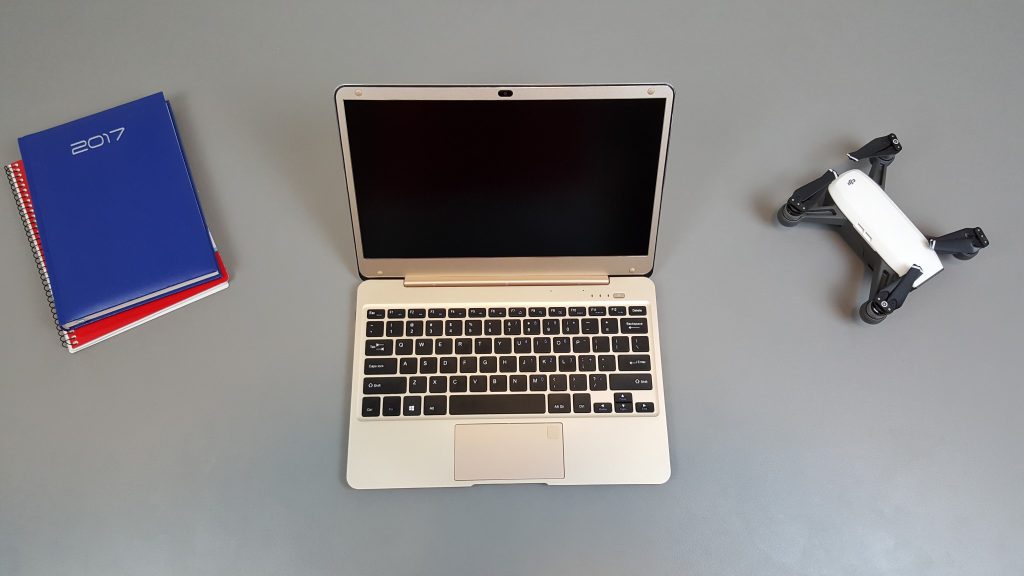
The Onda Xiaoma 21 is very much like the Civiltop Air or Tbook Air it’s known as I reviewed. Celeron N3450, 4GB LPDDR3 RAM, wireless AC. A 12.5″ 1080p screen, a really bright anti-glare IPS with decent calibration out of the box. it weighs only 1.09 kilos and 12.8mm thin, making it super lightweight and portable. But this one has more ports, but sadly it’s still missing one important one. For some reason, I thought not only did it have, 2 x USB 3.0’s, MicroHDMI, but also a 3.5mm headphone jack. Nope! No 3.5mm, it’s handled via the USB Type-C port which is audio out and in, plus charging only. And Onda doesn’t even include an adaptor in the box.
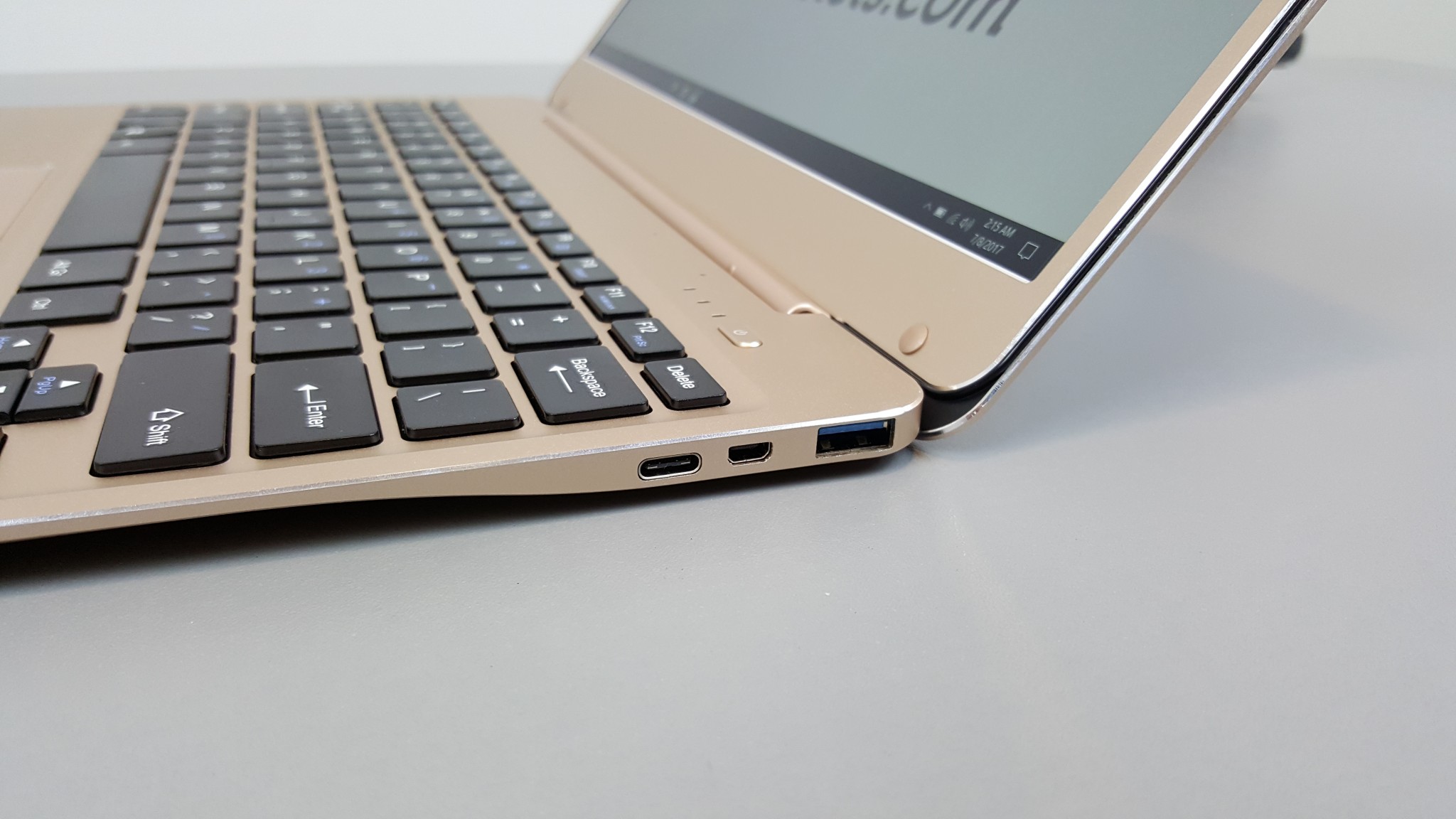
Wait a minute! Where’s my 3.5mm audio port Onda!
Performance seems great for an Apollo lake. Either power limits, bios tweaks or fast RAM results in much better iGPU performance and all the others. My Half-Life 2 Lost Coast benchmark resulted in 69.17 FPS average default settings 1080p. Yet the Jumper EZBook 3 Pro, gets only 42.44 FPS with the same settings and it even has 2GB of RAM more. Quite puzzling. The Civiltop Air (It’s also the same laptop) has similar results of around 70 FPS.
But if I run Geekbench 4, the results are the more or less the same. 1380 single core and 4000 multi-core. So only the Intel 500 HD GPU is benefiting from whatever settings or RAM tweaks Onda have used. Which is why I think it’s RAM related or the power limit. As seen in the Core M’s if the power limit is increased the GPU can hold much higher clock speeds without clocking itself down. RAM speed and if configured dual band and not single also offers similar performance differences on the integrated graphics.

First impressions & After 3 days:
- Like the Civiltop Air the build is great, all metal. Well finished.
- The laptop has an access port for the SSD, this is a great move and more should do this.
- Wireless AC speeds are great and range seems good. (Dual antennas)
- The speakers aren’t very loud at all. When charging they cut out as the type-c port is outputting the audio. At this stage, I haven’t found no way to charge and listen to music or even use the internal speakers at the same time. So quite a design flaw!
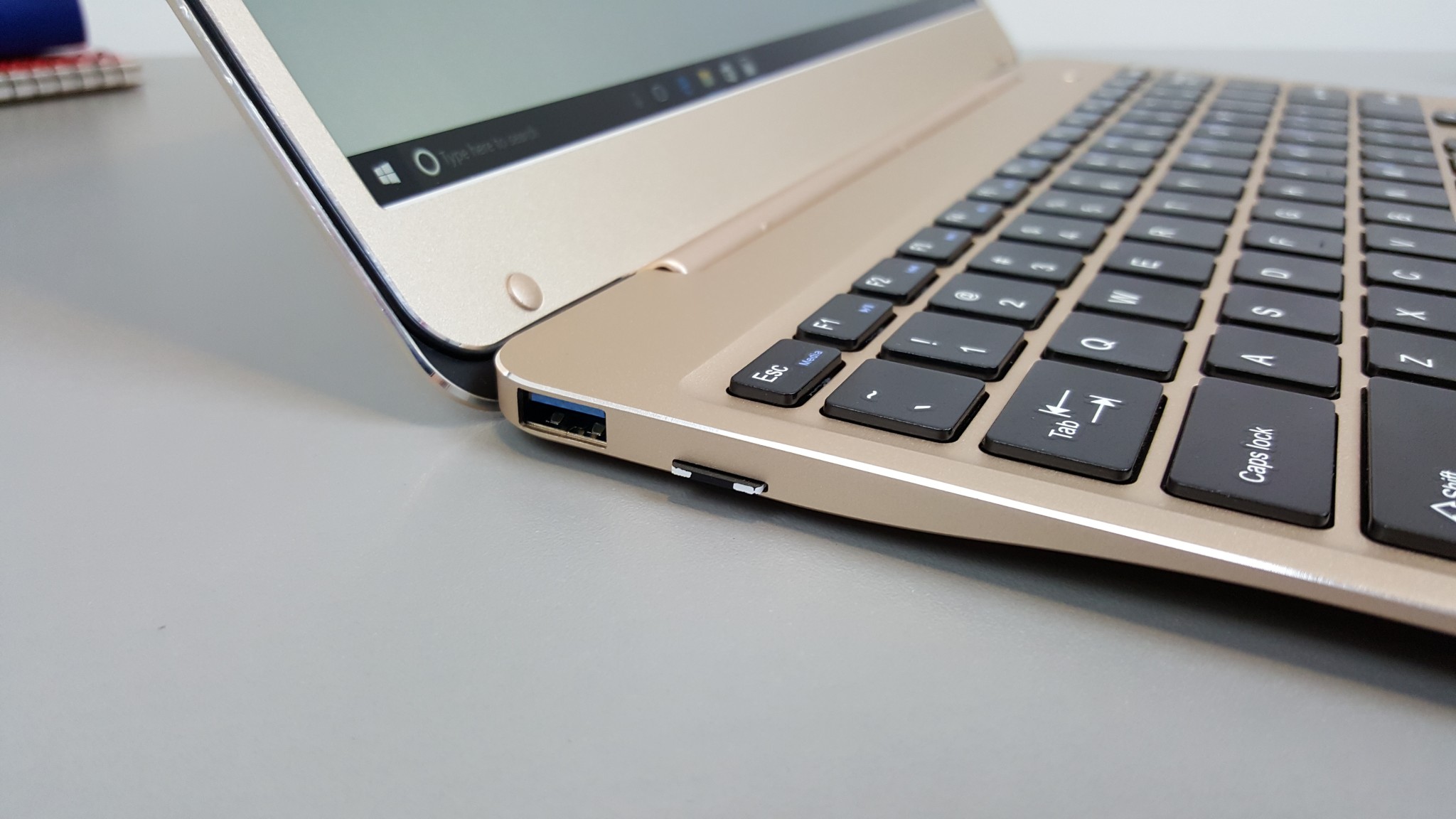
- The USB 3.0 ports are in fact one USB 2.0 on the left and USB 3.0 on the right. Both power external hard drives, but the right port sometimes disconnects which is annoying.
- The keyboard is good to type on, the touchpad is decent and fingerprint unlocking works well.
- Thermals are great as seen in the unboxing video, there is a nice large heatsink and it does the job well. Gaming after 1 hour, temps were 74 degrees C max. Very good!
- The 10,000 mAh battery offers great battery life, in my testing at 25% brightness (Still bright for indoors) internet use wifi always on. I was able to get over 8 hours of use on a single charge. An excellent result.
- Linux runs on the laptop. Wifi, sound, touchpad, and brightness all working.
- The power button away from the keyboard is a great move. Not where others have it where the DEL key normally is.
- The MicroSD slot is via a USB 2.0 hub, and card stick out by about 2mm. Easy to insert or remove but could click out in a bag.
The laptop can be picked up for $239 at Geekbuying here with coupon ONDAXM21 My full review will be coming soon.