


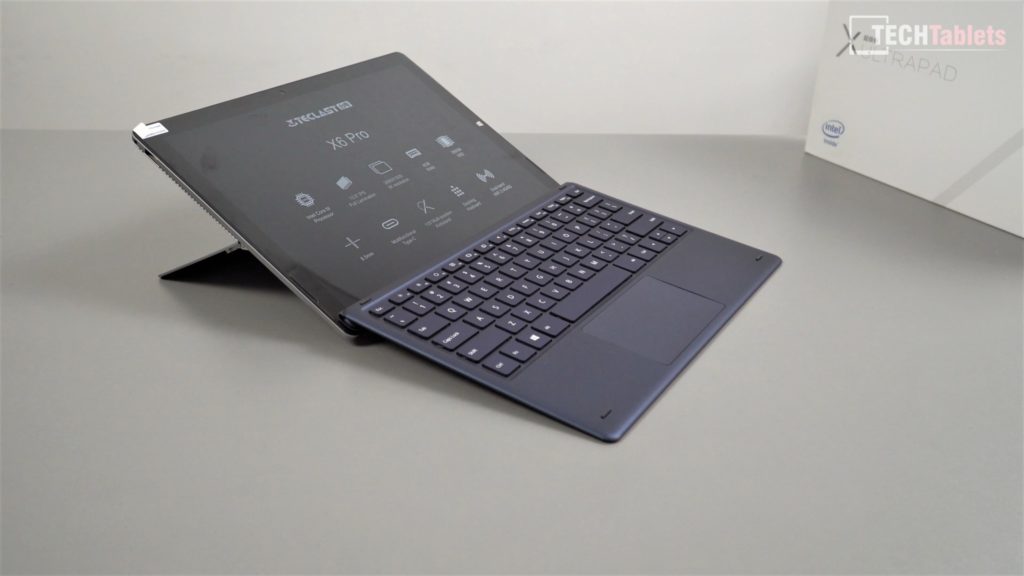
This has been a long wait, there were some apparent supply issues with the Core M3-7Y30 this tablet uses so when it was first released only a small quantity was shipped out. Some lucky owners have had this tablet for months but I’ve only just got mine. Below is my first hands-on and use after a few days with the X6 Pro. First impressions are very good but some of the typical Chinese tablet issues like low output speakers.

02:21 – Weight (keyboard + tablet)
02:43 – Keyboard & ports
05:33 – SSD hatch
06:26 – Unlocked bios
07:41 – Screen & benchmarks
10:59 – Sound & sample
11:29 – Stylus
12:05 – Linux
12:16 – First impressions
12:47 – Pros & Cons (so far)
But as expected my second time with this amazing 12.6″ IPS 2880 x 1920 3:2 aspect ratio screen (first seen in the Voyo i7 I reviewed) it’s right up there as one of the best I’ve used and the best on a Chinese tablet. 99% sRGB, 84% NTSC and 86% Adobe RGB colour space coverage is impressive beating even my old Surface Pro. It’s also fully laminated. The tablet is selling for $499 with coupon GB_TeX6Pro here which is a bit pricey for what it is despite the great screen. Core M3-7Y30, 8GB of RAM, 38Wh battery and 256GB SSD.
Teclast X6 Pro update. My eyes didn't fool me it has a stellar screen in it even better that the Surface Pros in terms of color gamut. But there is a con I've discovered…It gets pretty hot! See my hands-on https://t.co/PodUNkLAk1 for more pic.twitter.com/bvPwuLSQM3
— TechTablets (@TechTabletscom) June 13, 2019
But it’s not all great, under load the tablet hits 97 degrees C no thermal throttling but it’s only a few degrees away from it. A definite candidate for my copper heatsink and thermal pad mods.
The type cover is a quality one, good to type on with nice key travel and feedback. No real issues apart from the touchpad palm rejection is poor when typing it can be a pain.
The stylus I have doesn’t work for some odd reason even with a new battery (One isn’t supplied)