


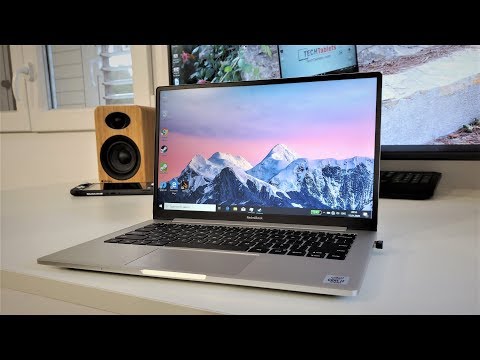
In the studio today I received the Redmibook 13. This is the new 2020 model. It was launched right at the end of December with the Redmi K30 land only starting shipping last week. The model I imported here is the Intel 10th Gen “Comet Lake” Core i7 10510U top-spec model, my reasoning behind this is if the thermals are fine with the higher clocks (4.9Ghz max) then the Core i5 will also be fine.
The new 10th gen chip might sound fancy and the Comet Lake is really just a tweaked Kaby Lake-R. Still a 14nm++++ process chipset with 4 cores and 8 threads. 15W TDP with a 25W TDP Up maximum configuration some manufactures might opt for, Xiaomi is sticking to 25 Watts Power limit 1 which is no doubt why it gets hot and throttles.
Dedicated GPU is optional
The base model can be bought with just the Intel Core i5 with it’s integrated UHD 630 graphics. This is the cheapest option selling for around $500 USD in China. But if you plan to do some gaming or video editing, for example, the low end but dedicated Nvidia MX250 is recommended. It has 2GB of dedicated DDR5 RAM and can handle some low settings 1080p gaming.
The design, keyboard, touchpad and build
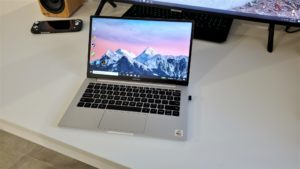
The Redmibook 13 looks just like the larger Redmibook 14 models but with a slimmer bezel. A brushed matte silver aluminum build gives the laptop a quality feel to it, the build is typical Xiaomi here. Very good. The weight is excellent, I count 1.24 kilos, Xiaomi rounds it down to 1.23 officially and with the 65W charger, your carry weight is 1.61 kilos. Very good for those that travel light but still able to do things like edit video or game a little.
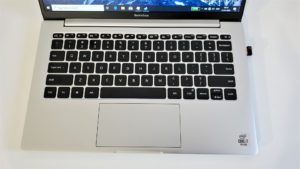
It’s 21.5mm thick with the rubber feet or 18mm thick without them which is fine but not groundbreaking slim. The keyboard isn’t backlit but feedback is nice, shallow travel but still no typos due to its spacing and the alloy between the keys. The touchpad is small for 2020 standards, however, I’ve no issues with it and it supports Windows 10 gestures and precision drivers like everything nowadays does.
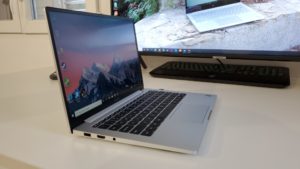
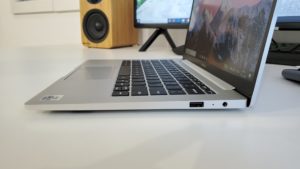
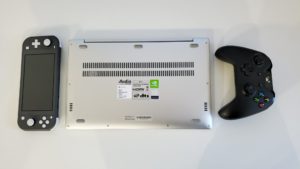


Slim modern bezels fitting for a 2020 laptop, but…
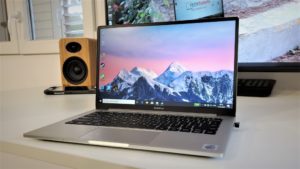
Now the Redmibook 13 has a screen to body ratio of 89%, this means slim, tiny bezels top and sides. So slim there is no webcam. But the standard Redmibook 14 also lacks this. A move many prefer in times of privacy concerns. I can’t say I agree with this, webcams are still useful for those Skype calls, work meetings, etc.


The screen is a matte FHD IPS panel, so 16:9 aspect ratio perfect for media like watching movies and Youtube. I see no light leakage on my unit. It holds up well with reflections being an anti-glare panel but the maximum brightness is quite poor. Around 220 nits max is on the low side. I find it fine indoors but in direct sunlight and super bright environments, it will be an issue. My guess is Xiaomi toned it down to save on battery life. And an sRGB of just 66%, NTSC 47% and Adobe RGB 49% prove this is a poor display!
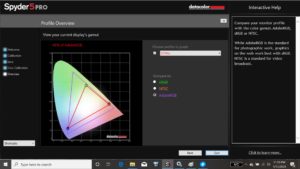
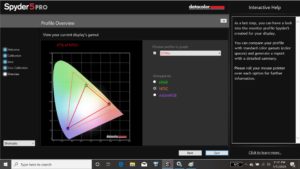
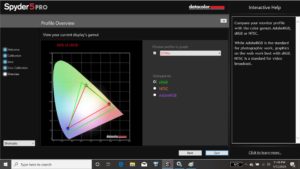
Many of the Gemini Lake budget laptops I review selling for $260 to $330 USD have displays that have Adobe 74% RGB coverage or 95% sRGB. If they can use displays twice as good as this Xiaomi has no excuse!
Battery life:
Xiaomi claims 11 plus hours of runtime in their Chinese press info. But with a 15W CPU and only a 40Wh battery (3Wh more than the Gemini Lake laptops I review), it’s looking really like 5 hours and that’s a very modest estimate based on the wattage consumed so far just running the integrated GPU of course.
Ports or lack of them.
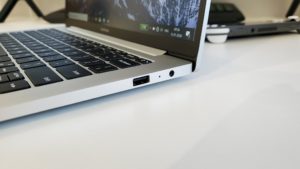
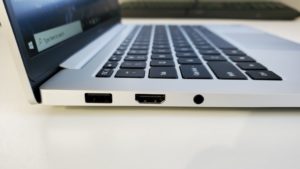
This laptop has only two USB 3.1 ports, HDMI 1.4A (Should be HDMI 2.0) and a 3.5mm audio jack with mic support. There is a microphone on the laptop, but no Type-C ports, quick Type-C PD charging or even an SD or MicroSD slot is a huge oversight. A clear sign to me Xiaomi’s marketing team wants you to pay more and buy the Mi Notebook Pro for those extras ports.
Audio:
Xiaomi has used two downward-firing Harmon tuned speakers, these sound good but not as good as the more expensive Mi Notebook Pro to be expected. Overall they hold up and do the job well.
Internals, Performance & Bad Thermals
This was always for me been my main area of concern and for a good reason. With the CPU & GPU on the same two copper heat pipes with only a single fan, even if it’s a large fan isn’t the best move. I’ve only pushed the CPU hard so far and I’m already seeing a very hot 98 degrees C and thermal throttling. This is not a good sign at all. When the GPU is pushed its heat will affect the CPU and vice versa. Surely Xiaomi’s engineer’s team would have seen this, but still finalised the design for production.
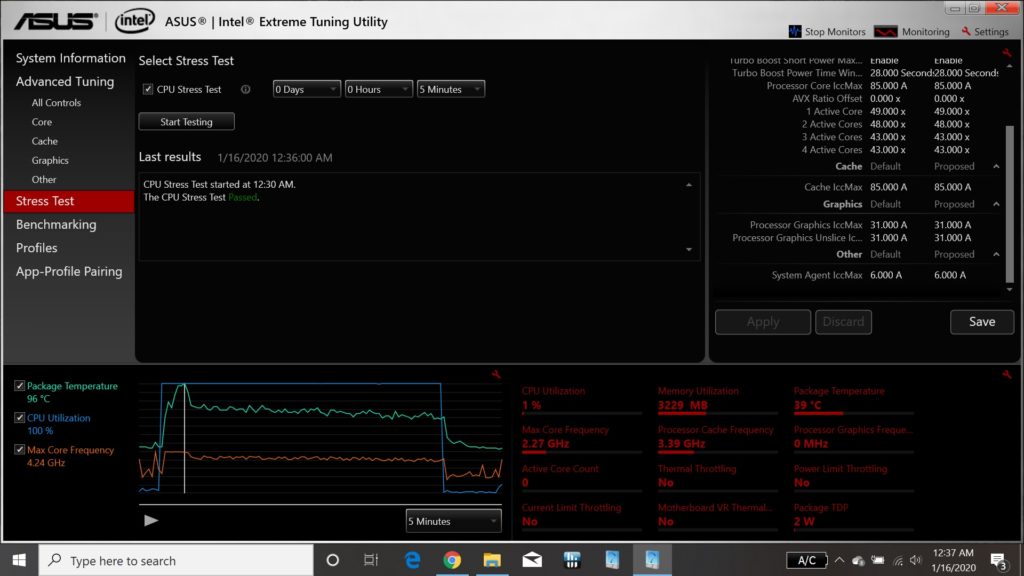
However, Xiaomi set the TDP “Up” value of 25W for power limits Vs the default 15W power limit most would use so this explains the peak 98 degrees C temps triggering thermal throttling when all four cores are doing 4.3Ghz. This last for 15-30 seconds once it throttles down to 3.4Ghz to 3.8Ghz and 70 degrees C. Undervolting doesn’t work it’s blocked via the bios by Xiaomi. Intel XTU and Throttlestop can only change the power limits not the voltages like some tech I review.


As a result of this and the single-channel RAM configuration. The 10th gen Core i7 10510U isn’t performing as expected under longer loads. The system under short bursts feels quick and snappy as expected it’s the longer heavy loads this cooling will not handle. And I have my doubts if the lower clocked Core i5 model will even be able to handle the 15W CPU + 25W GPU.

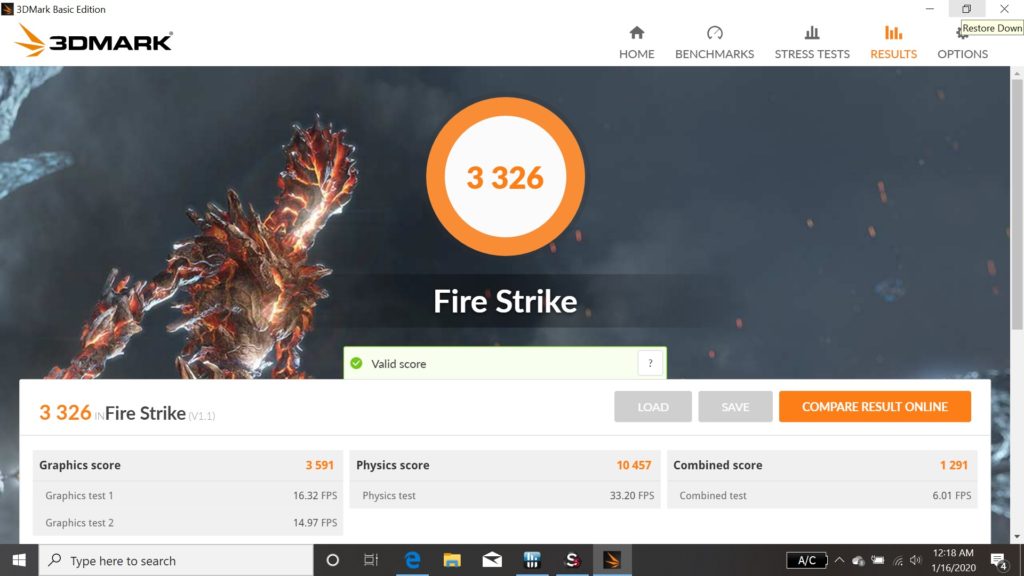
The 3DMark Fire Strike score is approximately 200 points lower on the GPU due to throttling VS the Redmibook 14 I reviewed. But the Core i7 10510U is a good 25% if not faster than the Core i5 8265U in that model.
First impressions:
Xiaomi to me has missed the spot with this one, selling for around $700 USD with this Core i7 (In China) this laptop really needs to offer more than a just a lightweight build, slim bezels, and new 10th Gen CPU. If you’re someone that wants the performance you paid for like me you’ll not find it here with the poor cooling. Fan noise, as a result, is a little on the louder side when even doing relatively light tasks. Just 6 tabs in Chrome the fan is clearly audible with the power plugged in and doesn’t seem to want to turn off. Remove power and the fan does eventually turn off using just the battery.
And then that screen, it looks very nice but I’ll measure the colorspace soon. The slim bezels are great to look at the matte coating is very practical more than a glossy glass finish. But it’s a bit dull at 100% brightness. This might be fixable via a firmware update from Xiaomi so fingers crossed for that.
Alternatively, you have the AMD Ryzen models and the Redmibook 14″ new versions with the same 10th Gen intel chips and Nvidia MX250 config for less here at TradingShenzhen where I bought this model.
Pros:
- Great size and weight. Very portable
- 10th Gen Intel chips
- Dedicated GPU option is great for a small laptop like this
- Slim bezels
- Good keyboard and touchpad
- Matte IPS screen
- Speakers aren’t bad
Cons:
- Just running Geekbench was enough for it to thermal throttle and it 98 degrees C after a few runs
- The screen is rather dull for 100%. Just 215 nits peak with poor color coverage.
- RAM is a single channel only, should be dual channel for best performance
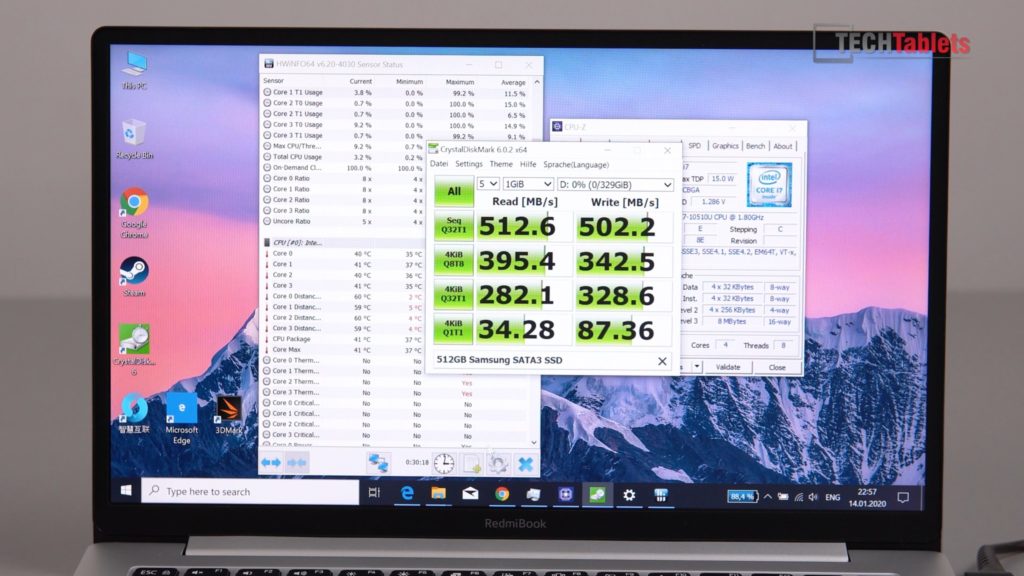
- Only the SSD is upgradeable and just a SATA3 model. It doesn’t ship with NVMe but supports it.
- Lacks Type-C ports with display out and power delivery support.
- HDMI 1.4A (4k30hz) spec not HDMI 2.0 (4k60)
- No webcam