


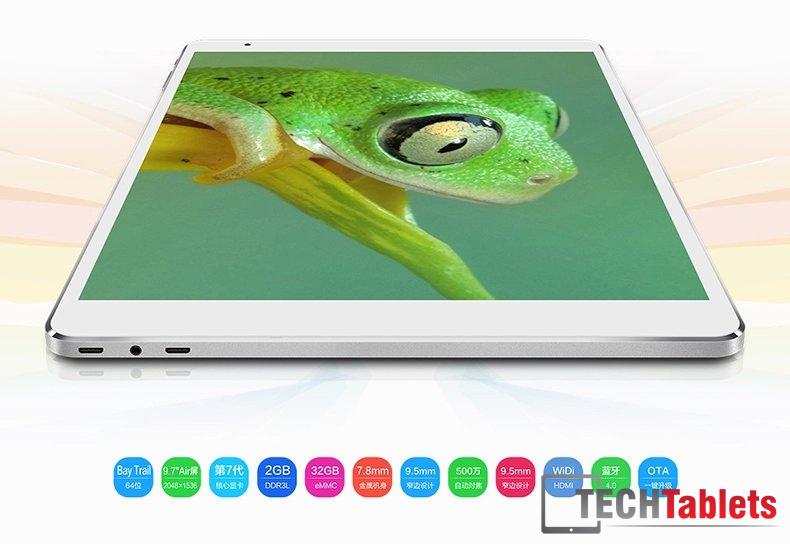
Dual boot comes to the X98 Air III. I thought it would be possible since the hardware supports it and it’s almost identical to the X98 Air II and now Teclast has released their dual OS bios for it, Windows 10 image and Android 5.0 Rom download. This now makes it the cheapest Retina 9.7″ tablet around at $125 with coupon c930c6. But it looks like flashing this will leave you with Windows 10 licensing issues and require a valid license.

Here’s the translated how to and links to the files (Below). I will try and get some mirrors up soon on Drive, but to download from Baidu is a slow and painful process. I’ll try this once my Air III arrives from China (Yes I ordered one)
——————————
Edit: Flashed my Air III over to dual boot. Don’t bother with the Windows 10 files. It’s Chinese only Windows 10.
When flashing the dual boot bios, make sure you’re in developer mode and remove the Chinese letters from the folder.
Make a bootable Windows 10 USB Pen drive and install like that. Use the Teclast X98 Air 3G Win 10 drivers found here: http://techtablets.com/teclast-x98-air-3g/downloads/
I used Mirek190’s V6 lite custom rom instead of the stockTeclast Rom also found here, under ROM’s http://techtablets.com/teclast-x98-air-3g/downloads/ it works perfect and much faster than the stock rom.
So all that’s needed is the Dual boot bios the first part of the tutorial from Teclast below.
——————————
Source: Official Teclast Forums
X98 Air Ⅲ single brush Andrews dual system ideas:
1, the first dual system BIOS update
2, replace the partition table brush入安卓
3, deployment Windows10 system
Taipower Universal Dual System Upgrade Tutorial:http://pan.baidu.com/s/1pJlBxEz
highlights:
First, brush dual system BIOS:
1, the flat boot, at Andrews, open USB debugging mode, connected to the computer
2, run Update_Android.bat batch file, BIOS automatically brush into
Note: Do not brush BIOS disconnect the USB connection, there is the risk of brick, white Attention!


3, see the following screen, indicating BIOS brush into success!


Second, brush Andrews refer to “Taipower Universal Dual System Upgrade Guide”, you need to pay attention to the partition table file replaces
the partition table file as “10G partition table _partition.tbl” rename “partition.tbl” replace Andrews firmware partition table Files
Note: The original partition table Andrews firmware to version 64G, replace the partition table for the reserved space brush Windows10.


Third, after brushing Andrews press tutorials deployment Windows10
third-party tools brushing win10 After activation issues refer to the forum: NOTE