


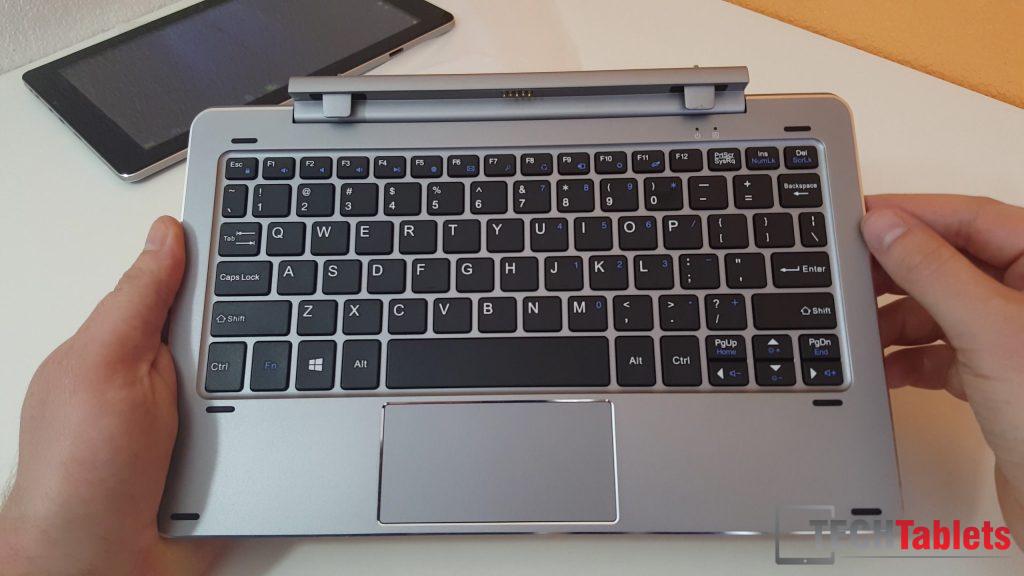
The Chuwi HiBook has landed here at TechTablets. The build is very similar to the Cube iwork10 Ultimate. If you have seen my hands on videos and the review of that model you will see the similarities. It’s obvious that the same ODM makes these tablets or at least the keyboard. There are however some changes in the tablet design, the HiBook has a better all metal unibody build, but a larger gap in the IPS and glass digitizer. (The Cube iwork10 has a very small almost laminated look) And the Chuwi has a different internal layout with speakers either side and a USB type-c port.

The keyboard is excellent, I would go as far to say the best 10.1-inch transformer book style I’ve seen. The build quality is top notch just like the Cube one with only a minor change in the status LED position, otherwise they are exactly the same just one is silver and the Cube one is blue. It looks a little nicer due to this color choice I feel. I’m very annoyed to see this first batch has USB power issues. None of the USB ports want to power my Western digital 2.5″ 1TB external hard drive. My Chuwi Hi12 can access it just fine, yet this HiBook can’t!
First impressions and findings summary:
- Great keyboard, same as the Cube iwork10 Ultimate’s.
- Good build quality, well put together and it feels solid.
- The HiBook has an ambient light sensor, disabling it boosts maximum brightness
- The screen has a large 2mm+ gap between the IPS and glass digitizer.
- USB type-c port works for data and charging.
- Can’t be charged via the micro USB 2.0 port.
- Dual boot menu always launches in portrait, even when docked (Slight annoyance)
- Charger is now upped to 3A Vs the standard 2 or 2.5A
- Light Android ROM looks decent enough and fast.
- 32.4GB free in Windows 10 Home
- Windows activates just fine
- USB type-c port will not power an external HDD
- USB 2 ports on the keyboard will not power external HDD’s
These are just my first findings, I’ll have more on the HiBook soon.