


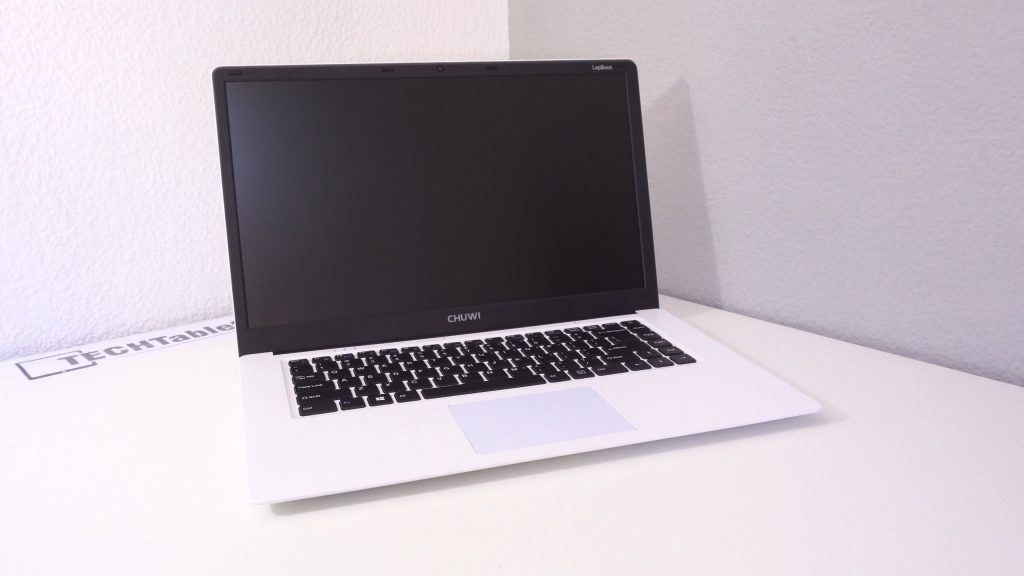
This is Chuwi’s first laptop from them, I’ve already looked at the EZbook Air, EZbook 2 and the LEPO 737S all Atom X5 Z8300 tablets. The YEPO review I canceled after discovering it uses a non-activated version of Windows 10 and no recovery partition making resetting it a nightmare. How the Chuwi HiBook here does have that issue. Below is my unboxing video:

The LapBook comes in super White. And the build of the LapBook has to be one of the best seen yet for a budget laptop/notebook. It’s not the lightest to be expected with the largest screen of 15.6″ (Jumper EZbook 2 is 14″ and the EZbook Air 13.3″) The screen is 1080p and has a matte coating which I personally prefer over glossy on a laptop as often the glossy displays have too many annoying reflections. Colors are brightness are good, but since it’s not an IPS display the vertical viewing angles aren’t the greatest, best viewed straight on. Horizontal view angles are decent however.
Below are my findings and first impressions:
- Atom X5 Z8350, I was half expecting the Z8350 revised version since Chuwi look to have run out of Z8300’s (Finally!)
- 4GB of DDR3 RAM running at only 1066Mhz (The Z8300 supports a maximum speed of 1600Mhz and let’s face it, needs all the speed it can get)
- Battery bar / HWInfo reports a 10500mAH battery, this should be good for around 6-7 hours of use.
- Testing it out it doesn’t feel as slow as i would have expected for 1066Mhz and an Atom X5 Z8300. It seems like the Jumper EZBook 2, without a touch screen these Atom’s feel quicker.
- The keyboard is okay to type on, nothing spectacular, but it does the job with a good amount of key travel. I don’t find it’s too bad.
- However, one flaw with the keyboard no shortcut to control the screen brightness, seem’s Chuwi’s designers forgot this? I have to adjust the brightness via the power taskbar shortcut.
- The touchpad is quite decent, large, accurate. It has gestures and they cannot be disabled via the settings menu. But due to the larger size I’m not accidently triggering them.
- As seen in the unboxing video, the RAM doesn’t seem to want to take 1600Mhz speed setting. But someone in the comments did mention they got 1600Mhz to work second attempt.
- The speakers sound very flat, quite bad, they have some volume to them downwards facing and I can see to get the best quality I’ll be using a headset via the 3,5mm jack.
- Since the housing is all plastic as expected, thermals aren’t the greatest. Already in my early testing gaming the CPU hit 85 degrees, no thermal throttling, but it can only be a few degrees away from.
I’ll be putting this through my review paces, and for those concerned that I’m shifting to away mobiles. Don’t be, I’ll be reviewing the new Teclast Tbook 16 Power soon (Z8750) Dual OS tablet, GPD Win (Z8750) gaming and the new Apollo lake mini pc’s and Chuwi tablets.I’ve also ordered the Cube work1X (Z8350) tablet to finally test out the new Z8350 revised Atom cherry trails. But this Chuwi LapBook will be the last Z8300 I have planned to look at, can’t say I’m sad to see the end of the Z8300!
And I also like to check out new Chinese mobiles too, it’s related most of us tablet users also have a mobile right??
This model and the Z8350 model are listed on Gearbest starting at $189 currently on sale.