


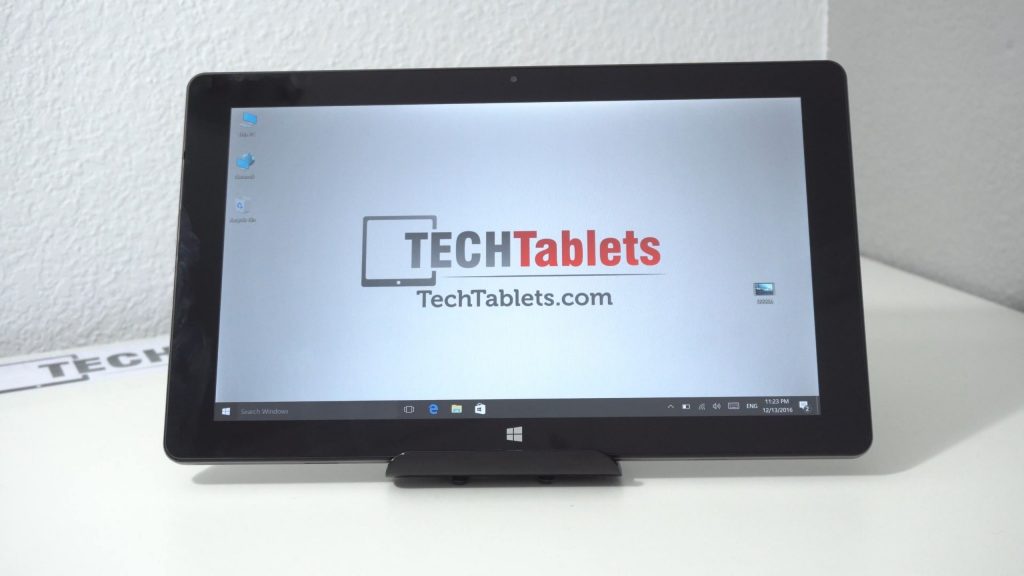
Cube’s iwork1x is an 11.6-inch 1080p Windows 10 tablet (Dual boot version coming soon too) This my first Z8350 tablet, so it will be interesting to see if can tell the difference between this and the old Z8300? Early days yet, but so far the tablet seems okay. Plastic housing means it doesn’t feel as good as the alloy ones. Good to see it has a full sized USB 3.0 port, I’m not a fan of this move to use just micro or type-c ports on the tablets to make them thinner. Practicality is better than saving a few mm if you ask me. Cube iwork1x unboxing below:

First impressions:
- Solid build no flex.
- Plastic all around apart from the volume and power buttons and keyboard docking slots.
- Finish is good despite being plastic
- SanDisk DF4064 64GB eMMC – first time i’ve seen a Sandisk eMMC used
- USB ports power external hard drives
- The screen has no pre-applied screen protector, tiny non-laminated gap. Almost looks fully laminated.
- Screen is bright, good viewing angles (typical for an IPS panel)
- The 4GB DDR3 RAM is running at 1066Mhz by default (But I was able to set 1600Mhz in the bios!)
- More on the keyboard dock in the full review (But it’s due to arrive tomorrow)
- No charger included
- Only 2A max charging (Chuwi’s latest Atom tablets have up to 3A faster charging)
- No stylus support
- Speakers are left and right, okay volume but don’t sound that great.
- Front 2MP can record at 720p 30fps. Quality seems okay, should be fine for Skype etc.
This unit I picked up from Gearbest here, it’s currently on sale for $181. So far it’s looking good, no deal breaker issues (yet) but again another tablet running lower ram speeds for battery savings. I would have preferred 1600Mhz as the Atom’s need all the speed they can get. The impact on the battery and performance I’ve tested to be around 10%.
Edit: I was able to change the RAM to the faster 1600Mhz option. Advanced settings, Northbridge, memory config, change frequency A to 1600 (max speed) save and exit.