
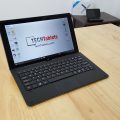

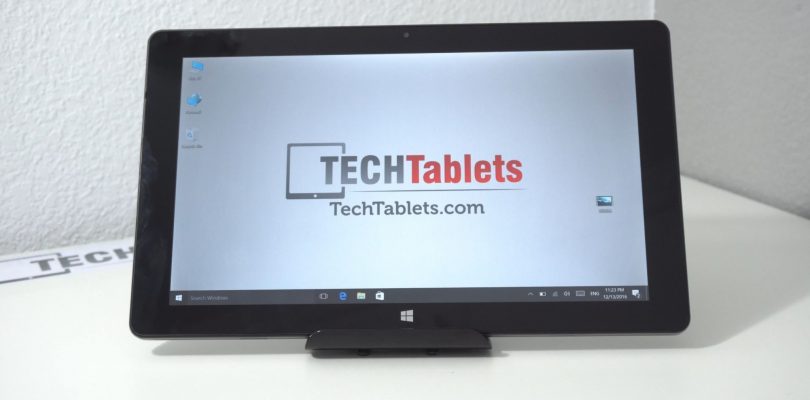
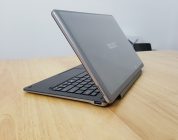
Cube’s iwork1x is an 11.6-inch 1080p Windows 10 tablet (Dual boot version coming soon too) This my first Z8350 tablet, so it will be interesting to see if can tell the difference between this and the old Z8300? Early days yet, but so far the tablet seems okay. Plastic housing means it doesn’t feel as good as the alloy ones. Good to see it has a full sized USB 3.0 port, I’m not a fan of this move to use just micro or type-c ports on the tablets to make them thinner. Practicality is better than saving a few mm if you ask me. Cube iwork1x unboxing below:
First impressions:
- Solid build no flex.
- Plastic all around apart from the volume and power buttons and keyboard docking slots.
- Finish is good despite being plastic
- SanDisk DF4064 64GB eMMC – first time i’ve seen a Sandisk eMMC used
- USB ports power external hard drives
- The screen has no pre-applied screen protector, tiny non-laminated gap. Almost looks fully laminated.
- Screen is bright, good viewing angles (typical for an IPS panel)
- The 4GB DDR3 RAM is running at 1066Mhz by default (But I was able to set 1600Mhz in the bios!)
- More on the keyboard dock in the full review (But it’s due to arrive tomorrow)
- No charger included
- Only 2A max charging (Chuwi’s latest Atom tablets have up to 3A faster charging)
- No stylus support
- Speakers are left and right, okay volume but don’t sound that great.
- Front 2MP can record at 720p 30fps. Quality seems okay, should be fine for Skype etc.
This unit I picked up from Gearbest here, it’s currently on sale for $181. So far it’s looking good, no deal breaker issues (yet) but again another tablet running lower ram speeds for battery savings. I would have preferred 1600Mhz as the Atom’s need all the speed they can get. The impact on the battery and performance I’ve tested to be around 10%.
Edit: I was able to change the RAM to the faster 1600Mhz option. Advanced settings, Northbridge, memory config, change frequency A to 1600 (max speed) save and exit.


Hansjörg Schwaiger
I have a iwork1X 11.6″ since a couple of weeks with dual OS Android 5.1 and Win10 (and a Cube Talk 9x since over 2 years)
Here are my pros and cons that I found out so far:
Pros:
Good screen
Very fast Ram (and together with USB 3 very nice to copy data from/to the tablet)
Solid build quality
Cons:
heavy (but I knew before from the specs)
WiFi very weak or no signal where I still have reception with my mobile phone (Redmi Note 4) or the Talk 9x
frequent, spontaneous reboots in Android (ca. 1x per day)
I didn’t use WIn10 much, but seems to work fine so far…
Luq
Unfortunately mine (win10 only version) came with a Chinese only version. Any advice on how I could get it to English? Tried flashing the win10 image but that’s also Chinese only. Appreciate any guidance.
Carol E
Mine came with English but when Win 10 updated to version 1607, everything went back to Chinese so now I have a brick. I tried going back in to change the language and some of the info is in English but the majority is still Chinese. It refuses to go back to just English. I’ve sent an email to the seller but not sure what will happen. If anyone has any ideas, please add them here. I know my way around Win 10 in English but am totally lost in Chinese.
Luq
In the end i reinstalled win10. It should automatically authenticate after the install if you did everything right. Then it was just a matter of installing the drivers manually. You can get the drivers from the site. Please make sure to note down your key in case something goes wrong.
Sorry if this isn’t much help.
Marien Spek
I received an iWork1X including keyboard dock myself yesterday, and I have to say that the overal quality is better then my Chuwi Hi12. Especially the keyboard dock feels more robust.
Also mine DID came with a pre-applied screen protector underneath the standard foil.
So maybe only some of the very first didn’t?
Or it might be that banggood applied it? I don’t know.
Still I won’t regret this purchase 😀
Chris G
Banggood’s listing says something about a free screen protector for the first X amount of customers. So that must have been it?
Marien Spek
That may very well be the case. I missed that part when I ordered the device, but turned out to be a nice surprise when de device came in after reading here that it wouldn’t have any 🙂
Rajko
I there any firmware for dual boot? I have single boot IWORK 1x and would like to have Android also. Thanks
Chris G
it hasn’t been released yet.
Aerton
Chris,
Any difference between x8300 vs x8350??
Thermals?
Speed?
Anything??
Thanks
vkristof
The Chuwi Hi10 Pro I bought through Newegg (USA vendor) has a Z8350 (as advertised) and the same “SanDisk DF4064 64GB eMMC”.
I downloaded that benchmark Chris uses and the SanDisk turned in good numbers.
Temuri Imnaishvili
Thanks, Chris. Can you please run a quick test – how’s Flash performance in full-screen mode? Take any stream from http://goatdee.net/. Cheers!
Andi Domi
I’m really curios how the battery holds up after the ram frequency update, but not having a wacom stylus is a deal breaker for me ,i would have liked a wacom stylus tablet for that price
Josef Valihrach
Hello Chris, thank you for all the awesome work and guidance. I am really curious about z8350 temps and performance.
Would it be interesting for you to test cca 140Euro 2 in 1 Atom Umax VisionBook 9Wi Pro? It is gettig quite popular in Czech Republic and one of the shops finaly seems to be selling it all over EU –
https://www.alzashop.com/visionbook-9wi-pro-detachable-keyboard-gb-us-layout-d4279409.htm?catid=28854253#popis
Also please would you try to up the RAM clock to 1600 Mhz on Chuwi Vi8 Plus? Many thanks for your time.
Chris G
I’ll have more on that soon temps and performance of the Z8350. Looks like its going to be very similar to the Z8300. As for that 2-in-1 it looks like a rebranded Pipo or Cube iwork10? And the RAM on the Vi8 Plus, I can’t check that as I dont have it anymore. The Cube here did take the RAM set to 1600Mhz.
Josef Valihrach
Looking forward to it. A shame, I was hoping that the temps would be better, since we will probably be stuck with this SoC in entry level for a long time. At least until Microsoft officialy release that promised x86 capable ARM build (excited about that).
I don’t believe it is, now that I found some benchmarks and photos. It seems to be the cheapest atom 2-in-1 ATM. http://www.digilidi.cz/recenze-umax-visionbook-9wi-pro-%E2%80%93-clever-ever
Ok, thanks for the reply. If I decide to risk it with my Vi8 Plus, I will let people on the forums know the result.
Prodromos Tsimerikas
How’s the wifi performance?
Chris G
Around 48 mbps upload and download max. Wireless N seems normal. Range is good, helped by the plastic body.
Carl
Mine is running stable at 1600mhz RAM (Set it to Auto in the BIOS.)
Cube have posted stylus drivers for the 1x to their Chinese sites download section, and a guide to install them in their forum, but there is no mention anywhere on what type of stylus it actually supports!
Chris G
Same here so far no negative impact (Glitches or crashing) I don’t think it supports a stylus. No mention of it in the official press images and info.
M
Hey Carl! I tried to clean install Windows 10 on my Cube iWork 1X but I didn’t back up the drivers. Any chance at all that you have yours backed up? I’d really appreciate it
Carl
M:
I zipped my driver back up and you can grab it here:
https://drive.google.com/open?id=0BwfIairJYiqDaHBwMXBCRlhpcXc
I didn’t include the original Intel graphics driver as it is almost 600mb(!) and the official driver from Intel’s site seems to work fine.
Chris:
The file shared by Cube at this address translates to Cube iwork1x TP capacitive pen driver (but I agree, it isnt mentioned anywhere else by cube which is strange.)
http://www.51cube.com/ch/DownShow.asp?ID=420
M
Trying to restore via Double Driver but getting an error because “restore.ini” is not found. Any idea how I can fix that? I tried to find a standard restore.ini file but it didn’t work: http://originaldll.com/file/restore.ini/20776.html Thank you for your help so far! I really appreciate it
Carl
I backed them up using a PowerShell script. I will try with double driver and send a link.
Carl
Hi M, I have done a back up using Double Driver (with correct restore.ini’s) it is here:
https://drive.google.com/open?id=0BwfIairJYiqDcmRNeWhWRU9UaFk
Hope this works!
M
Thank you so much!
Chris G
I’ve added the Windows 10 image and drivers here: https://techtablets.com/cube-iwork1x/downloads/