


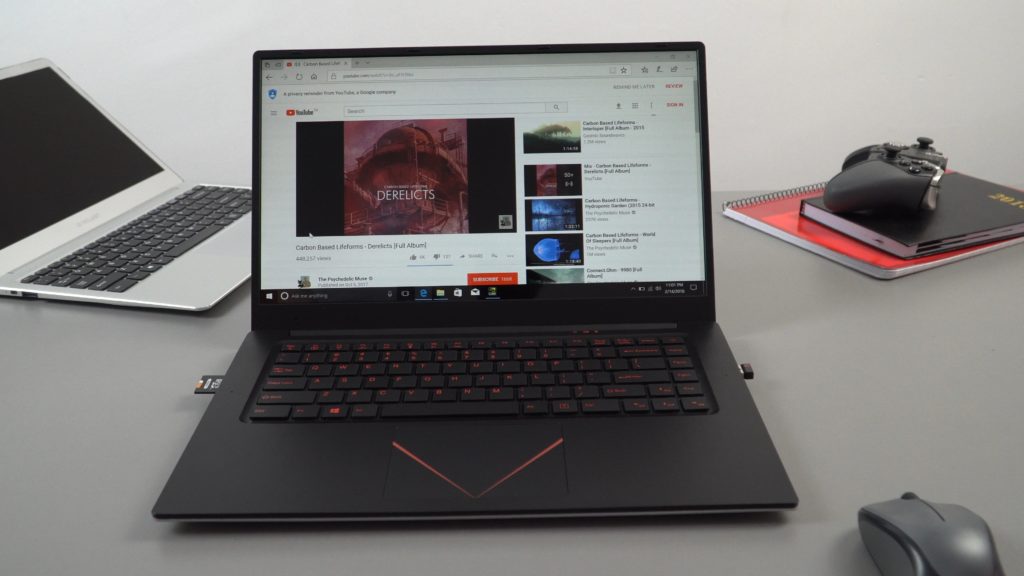
This is the second T-Bao laptop I’ve looked out, thanks to a few forum goers that point this one out I decided to buy this one from Geekbuying.com. However I kinda wish I didn’t, on paper, it seems okay, maybe good for some light gaming. But that dedicated Nvidia 920M with 2GB of DDR3 isn’t nearly as fast I thought it would be. Sure the CPU is very weak for a gaming laptop, the Apollo Lake J3455 (200Mhz faster than the Celeron N3450 and with a 10W TDP. But something is limiting that 920M from reaching its full potential as in my testing it’s really only around 10-15% faster than the Intel HD 500 integrated graphics. And that isn’t right, so I double checked the Optimus graphics switching had the dedicated GPU enabled (It did) and the setting was on the prefer max performance option. And lastly, it was plugged in.
All set, but no. It’s either the CPU, RAM speed or the PCIe lane speed is limiting this GPU like crazy. Or some other issue? Below is my hands-on video with the Tbook X8S Pro.

01:07 – Unboxing
04:40 – Keyboard & touchpad
06:30 – Bios
07:52 – Touchpad gestures
08:24 – Hardware & SSD
11:29 – Screen
11:49 – Nvidia 920M
12:22 – Audio
12:58 – Webcam
13:20 – Linux test
13:39 – Internals
16:07 – Benchmarks
17:43 – CS:GO Test
18:30 – Final word
18:38 – Pros & Cons list
So it’s not all bad, there are some really good things here. Upgradable wireless card, a fast 128GB SSD 2280 spec, not a bad screen and keyboard. And the J3455 is as fast as an N3450 with a 10W power limit. Still, I can’t recommend this one for gaming until that Nvidia 920M performs like it should! Still, before I got this one, I also ordered the DaySky D-Book Pro, this one has a Nvidia 940MX, N3450, 6GB of RAM and looks like a Macbook! Hopefully, the 940MX will perform much better.