


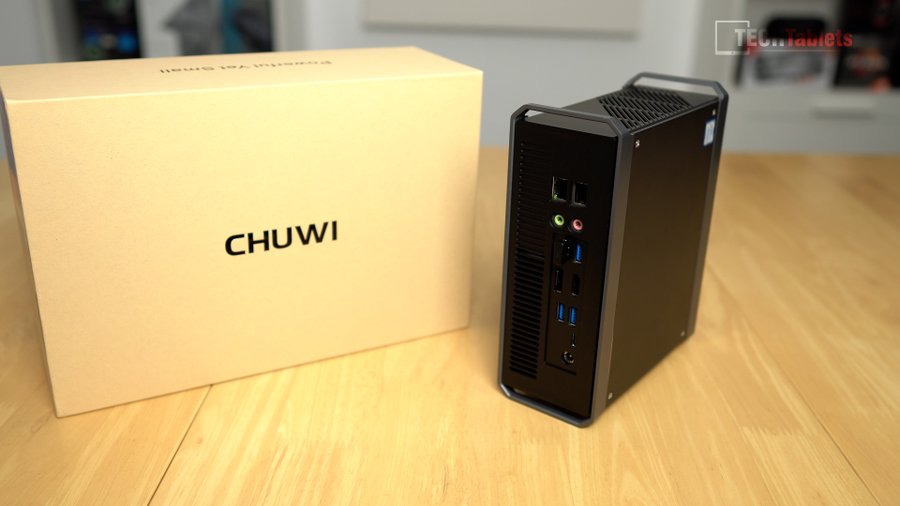
Here’s a great little mini PC that I’ve been using for the last few weeks that if you’re not planning to do anything demanding like editing 4k video or gaming covers all bases really well for the price. It’s called the Corebox Pro, the original Corebox I didn’t find impressive but this good design is back with some very good features to boot.
Currently selling for $349.99 to $359.99 over at Banggood with coupon BGTECWBP1 or coupon BGTECWBP2. The Corebox Pro offers a lot of features we don’t normally see for this price group, Thunderbolt 3 support, Intel Wireless AX201 Wifi 6 chip with BT 5.1, 4k@120hz HDMI support, and Displayport 1.4A (4k60) with the thunderbolt port means it can run 3 displays simultaneously.

Corebox Pro Review Video Index
00:00 – Intro
01:07 – Unboxing
01:28 – Build, ports, and design
03:09 – Internals
04:27 – Bios
04:55 – First boot, devices, SSD, and Windows
08:06 – Performance tests
09:32 – Thermals, fan noise & power use
10:55 – 4k 120hz support and HDR
11:20 – 4k video editing and export times
12:34 – Gaming CSGO & GTA V
14:38 – Linux support
15:15 – Recap with Pros and Cons
Performance
The SSD inside is a 256GB Toshiba NVMe with good speeds and we can also add a 2.5″ drive for expanding our storage capacity. The Corebox comes with 3733Mhz max DDR4 RAM spec with the odd amount of 12GB which is completely soldered into the motherboard like the Intel AX200 Wifi 6 chipset. Sadly only the storage is the upgradable component with this model which is on of the few cons. The other one being the fact it has the Core i3 1005G1 10th Gen 10nm Intel chipset. This is good for general computing and everything does feel quick and snappy until you try to edit a 4k video or play a modern game.

The Corebox has Intel UHD G1 graphics which while a step up over the typical UHD 620 graphics with its 32 executional cores isn’t really that powerful at all a low-end iGPU. However, you can play light older games like Counter-Strike or GTA V at 720 with playable frame rates.
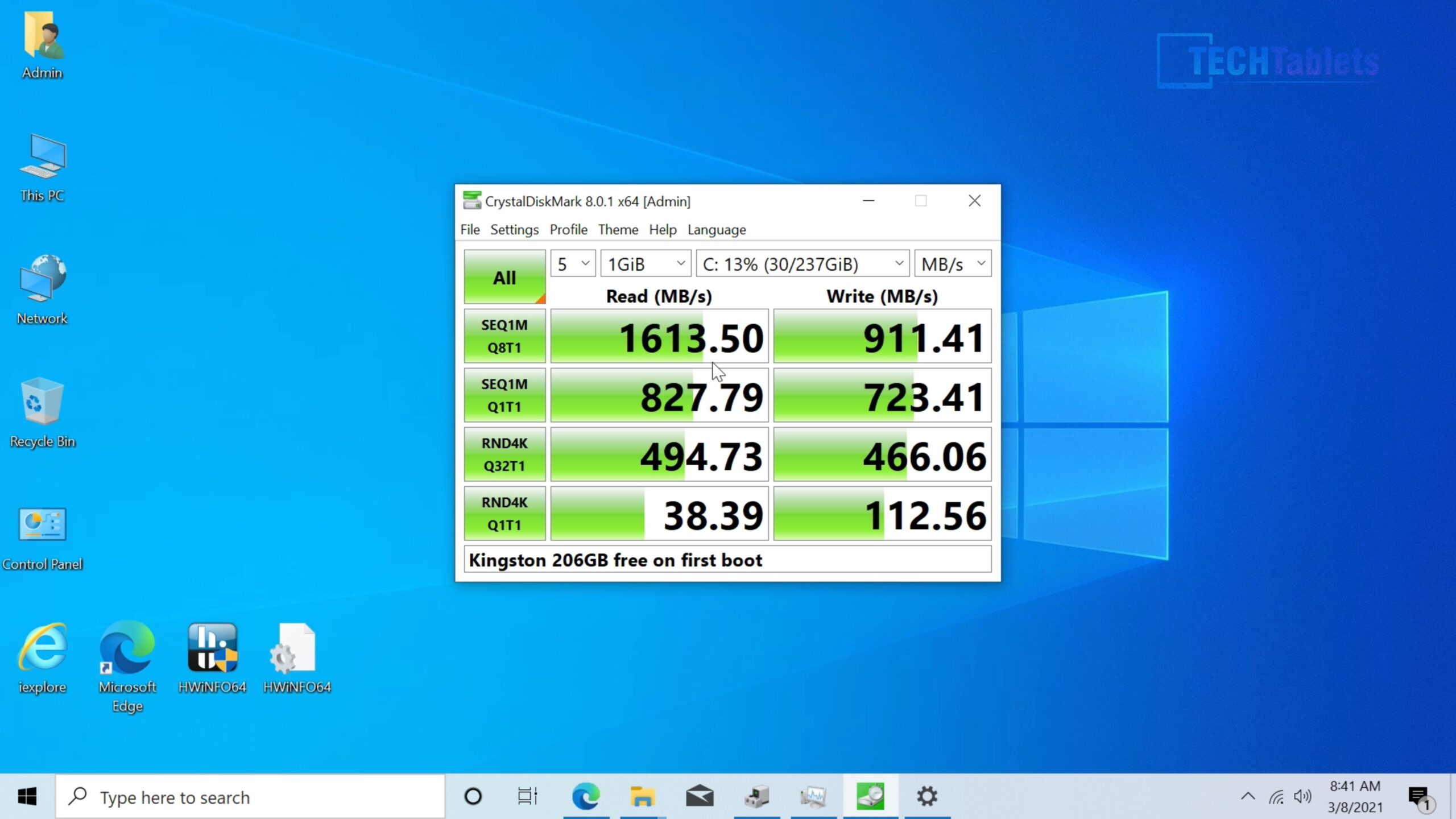
It comes with a 256GB Toshiba NVMe drive these are the speeds.
This Mini PC ships with Windows 10 Home and it’s activated via a digital license SLC which is part of the bios.
Benchmarks
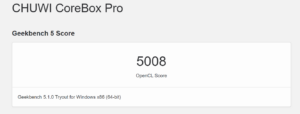
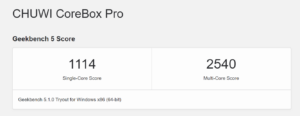
Geekbench 5, Geekbench 5 Open CL, and Cinebench scores are below. As expected they are low end due to the low 3.4Ghz max speed and only 2 cores/4 threads. But the single-core Geekbench 5 scores aren’t bad making Windows 10 responsive and overall quick. It’s only when pushed hard multitasking do the two cores start to strain under the load.

Ports, a good selection for the price!
Aside from the 3 display outputs with TB3, there are 2 x Gigabit Ethernet RJ45 ports, 4 x USB 3.0 ports, and a separate audio out and in 3.5mm port. Sadly no USB 2.0 ports on the front of it or an SD card reader (which would have been perfect).
Thermals and the fan noise
The cooling in this mini pc is overkill for the Core i3 with a max 3.4Ghz turbo. Even gaming for hours it didn’t go over 74 degrees and the fan noise through my 2 weeks using it is one of the best I’ve hard in a long time, very quiet with only a small humming noise under peak load. I think this cooler could handle the likes of a quad-core 8th or 10th gen 28W TDP chip without even hitting the max RPM.
A pleasant surprise, 4k at 120hz!
one of the key reasons now I use this Corebox is it will run Windows 10 desktop at 4k120hz which matches my LG CX’s 120hz refresh rate. Normally I’m stuck at 60hz with most mini PC’s so this came as a pleasant surprise I can run the higher refresh rate with no glitches or reverting back to 4k60hz.
If you plan to run 4k120 make sure you update the Intel GFX drivers and use a top-quality HDMI 2.1 cable.
Conclusion
If you’re after a mini pc for light to medium workloads, browsing, media playback, or Linux. With great wireless speeds, TB3, dual LAN, and NVMe SSD this one does come recommended by me. Because it also supports 4k120hz I’ve been using this over some of the more powerful mini PCs I own for basic workloads. Leaving my noisy and power-hungry desktop for 4k video editing and gaming only.
Pros:
- Big upgrade over the original Corebox with a super slow 5th Gen Core i3
- Very good cooling and fan noise
- Plenty of ports
- Can run three displays
- Thunderbolt 3 support
- HDMI supports up to 4k 120hz (8bit)
- HDR support (If your TV or monitor supports it)
- Fast Intel Wifi AX201 (Wifi 6 support) with BT 5.1
- For the spec, the price is very reasonable
- 2.5″ drive support
- Mini tower PC design that can be laid flat or upright like a tower PC
Cons:
- No upgrades apart from storage could be swapped for a faster larger NVMe
- No USB ports on the front of it.
- Weak Core i3 dual-core with 4 threads. It would really suit a Core i5 10th Gen quad-core SoC
- Completely locked down bios, no advanced settings
- The plastics of the case had a few minor marks on them out of the box
- Intel XTU doesn’t seem to work with this chipset