


After my unboxing and first hands on with the Chuwi Hi12 I felt the screen brightness just wasn’t enough on the 2160 x 1440 Samsung PLS panel, nothing like how I remembered it to be on my Surface Pro 3. Luckily the brightness being dimmed a little was due to Intel’s graphics power saving settings. Disabling it pushes the max brightness now to just over 302 cd/m2 which is better.

I also ran the usual 3Dmark, PCMark and Geekbench 3 benchmarks on the Hi12 and scores were low at first, but due to the extended battery life gaming power saving Intel Graphics setting. Normally these are disabled but were for some reason enabled. You’ll be pleased to know the Chuwi scores well for an Atom X5 Z8300 as seen in the hands-on video below if you missed it yesterday on the Tech Tablets YouTube channel.
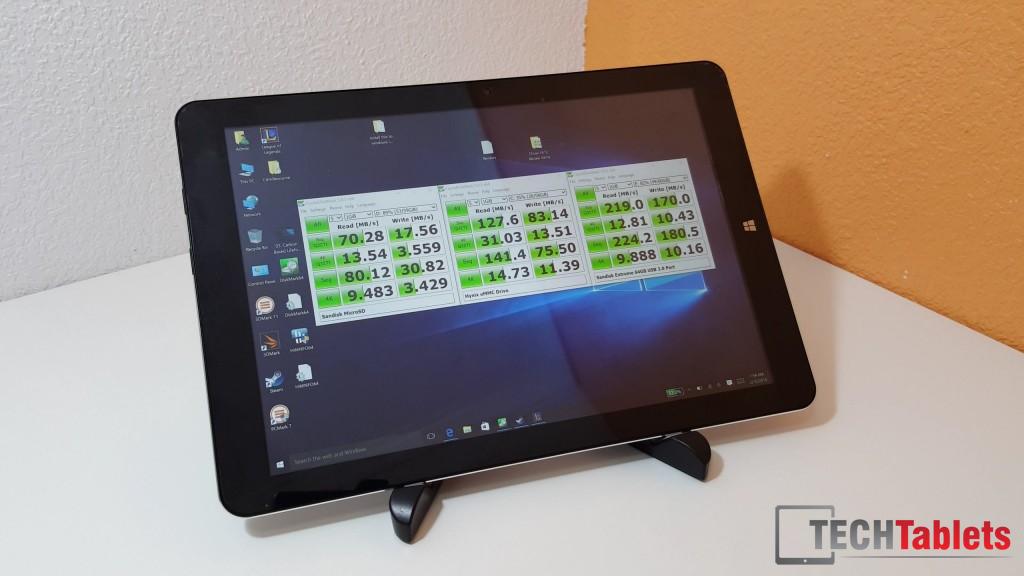
Speeds on the eMMC are good, nothing amazing. But decent enough 4k random reads and writes. Battery life also looks decent I feel for the size and resolution of the screen it has we are looking around 5-6 hours even more as this is with the Intel GFX battery savings off and the screen at 50%.
Thermals are some of the best seen on a Cherry Trail tablet, so far 70 degrees max running demanding benchmarks where other tablets would hit 85 degrees this hasn’t (yet). I’ll test some games soon and see if I can get it any hotter.
So far in my testing and use of the unit I’ve only found one minor issue and that’s a little interference over the 3.5mm headphone jack. A common problem with this Atom tablets.
The full review should be up within a few days. But so far, it’s looking good for a 12 inch $250 dollar tablet with a nice 3:2 ratio screen. Now we just need a Core M version with a Wacom stylus!