


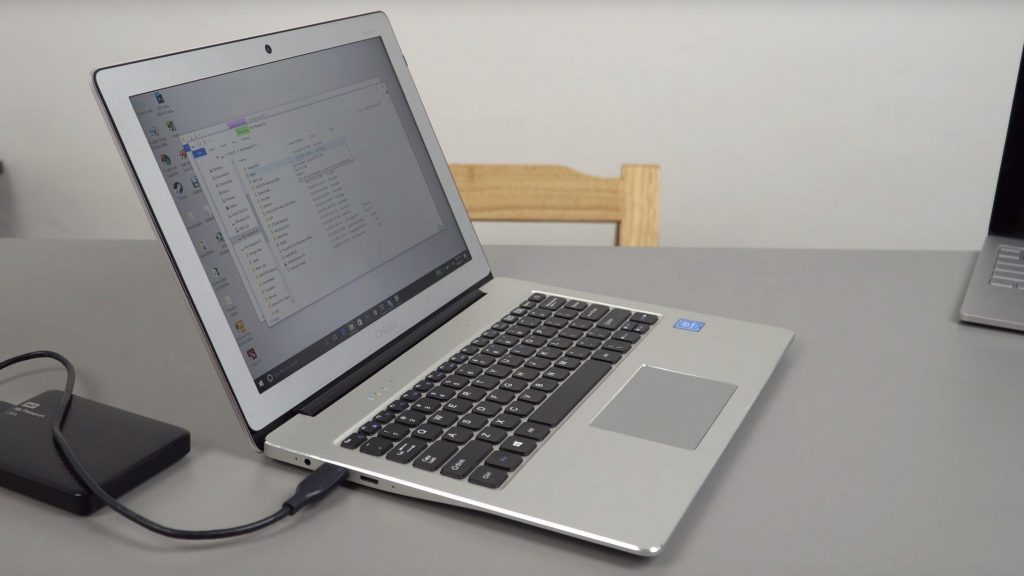
Update: Repeated tests to get the lapbook hot max out at 90 degrees C with no thermal throttling. So not the temps I got before hand. Thermal mod isn’t really required, but if you did add a thermal pad or some copper you could certainly lower temps.
Finally got my Chuwi Lapbook 12.3, it’s the latest laptop from Chuwi and this one is a little different as it has the Surface Pro 2017 and Surface Pro 4 screen in it. A 3:2 ratio screen with a 2736 x 1824 resolution screen. That’s 267 PPI and it’s got an anti-glare coating on it. For some reason, I thought it was going to be glossy, glad I was wrong. The screen itself looks awesome, on of the best, but there is a mirror issue on my unit, the screen brightness charge from 50% to 75% & 100% is so minor it’s almost impossible to see. I’m hoping a bios update will correct this so we can get the full-screen brightness.
The Lapbook is $299 here with coupon Gearbest02, so more expensive than the Lapbook 14.1, but you do get a full metal build, and that premium top-tier screen.
It’s a 450 nit panel, but at the moment I don’t get the maximum brightness. At 50% luckily is still just fine because of the matte coated screen.
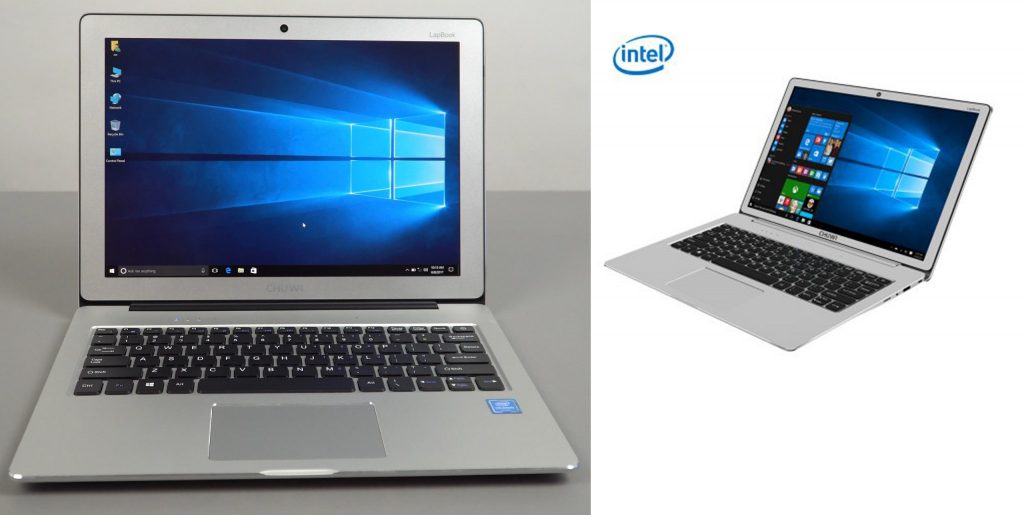
The bezel around the screen is big, Macbook Air or Acer Swift 3 big, it’s a shame they did this or had to maybe because of the 3:2 ratio screen? One thing that annoys me is yet again we see slimmer bezels in the press images and in reality it’s much larger, just take a look:

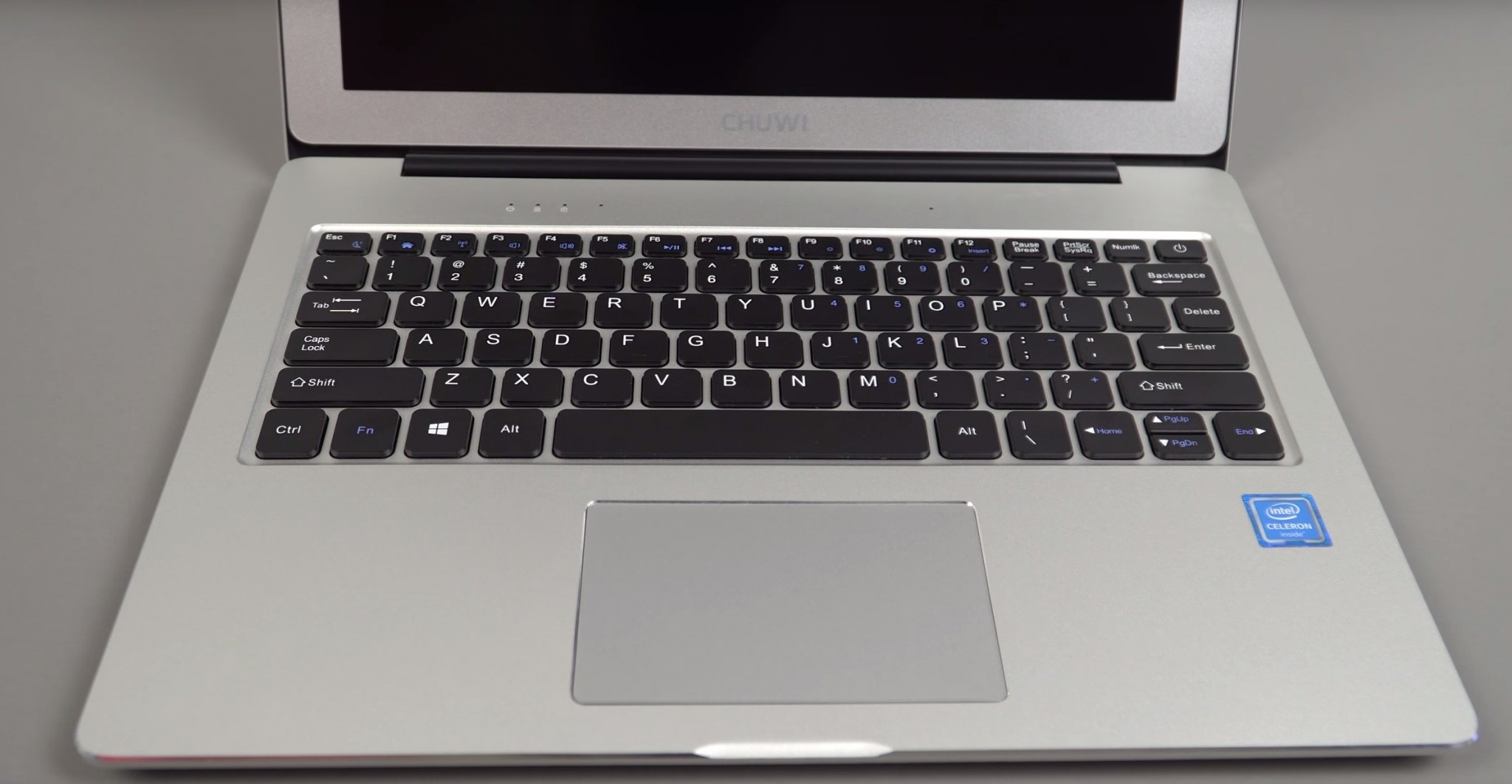
The build quality is great, all metal apart from the M.2 cover and middle part below the screen. The keyboard is one of the best yet to type on so far in my first day I really do like it. Very firm, no flex and good key travel and feedback from them. The touchpad is of an okay size, it’s not too bad, plastic top material and the accuracy is good. Gestures can’t be controlled via the mouse settings menu. So it’s not a precision touchpad.
The M.2 bay is really easy to get to, just flip up the plastic. One screen to remove and insert your SSD. It has to be 2242 in size and I recommend using 256GB or more so you get faster writes. The 128GB size ones normally have sequential writes under 200mb/s.
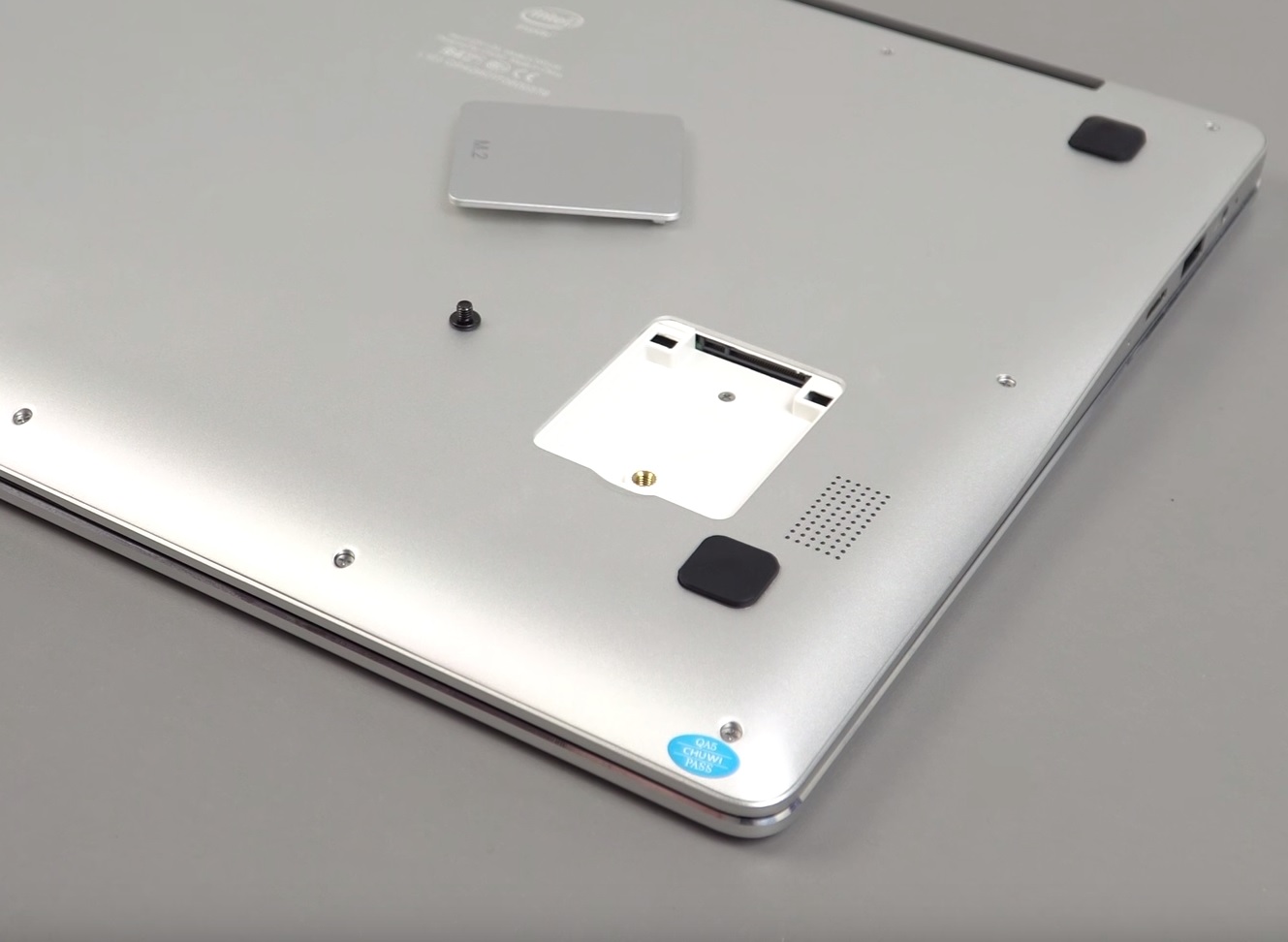
SSD bay is super easy to get to and install your own SSD. (2244 SATA3 spec)
The eMMC is a 64GB Toshiba, 4.5.1 spec and quite slow on this first batch, seems Chuwi almost wants us to move to using that M.2 slot with the kind of speeds it has.
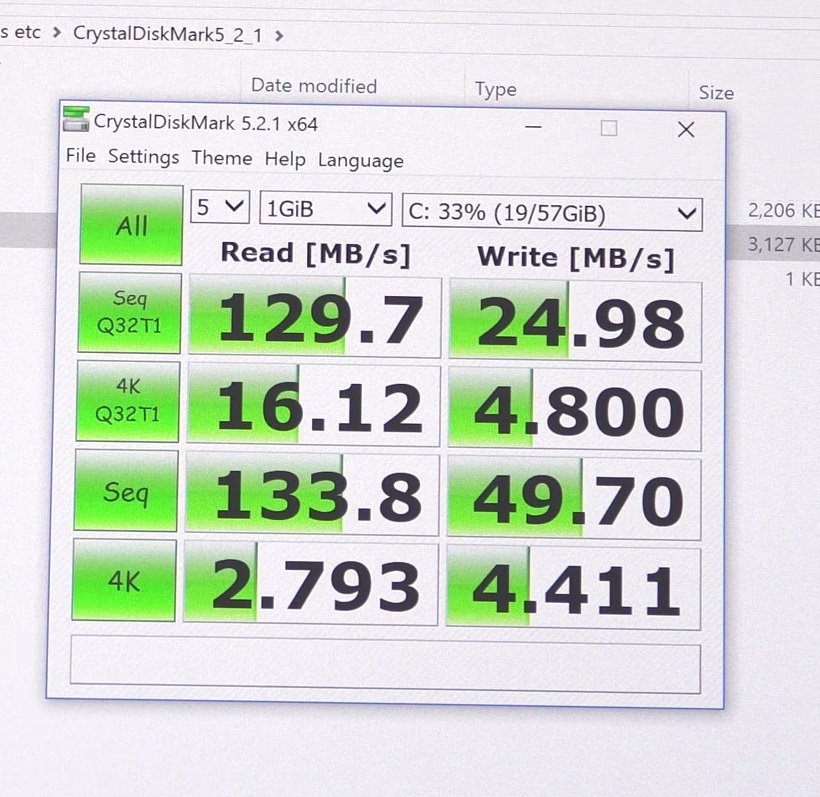
eMMC’s are much slower than the Lapbook 14.1’s eMMC 5.0
Despite the minor cons, so far it’s shaping up to be one of the best N3450 laptops. Top build, great keyboard. 6GB of RAM and that awesome Surface Pro screen in it with anti-glare coating.