


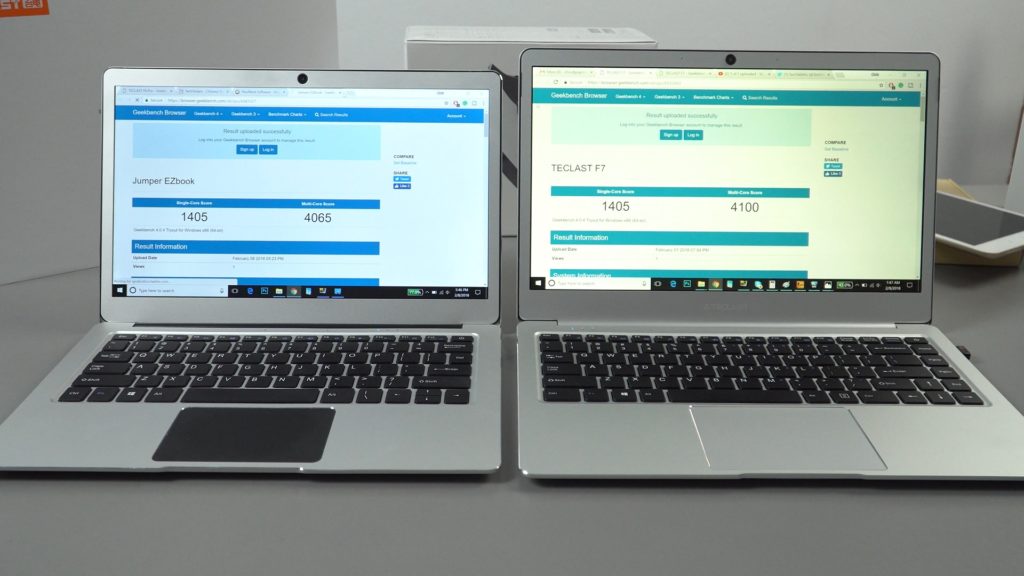
Now I’ve been using the Tecalst F7 for over 2 days, this gives me a chance to answer some of those questions asked here on the site and Youtube many of you have been firing my way. The most common ones are thermals, the screen, and battery life. It’s currently $229 with this email offer link if it still works.

Firstly I’ll start with the battery life as I feel this was the one that was asked the most. In my tests, I’ve done 3 battery cycles now I’ve been able to get the following results with 30% screen brightness:


Teclast F7 battery life test. 2 hours YouTube 1080p 30% Brightness.
Using Edge and streaming 1080p YouTube, the F7 lost around 10% per hour. A great result, more or less the same as others like the EZBook 3 Pro and Xiaoma 41. Moving then to drain the battery completely using only a few tabs in Edge (very light use) again with 20% brightness I managed a full 8 hours plus.

Later testing Chrome with 6 tabs, streaming and some general multitasking like using Photoshop, transferring files to and from USB pen drives. It’s down to around 6 hours of runtime. So it varies on use of course. But I think most would be able to manage 6 hours to 7 hours. This is an hour less than the EZBook 3 Pro under similar use. But using a 6W TDP, the F7 is set to 9W out of the box. So lowering the power limit in the bios under CPU advance settings from 9W to say 6W should increase the battery life.

Charge times are also very good, peak rates measure up to almost 15W.
The screen protector?
Update: More and more people telling me it’s a screen protector covering a matte screen. Well to get the bottom of this I tried once and for all to remove it. And no, it’s a glossy display, I’ve now damaged a bit of my screen. But confirmed if you see no visible screen protector edges, it’s not covered by a screen protector.
Okay 100% confirmed definitely NOT a matte screen with a screen protector. Now I've permanently damaged the screen trying to remove a non existent screen protector everyone is adamant it has. Not on my unit! Teclast F7 pic.twitter.com/wnEBRPEFPQ
— TechTablets (@TechTabletscom) February 9, 2018
Many questions about this one. I’ve been told another reviewer has a matte screen and the glossy display is just a screen protector on mine. It looks this way, but my attempts to remove this protector have failed where most screen protectors would have come of. There are no visible edges to it like I normally see, dut or bubbles on mine, a knife tip and even tape didn’t lift up the screen protector. If it’s on there, it’s stuck on well and the edges must be under the bezels. Not wanting to damage my screen I’ve left it for now.
The screen is a SHP141B according to HWinfo and the device ID. Screen manufactured by Sharp. Some edge IPS glow or bleed, it’s minor and the whites are more neutral and leaning towards warm. The Jumper EZBook 3 Pro screen is clearly a very cool white display as mentioned in my reviews and very noticeable next to the F7.

Audio:
Some good and bad. First the good news, dual mics, and very clean, loud 3.5mm output none of the very common hiss and static on my unit. However the dual mics do product some hiss, nothing like the F6 pro and when the laptop is fully charged and only when plugged in it will emit a small amount of static over the speakers.
And sometimes just before sound plays there is a pop noise over the two speakers. As if the audio goes into sleep mode, wakes and produces that pop noise.
SSD support:
My Transcend 256GB 2242 SATA3 SSD and Kingspec 512GB SSD both work in the SSD slot without any issues and full speeds.
Thermals:
The thermals on the Teclast F7 are one of the best I’ve seen. Considering here I’ve set the power limit from 9W to unlimited and after 30 minutes of gaming only 74 degrees max. I’ve not seen it pass 74 degrees C. No thermals mods will be required. Under normal use and 9W temps maxed out around 64 degrees C after 4 hours of use. Extended periods of gaming the laptop does get warm on the left-hand side.

Overall very solid and safe to say this is the best budget laptop now out for the price I’ve tested. Always seems to be the case the best model of the Apollo Lake Celeron N3450 CPU comes at the end of its life. In April we should see the first Gemini Lake N4100’s laptops, with twice the CPU cache, 200mhz more turbo, HDMI 2.0 support, and DDR4. But due to those crazy DDR4 prices I wouldn’t expect to see anything over 4GB of RAM at first.
Is it worth the wait for Gemini Lake, I’m not sure, if you don’t mind a 4GB of RAM it will be a good 15% plus faster? But the GPU remains exactly the same as the Apollo Lakes. However, the faster 2400Mhz Vs 1600Mhz RAM should give a little boost to FPS if you plan to play some light and older titles.
Teclast did their homework here, in fact, it almost feels like they watched my videos on the EZbook 3 Pro, thermal mods etc and focused their efforts to bring us something to best even the EZbook 3 Pro and they have gone it.
It seems the flash 200 unit sale of $219 has ended and the coupons expired. It’s now selling for $249 at Gearbest.com which is a good $30 more than the EZBook 3 Pro now. Considering what I’ve seen so far, I feel it’s worth it and hearing stories in the forums of EZBook 3 Pro V5+ owners with keyboard, locked out bios, SSD slot and other minor issues that have cropped up in new hardware revisions. At least my V4 model is perfect apart from the slow BWIN brand eMMC. laster models use a Sandisk eMMC 5.1 drive liek this Tecalst F7.
And if you grabbed one at $219 I hope your unit is as good as mine.
Geekbuying are also selling it, but their price is $294. And some Aliexpress sellers for over $350!