

TechTablets › Forums › Chuwi Forums › Chuwi Hi10 Discussion › First Batch of Negative reports on Hi10
Tagged: Chuwi Hi10
- This topic has 285 replies, 64 voices, and was last updated 10 years, 9 months ago by
Lukas W Kobus.

-
AuthorPosts
-
December 30, 2015 at 3:57 am #20491
I am returning mine, as it boots into EFI Shell reporting that it can’t map the boot selection, so I think the hard drive connector is disconnected from the motherboard. I can get into BIOS by typing exit, and I can boot off of USB, but it recognizes no storage device.
Sadly, I’ll probably have to wait another month to get a replacement 🙁
December 30, 2015 at 4:13 am #20494Obed. I bough it in GeekBuying.
Still trying to figure out how to access Android.
It supossed to be dual boot.December 30, 2015 at 4:27 am #20495Obed. I bough it in GeekBuying. Still trying to figure out how to access Android. It supossed to be dual boot.
Although mine came defective, if you go into the BIOS I saw stuff about Android, even though that wasn’t advertised on Aliexpress; But then again, I also said documentation in the BIOS about Windows 8.1 and Windows 10, so they probably are reusing old software.
Still, if yours was advertised to have Android, try going into the BIOS and changing the boot options.
December 30, 2015 at 4:41 am #20497Have you navigated through bios configuration? i think you need to repartition the internal storage for android and windows , i dont think , it come with android/windows by default
December 30, 2015 at 5:10 am #20499Thanks Cam. I’ll try it.
December 30, 2015 at 7:43 am #20509This is Tomas (1st picture). I dont think that it looks like an air bubble or dust. To me it looks like screwdriver misuse…
That’s your Mic, the gap lets the sound in. Not a screw driver mark, but I can see how you think it’s one 🙂
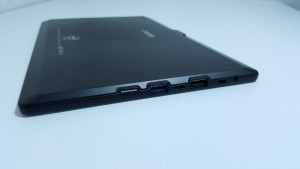
My unit is 64bit, with one blue USB 3.0 USB port. Screen is nice and bright, good colors. Unboxing and hands on video coming soon.
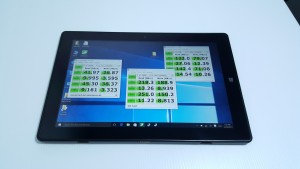
@gshocked No Android on these units yet. Otherwise, mine would have Android on it and it’s clearly only Windows with 44GB free on the 64GB eMMC.Chris | Admin
Please support us and help keep TechTablets online. Affiliate revenue is used to pay for the server, studio apartment (Techtablets HQ) and buy new tech to review. Without it, this site would be dead.
Next up for review:
Ordered and waiting for my: BMAX S15 & Teclast F6 Plus
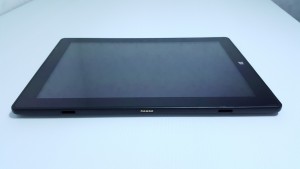
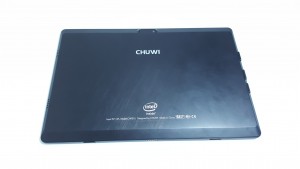
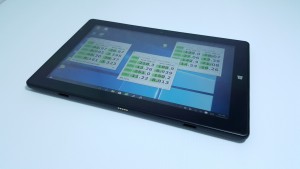
Currently testing: LG G8X & Redmi K30December 30, 2015 at 7:54 am #20516Chuwi Hi10 pics… Finally!
Chris | Admin
Please support us and help keep TechTablets online. Affiliate revenue is used to pay for the server, studio apartment (Techtablets HQ) and buy new tech to review. Without it, this site would be dead.
Next up for review:
Ordered and waiting for my: BMAX S15 & Teclast F6 Plus
Currently testing: LG G8X & Redmi K30December 30, 2015 at 8:22 am #20517Just got my unit from Gearbest and its 64bit with blue usb3 port. Gearbest buyers rejoice!
December 30, 2015 at 3:11 pm #20568I tried to get into bios. I watched a video yesterday from Chris on Chuwi VI10 I think. So I shutted it down and pressed on and + buttons at the same time. Nothing happened. Then I tried On and – keys and again I didn’t succeed.
December 30, 2015 at 3:16 pm #20569then I tried many times to turned it on unti finally the screen showed me the chuwy logo but then gave me the message that my device wasn’t able to start windows. I’m a regular user of tablets, now I think I shouldn’t tried.
December 30, 2015 at 3:19 pm #20570Basically I tried using the choices that appeared but none of them allowed me to start windows and I’m affrsid to try some of the advances options that shows.
December 30, 2015 at 3:22 pm #20571If you guys can provide any feedback I’ll appeeeciate it
December 30, 2015 at 4:43 pm #20580What did you try? What options have you changed? Boot order, for example? You say you tried all the options but you need to be more specific so that we can help you.
Btw. I don’t understand why you think it is a dual boot tablet – it definitely isn’t, and it was not stated on any of the sales sites. This is exactly why i have ordered it – 64gigs are not enough for dual boot, it is hardly enough for Windows itself, still have to attach a memory card if you really want to use it for more than just watching some videos on youtube.
December 30, 2015 at 4:59 pm #20582chris you have any trouble with the tablet black screen shutdown when a portable usb3.0 hard drive is plugged in??
mine is fine when charger is connected.
the hard drive is a 1tb seagate, could it be the port not giving enough power?
usb 3.0 memory stick works fine.
thanks
December 30, 2015 at 6:27 pm #20593VC Mall told me to ship my tablet back to be replaced, but I would have to pay for the first shipping cost. The lowest price I can find is about $50, which is way more than I’m willing to spend on this after the $169.99. So I’ve opened a dispute, detailing all the boot problems, possible hardware problems, screen bubbles, and oddities in the BIOS. I’ve asked for a partial refund of $149.99, to cover the cost of the tablet, but not the cost of the free bluetooth keyboard (without touchpad) and micro-usb charger.
Do you think I’ll get my money back? Should I try getting a refund via my credit card company (Visa)?
Or is there a cheaper shipping alternative (From MA, USA)?
-
-
AuthorPosts





- You must be logged in to reply to this topic.
