

TechTablets › Forums › Teclast Forums › X98 Pro Forum › X98 Pro Dual OS Firmware
Tagged: Android rom flashing, K9C3, K9C6, X98 Pro dual OS
- This topic has 72 replies, 1 voice, and was last updated 3 years, 5 months ago by
fred.

-
AuthorPosts
-
September 29, 2015 at 7:46 am #12123
I cannot get to fastboot even after I restored original win10 installation… Anyone has some experience with flashing android image using dd? Looking at the flash scripts it should be pretty straightforward, just flash gpt table to internal flash and then flash partitions… Are there any caveats?
September 29, 2015 at 8:18 am #12124I cant get into fastboot either. Havent got any experience with dd
September 29, 2015 at 8:36 am #12125ok, so to get to fastboot you need to press BOTH volume buttons and then press power button. But I’m waiting now for chris to verifiy if he cannot get to bios using keyboard. Meanwhile I will be playing with flashing from linux, since that will not affect bios
September 29, 2015 at 9:16 am #12127@robert-spir1 That’s the screen I have the bootloader one. I can’t get into the bios. I did manage to somehow get to an EFI command prompt. So not fully bricked. Not sure what has gone wrong but it should have worked.
Wonder if there is a way to flash it from the EFI shell or reinstall Windows. Right now the tablet is useless to me with no OS.
Once booted it displays the Teclast logo and then heads into EFI shell with a prompt.
Chris | Admin
Please support us and help keep TechTablets online. Affiliate revenue is used to pay for the server, studio apartment (Techtablets HQ) and buy new tech to review. Without it, this site would be dead.
Next up for review:
Ordered and waiting for my: BMAX S15 & Teclast F6 Plus
Currently testing: LG G8X & Redmi K30September 29, 2015 at 9:22 am #12128From efi shell you should be able to access fat32 formated usb drive and launch efi apps, so if you copy the winpe recovery to usb, it should be possible to launch the windows installer from there
September 29, 2015 at 9:30 am #12130From efi shell you should be able to access fat32 formated usb drive and launch efi apps, so if you copy the winpe recovery to usb, it should be possible to launch the windows installer from there
I’m a bit rusty at this, any tips on getting started? I remember the Onda V919 I could flash via the EFI shell the Android images.
Edit: I’ve just flashed Android using the EFI shell and fat32USB drive. So looks like I’m getting somewhere, but no way to install Windows and dual boot.
Right now I’m looking at the Android recovery droid image, but no menu 🙁
Stuck on this bootloop or lock:
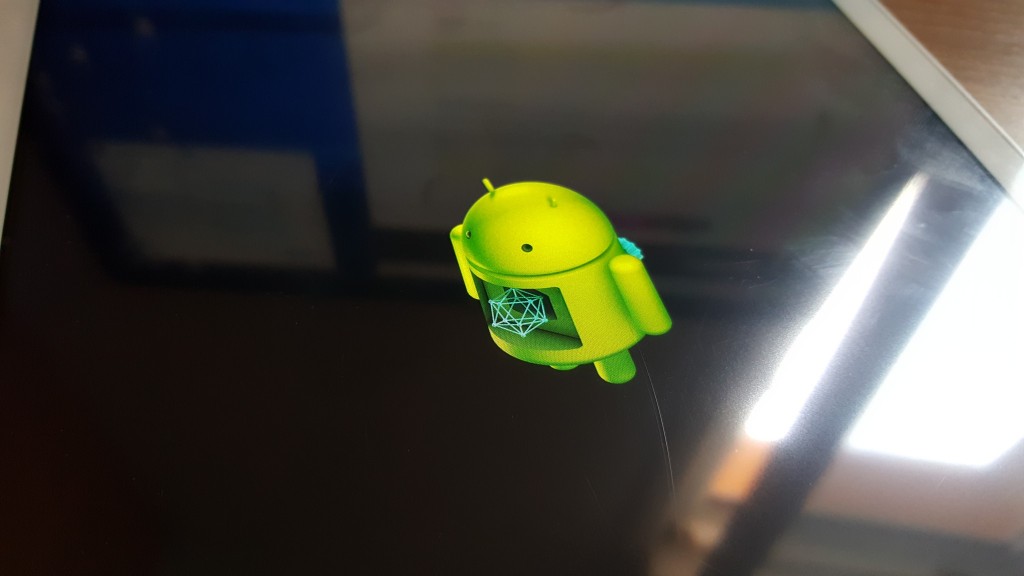
Attachments:
You must be logged in to view attached files.Chris | Admin
Please support us and help keep TechTablets online. Affiliate revenue is used to pay for the server, studio apartment (Techtablets HQ) and buy new tech to review. Without it, this site would be dead.
Next up for review:
Ordered and waiting for my: BMAX S15 & Teclast F6 Plus
Currently testing: LG G8X & Redmi K30September 29, 2015 at 10:17 am #12138just for the reference, how to launch windows recovery from efi shell:
- create fat32 formated usb and copy winPE recovery on it (you will need at least 16GB flash drive)
- in efi shell, use command “map” to see available devices
- mount usb drive using “mount XXX aaa” where XXX is the id of the usb device from map command
- change directory to mounted usb device “aaa:”
- change directory to efi loader on usb device “cd efi”, “cd boot”
- launch efi app “bootx64.efi”
- windows recovery will be started
September 29, 2015 at 10:30 am #12139I’m ready to try this once someone can confirm it works
September 29, 2015 at 11:07 am #12140@robert-spir1 Thanks using the Teclast K9C3 WinPE images I get as far as it not finding the drive. The WINPE command stops at
X:\Windows\system32>cd /d d:
The system cannot find the drive specified So an issue with the script no finding a partition to use. I’ll have to format the drive completely and remove all the Android partitions. Diskpart fun!
Chris | Admin
Please support us and help keep TechTablets online. Affiliate revenue is used to pay for the server, studio apartment (Techtablets HQ) and buy new tech to review. Without it, this site would be dead.
Next up for review:
Ordered and waiting for my: BMAX S15 & Teclast F6 Plus
Currently testing: LG G8X & Redmi K30September 29, 2015 at 11:32 am #12142Back on Windows 10 ! 🙂 That was fun, well it’s not working on the K9C3 yet. Guess we do need a proper dual boot bios from Teclast.
Chris | Admin
Please support us and help keep TechTablets online. Affiliate revenue is used to pay for the server, studio apartment (Techtablets HQ) and buy new tech to review. Without it, this site would be dead.
Next up for review:
Ordered and waiting for my: BMAX S15 & Teclast F6 Plus
Currently testing: LG G8X & Redmi K30September 29, 2015 at 2:52 pm #12149Wow well done chris. 😉
Then we have to wait for something new. I think about not to review the K9C3 anymore. For my german androidblog it seems useless with win only. 😀
Web: AndroidKosmos.de
September 29, 2015 at 6:20 pm #12161ok, I managed to flash it using intel phone flash tool in linux. Android was in chinese with a lot of chinese apps, most of them can be unistalled. Google play store was installed.
Problems: battery indicator was not working
when I tried to turn on wifi it rebooted and now I’m stuck at boot loop where android is optimizing apps and rebooting in the end.
I have no problems entering bios, so I can restore my win10 from clonezilla image anytime I want
Now I will try to reflash the android image one more time, maybe it will be better
September 29, 2015 at 6:50 pm #12165nope, when I try to enable wifi it will crash and enter endless bootloop.
@hoodedstraw can you please check in windows device manager what model of wifi card has your dualboot version? maybe that will be the hardware difference between these two modelsSeptember 29, 2015 at 7:13 pm #12168Must be different hardware and something different in the bios causing this? I guess if I did get it to work it would have crashed on me. Teclast normally have around 8-10 bloat Chinese apps that you can uninstall. I think only 2-3 are system apps that can’t be removed without root.
Maybe Mirek190 on XDA will make a custom rom for this model. I’m still waiting for my dual OS model to be sent from GearBest.com apparently everyone has supply issues on this new model. Hopefully in the meantime Teclast will have a dual boot bios for us K9C3 users.
Chris | Admin
Please support us and help keep TechTablets online. Affiliate revenue is used to pay for the server, studio apartment (Techtablets HQ) and buy new tech to review. Without it, this site would be dead.
Next up for review:
Ordered and waiting for my: BMAX S15 & Teclast F6 Plus
Currently testing: LG G8X & Redmi K30September 29, 2015 at 9:19 pm #12177@Robert Realtek RTL8723BS Wireless LAN 802.11n SDIO Network Adapter
-
AuthorPosts





- You must be logged in to reply to this topic.
