


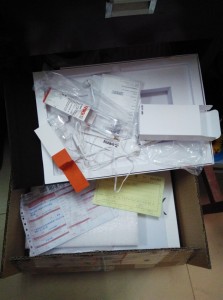
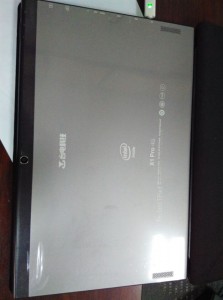
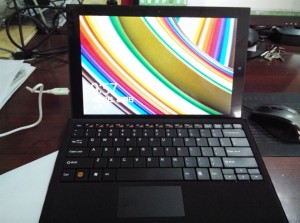
I’ve been hunting around on the Teclast forums for some hands on first impressions and photos of the just released Teclast X1 Pro 4G Core M. It started shipping out to customers in China just a day or two ago. Here are the first user photos that were uploaded I could find. So far the first impressions of the X1 Pro 4G are a mixed bag. Some are claiming it’s to heavy, 1.01 kilos in one photo!, I tend to agree without a kick stand.
Others are not happy about the thickness and the bezels are larger than the press photos. This always happens, it’s common for these Chinese tablet makers to photoshop the images a little, make the bezels look a littler smaller and the tablet a bit thinner. Teclast are the worst for this. Something we would call false advertising here. One forum user wrote how it’s better to get a Surface Pro 3 for the price and this is just a clone of it. He is right on the the clone part and maybe getting a Surface Pro 3.
There are also comments on the USB 3.0 ports working at usb 2.0 speeds? This is an issue I face on my Cube i7 Core M I’m currently reviewing.
There is this USB 3.0有一个兼容不了2.0, which I think means USB 3.0 not compatible, runs at as USB 2.0 or something? If anyone is fluent in Chinese please give us some more details.
Other than that, it seems some buyers are happy. The keyboard dock is spacious and looks very much like a Surface Pro 3 type cover, it even has that magnetic top strip so you can incline the keyboard a little, to improve typing. The screen is apparently bright and looks sharp. But unfortunately no comments on whether it’s a fully laminated display or not, for the $750 price tag I would hope it is.
As it is, I’m on the fence with this tablet. I’m not sure I will buy it, unless the price drops somewhat. I’ve already lost so much money buying and selling these tablets to review here, I would hate for a $750 Chinese tablet to arrive with issues. And as they say buying the first batch is not a good idea, I often do for review purposes. But normally the second and third batches fix any hardware issues the first batches had.
Edit:
Just read the following:
The trackpad has no left and right hardware mouse buttons to click.
No way to get into Android dual OS? It’s virtual ? I don’t quite understand the translation.
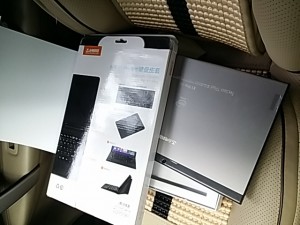


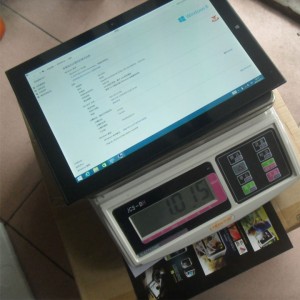
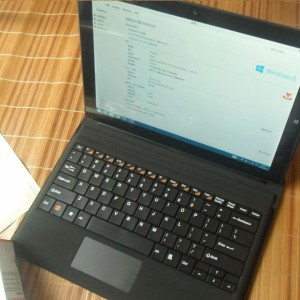

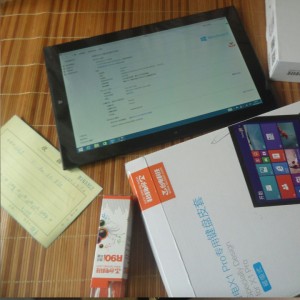

Source: http://bbs.teclast.com/thread-396619-4-1.html & http://bbs.teclast.com/forum.php?mod=viewthread&tid=396726