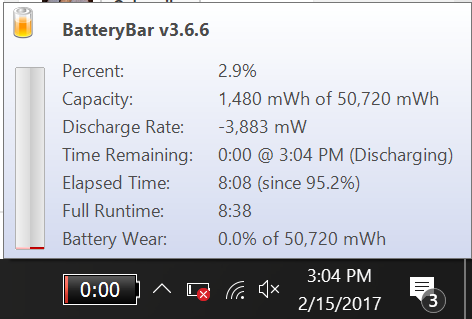
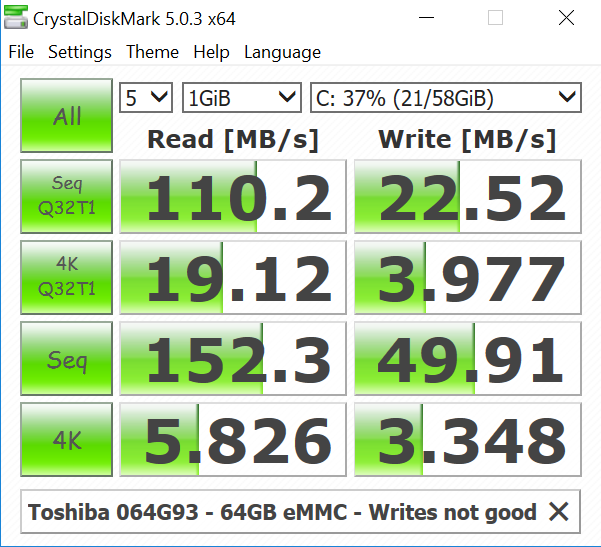
The successor to the popular Atom Z8300 and Z8350 EZBook 2, the new Jumper EZBook 3 has an Apollo Lake N3350 CPU, 4GB of DDR3 1600Mhz RAM and like the Chuwi Lapbook 14.1 has a free M.2 SATA3 SSD bay for expanding storage and speeding up the system. The default storage is a Toshiba 64GB eMMC, the system sports a 1080p screen at 14.1 inches, has Wireless N and a 9000mAh battery good for up to 8 hours of use. Below is the EZbook 3 video review, Pros and Cons with a final rating.
Conclusion:
The EZBook 3 to me feels like one step forward and two steps backward, the keyboard issues that plagued the EZBook 2 remain, the laptop has far too much flex and bounce that I wouldn’t ever be happy with when typing on it compared to other laptops. The trackpad feels okay, it’s a step up in performance over the EZBook 2’s Z8300, but not the faster Apollo Lake chip when compared to quad-core N3450 or N4200.
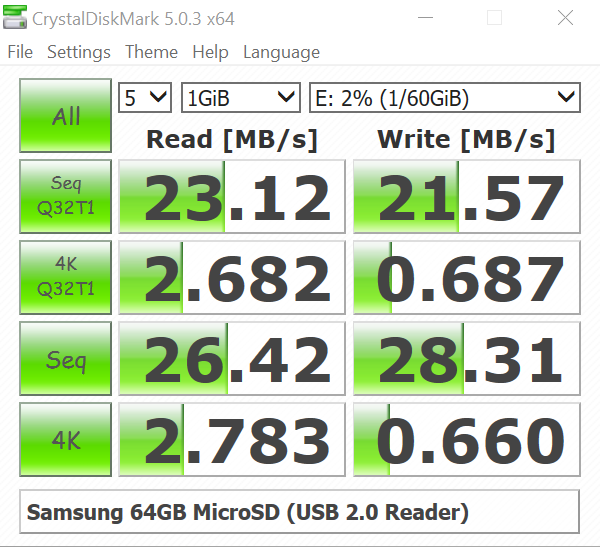
Being able to add an SSD is a great move on Jumper’s part, alleviating the write speed bottleneck on the slow eMMC. The screen shows poor viewing angles unless viewed face on. All these issues mean I see no reason to get this over the Lapbook 14.1 which remains the best budget laptop reviewed so far.
Benchmarks and more info:

Poor wifi download speeds, other devices got double the speed.
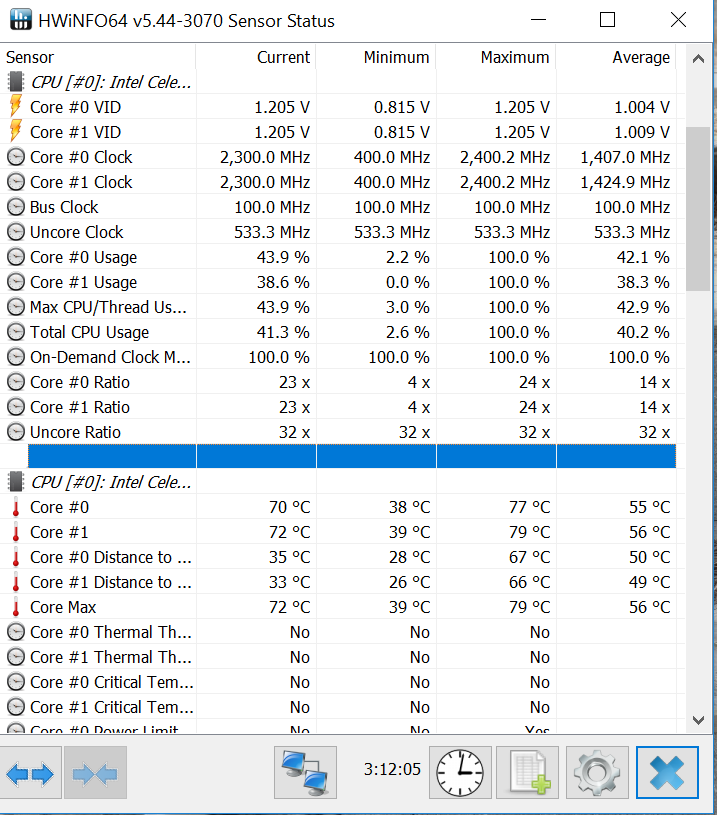
Great thermals, even after gaming for over 2 hours.
Great battery life!