


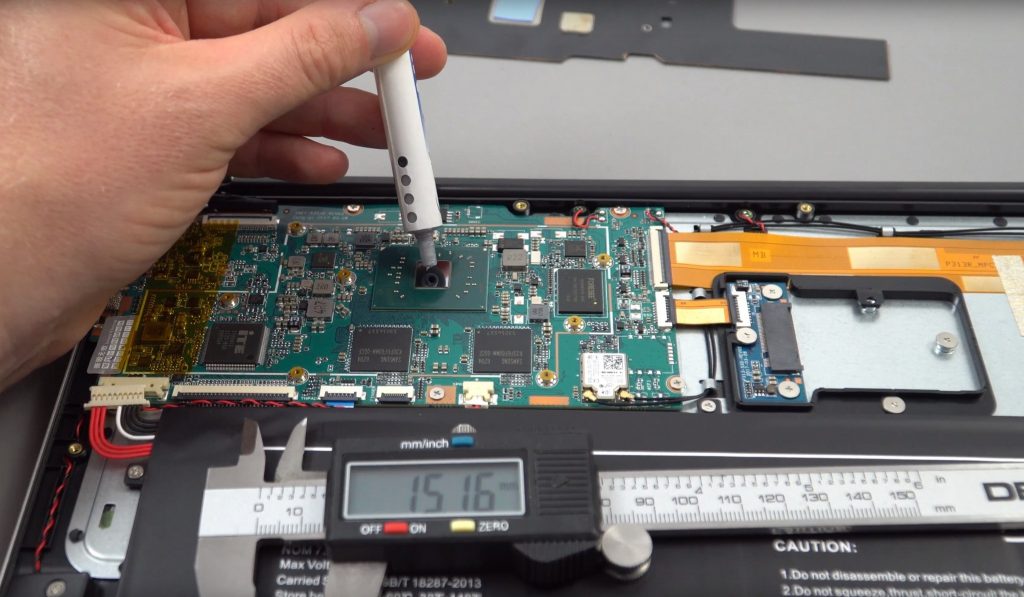
I get a lot of comments, emails and messages on the popular EZBook 3 Pro. Questions like how can I clone over the Windows 10 install on the eMMC drive to my new SSD. And how to install a larger SSD size like 2260 or 2280. And my heatsink mod has been requested a lot for this model. I finally got around to doing it. And the results are nothing sort of stunning. In my testing max temperatures were 59 degrees C on the CPU after 25 minutes of gaming.
Now, this was with the power limit off and the chipset peaking as high as 15 watts almost. Before the copper shim and thermal pad, it would reach 84 degrees C after 25 minutes and higher the longer it was pushed hard gaming. I do realise some of the newest units aren’t shipping with the power limit setting unlocked in the bios. There is a software way around that using RW everything to remove the power limit or set it at say 10W. And now Throttlestop supports the Apollo Lake, finally!
A few other tweaks to help reduce the cool white look of the 1080p IPS, volume boost, and new SSD partitioning. It’s still selling for as low as $209 USD (Coupon EZBDUK) for UK buyers and for the rest of us right now it’s $229 here, it was about $219 a week ago. The only issue is it will take a few weeks to ship out. Mine took over 3 weeks from ordering to receiving it. So very slow. It seems Jumper cannot meet the demand on this laptop.
Everything is below in the Jumper EZBook 3 Pro video tutorial:

Video index:
- 01:40 – Adding an SSD
- 03:40 – eMMC to SSD cloning
- 05:11 – Bios tweaks (eMMC & power limit)
- 06:34 – Copper heatsink mod
- 10:09 – Heatsink mod results
- 10:52 – Misc tweaks
- 13:16 – Tweak recap.
Links to apps and further info on this model:
- How to boost the speaker volume
- Hands-on with the V4 of the EZbook 3 Pro
- EZbook 3 Pro review
- EZbook 3 Pro owners forum (For more help and other interesting tweaks)
- eMMC to SSD Clone software
- How to unlock power limits / TDP using the software on the EZbook 3 Pro or any Apollo Lake.
- Intel driver updates for Wireless, Bluetooth and Graphics. (Get the latest drivers here)
- Throttlestop – Another software method of unlocking or increasing the TDP to get maximum performance.