

Remember the HiBook I reviewed? It wasn’t a bad tablet even if the first batch had a few niggles that were later corrected. Well, Chuwi is back with the HiBook Pro version. This has a new premium Panasonic 2560 x 1600 fully laminated screen in it, yes no more ugly air gap between the IPS screen and digitizer glass. And to help counter all those extra pixels it got an upgraded battery capacity, it has gone from 6800mAh in the HiBook to 8000mAh in the Hibook Pro. The rest of the tablet remains the same, sadly it’s still powered by the common Atom X5 Z8300 with 4GB of single channel DDR3 RAM running at 1600Mhz.
The video review is below and further below the video index and summary with the sites pros, cons and overall rating.







Chuwi HiBook Pro Review video index times:
01:04 – Design
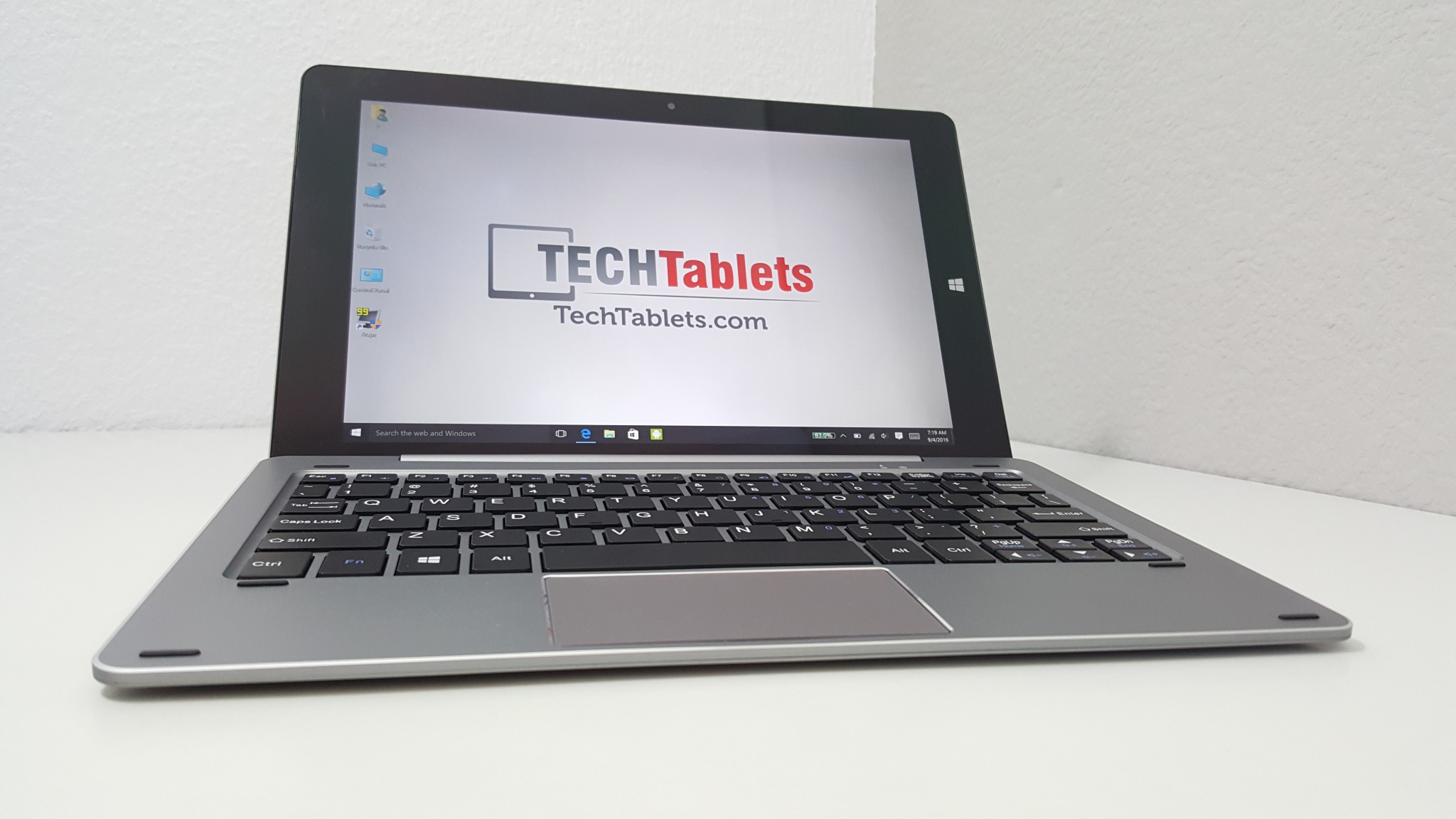
02:15 – Keyboard dock
04:09 – Screen
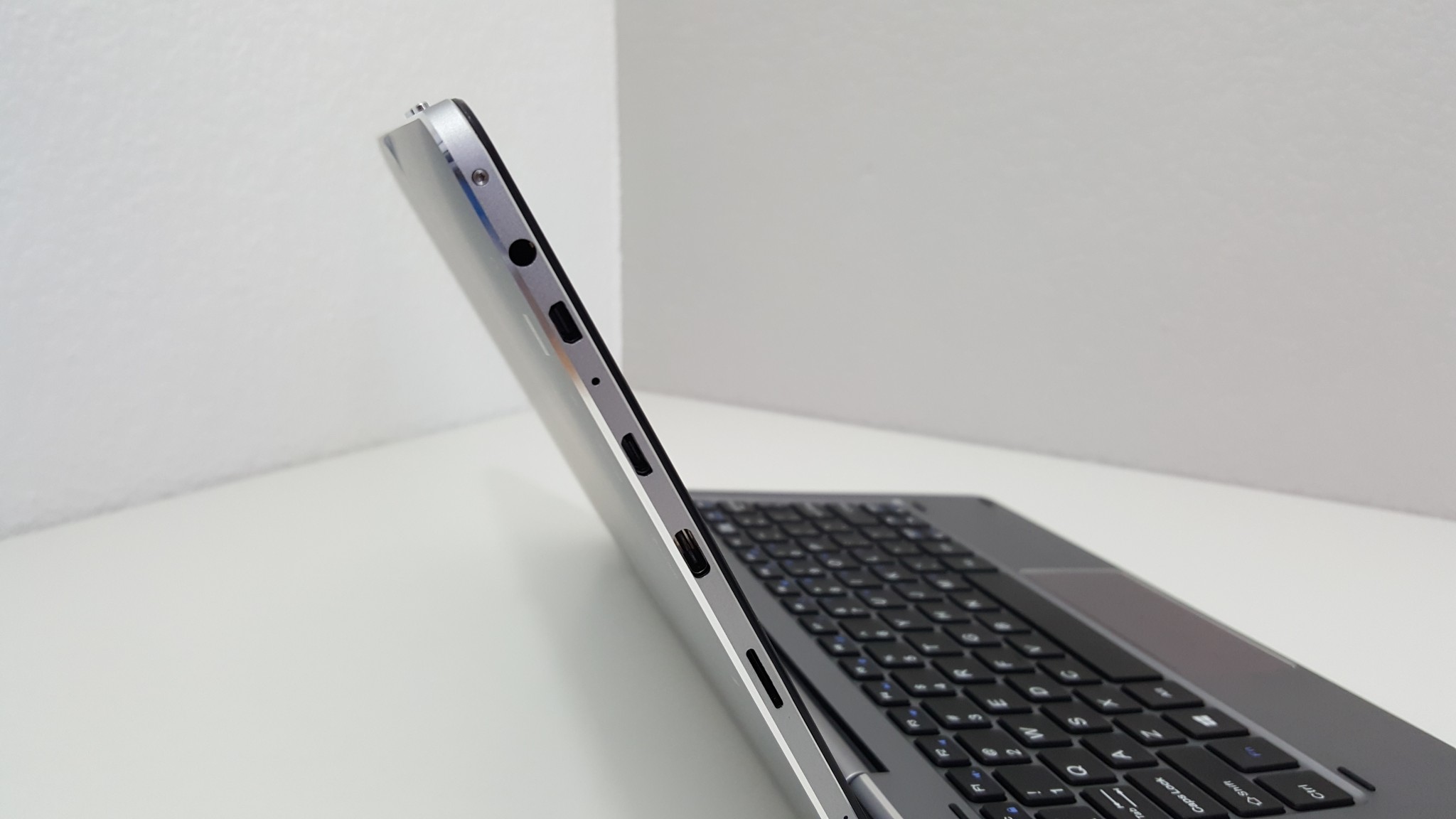
05:17 – Ports
06:01 – Android Review
09:20 – Android Gaming
10:44 – Windows Review
16:40 – Audio with test
17:25 – Windows Gaming
20:09 – Recap with Pros & Cons
Performance:
The Atom X5 Z8300 is a low power quad core, with a maximum turbo of 1.84Ghz. It’s not designed for heavy loads and work, but more for efficient low power consumption. Still, you can do a surprising amount of work on it like editing documents, code and view pdfs etc, Edge is very smooth but Chrome while it has improved still runs poorly on Atom CPUs. Heavy spreadsheets, databases or things like video editing isn’t recommended on Atom’s you’ll want at least a Core M for that. It’s more for light use, web browsing watching videos. In other words media consumption.
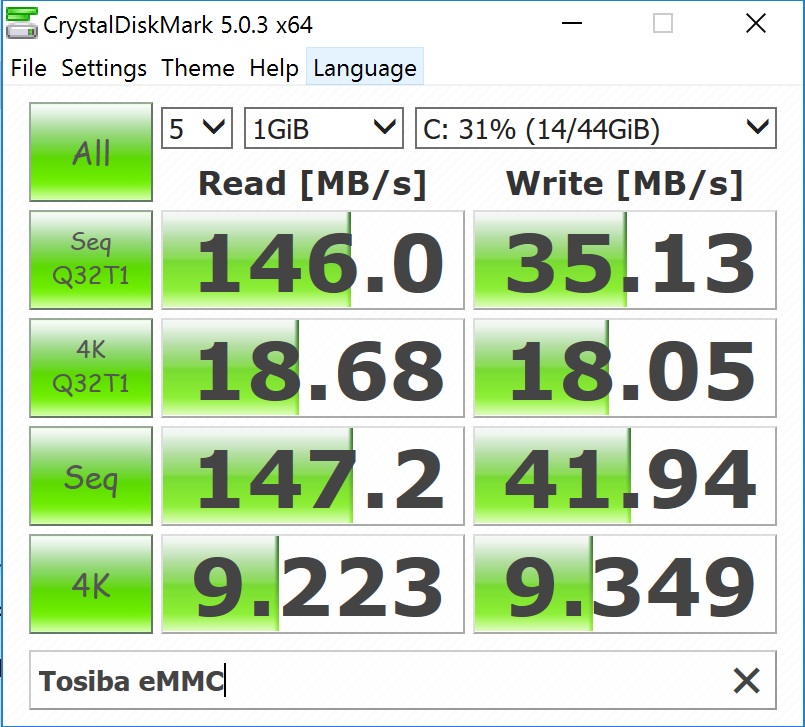
HiBook Pro Emmc speeds
Moving around Windows and Android feels quick and snappy like other Atom devices, but if you try the latest demanding store or Android games the Atom will struggle with that demanding 2560 x 1600 resolution. Games like Mortal Kombat X which don’t upscale from say 720p or 1080p but run at the full native resolution were very slow and choppy (As seen in the video review at time 9:20). But games like Real racing 3, Dungeon Hunter 5 and Modern Combat that just upscale on larger resolutions were fluid and perfectly playable.
Windows games like League of Legends or Counter Strike are almost playable with frame rate dips, but they must be run at lower resolutions and visual settings on low. Demanding store titles like Sniper Fury will run at 2560 x 1600, but the frame rate is any but desirable. It’s best to lower the desktop resolution to say 1280 x 800 before launching the game and then it’s much more smooth and playable.
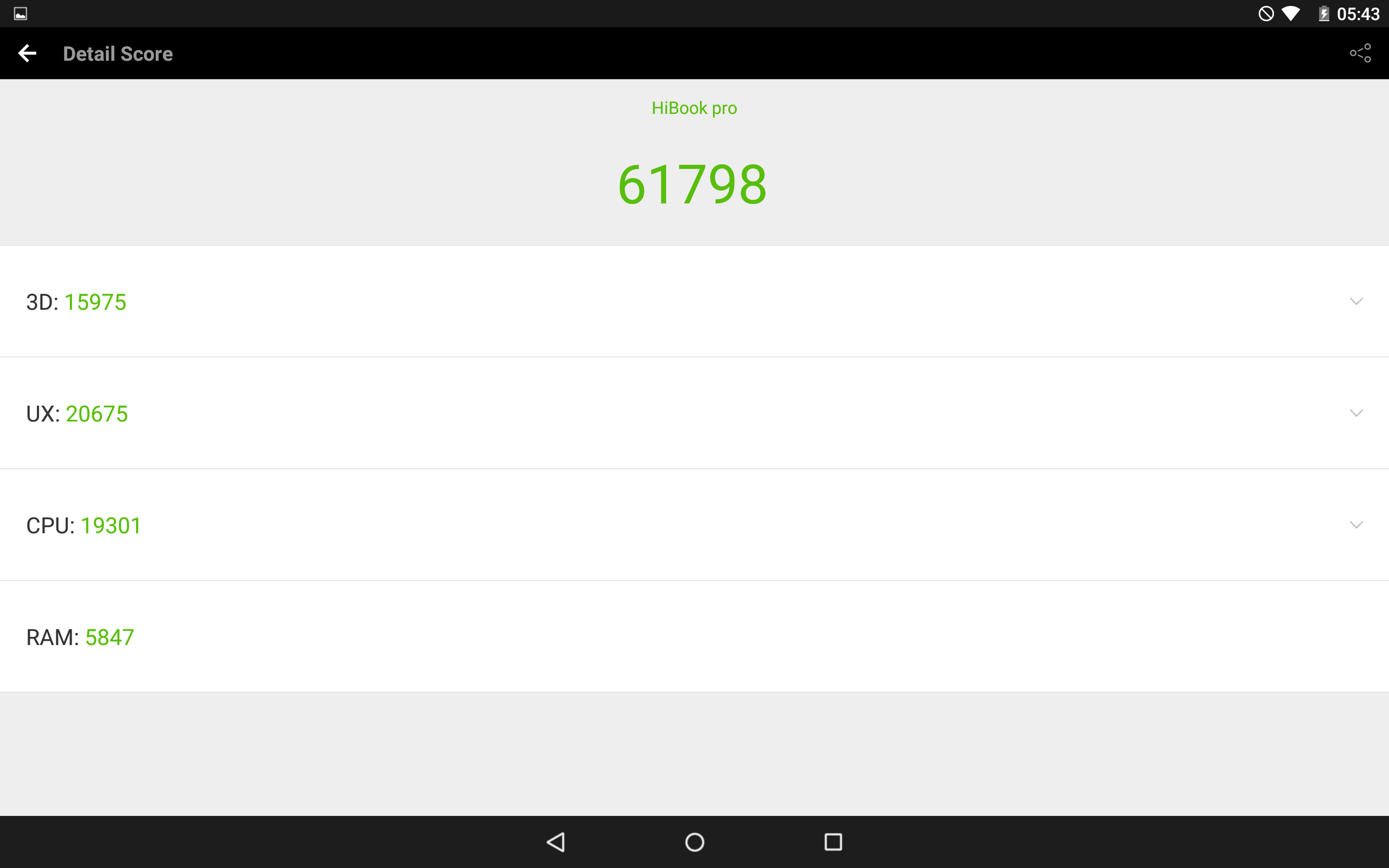
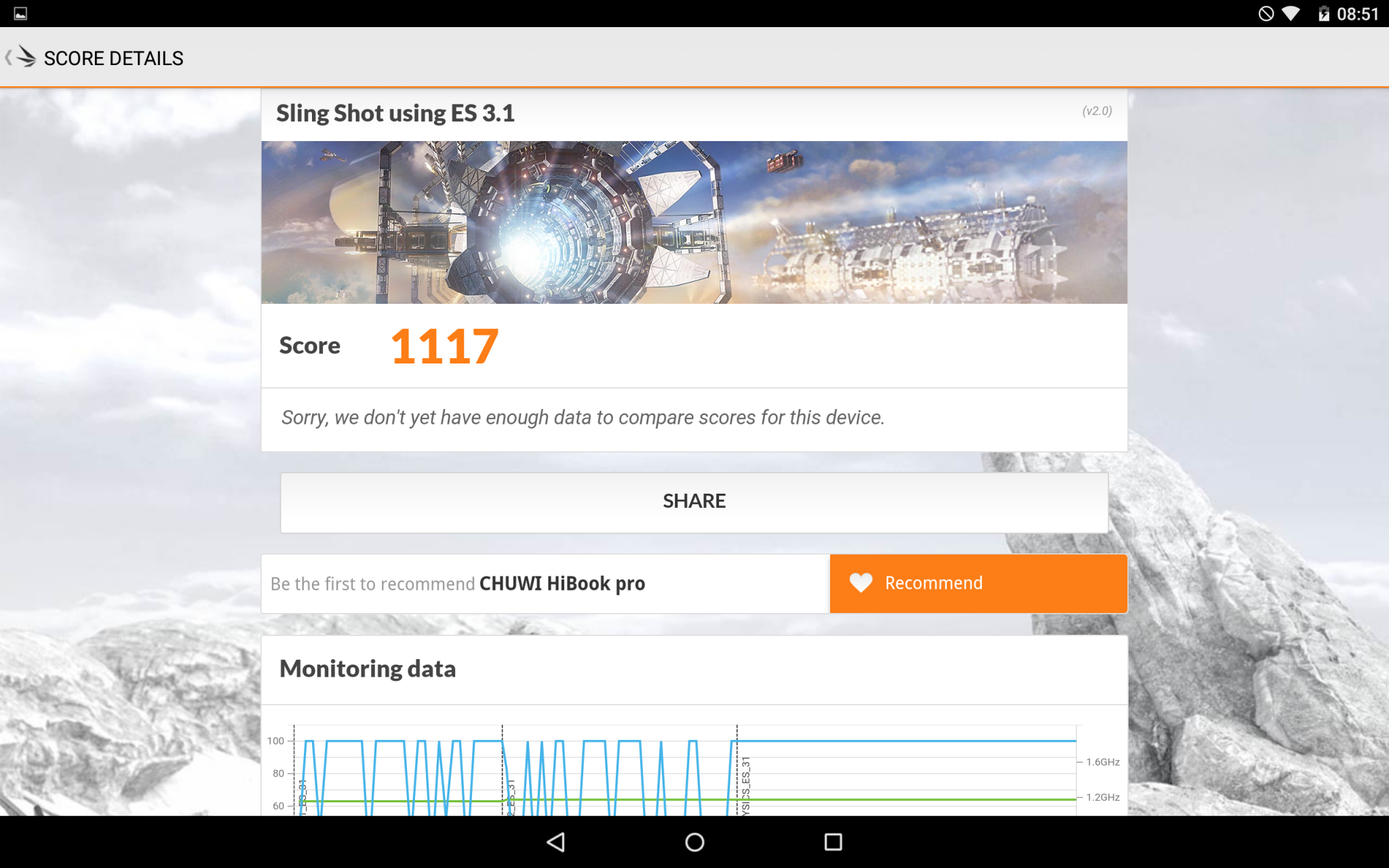
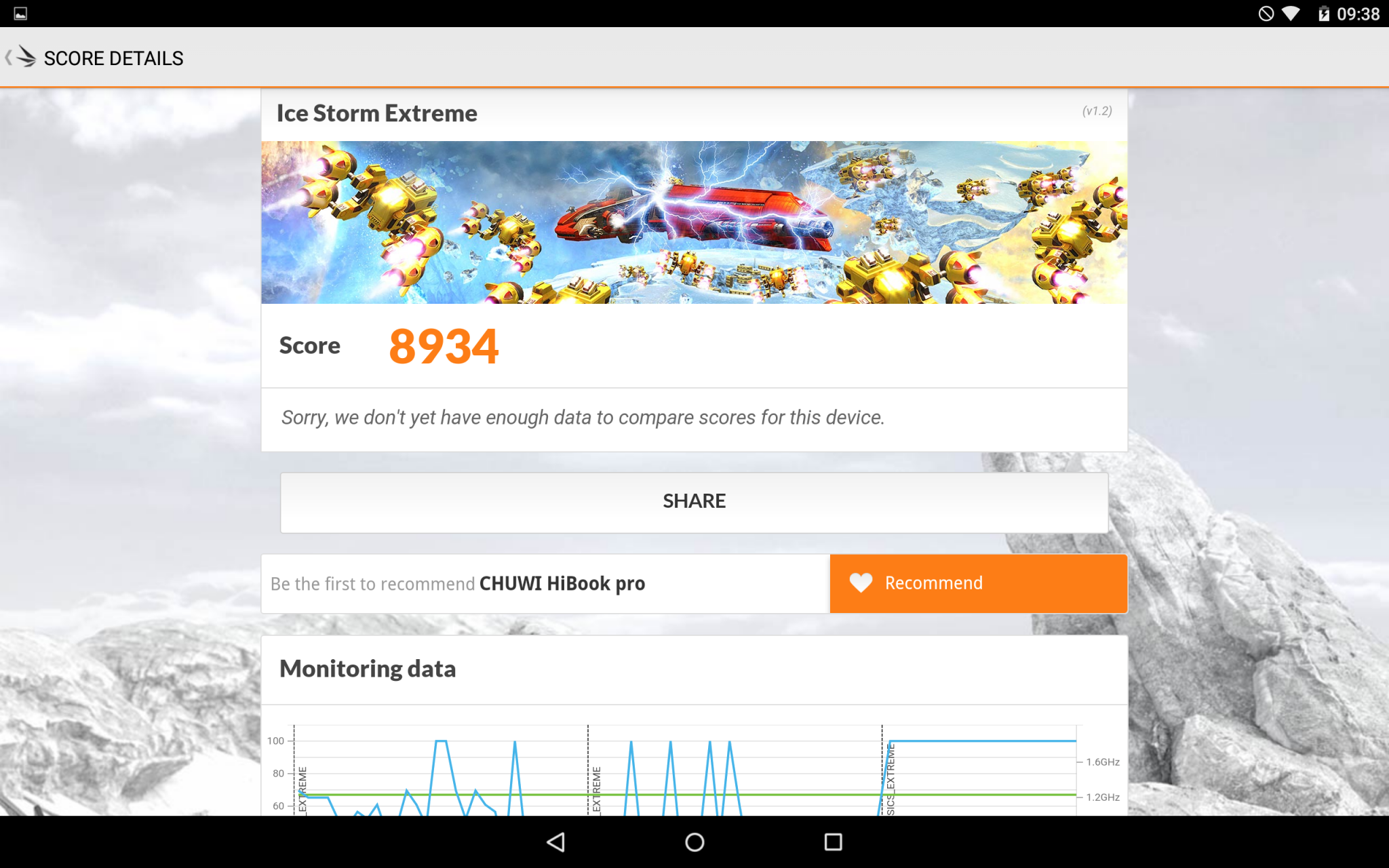
Benchmarks for both Android and Windows can be found in the review video above.
- Cloud Gate 1.1 http://www.3dmark.com/3dm/14448674?
- Icestorm Extreme 1.2 http://www.3dmark.com/3dm/14448768?
- Icestorm Unlimited 1.2 http://www.3dmark.com/3dm/14449151?
Wireless speeds:

Thermals are great for passively cooled Atom.
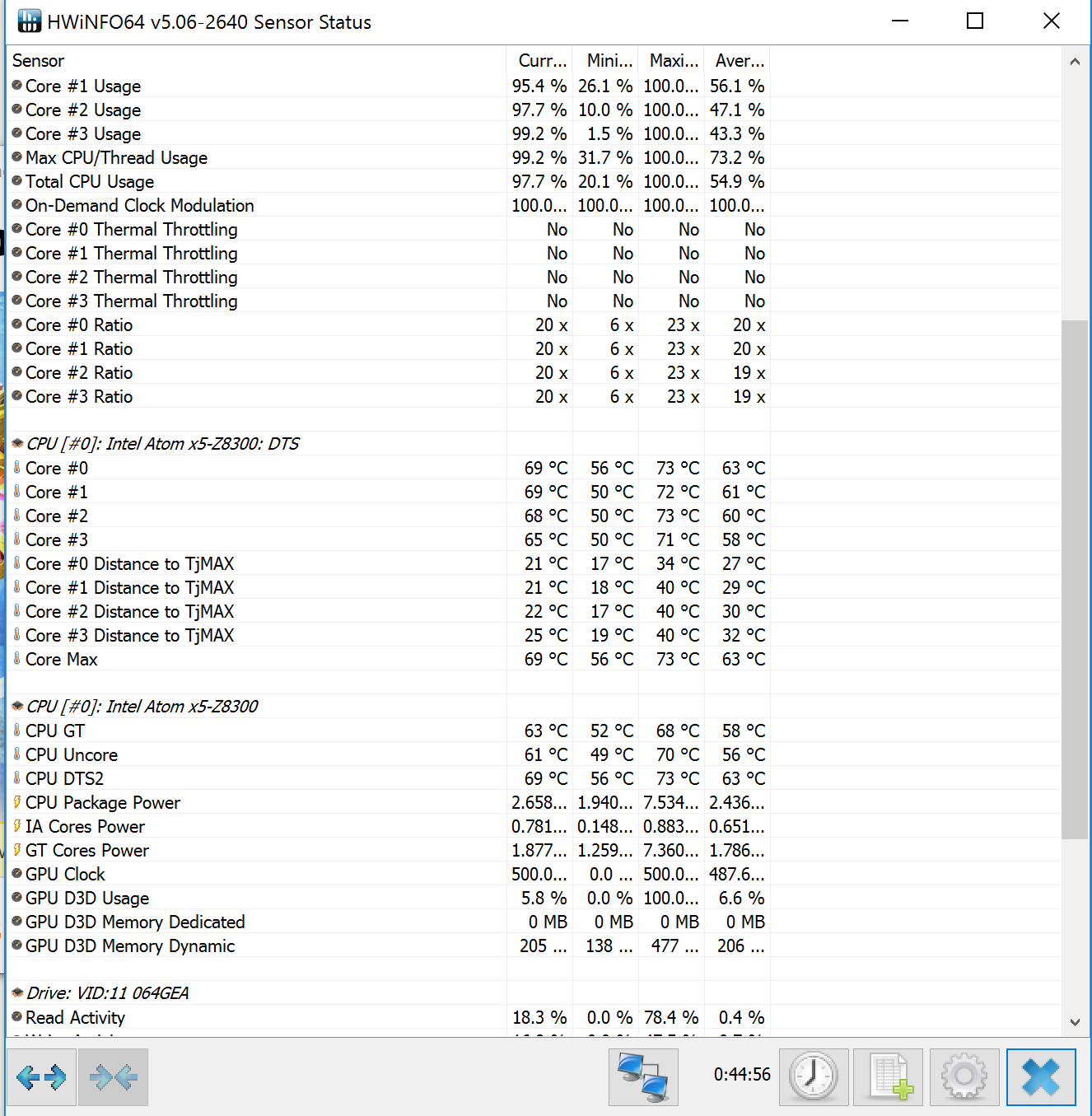
Chuwi HiBook Pro temps
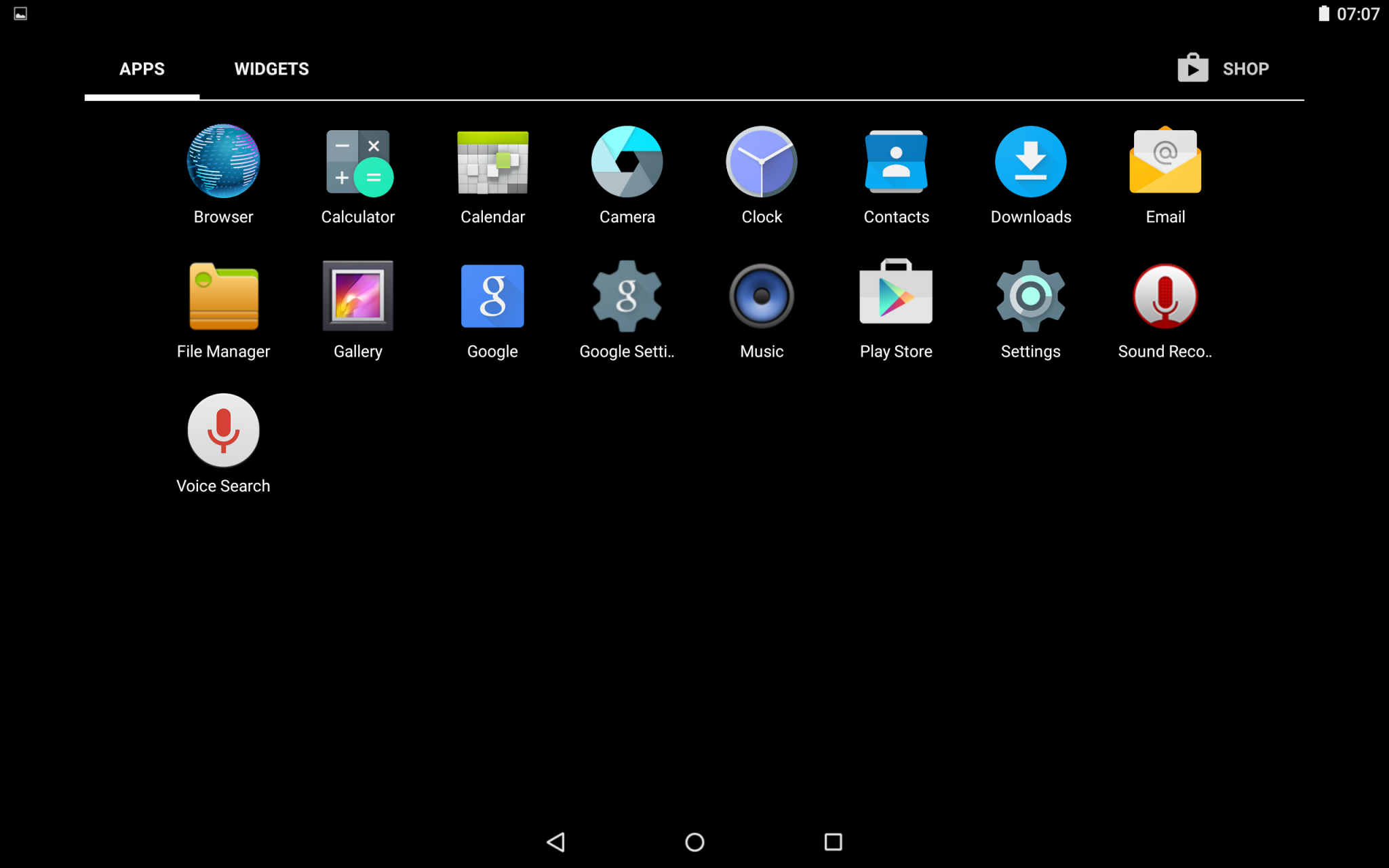
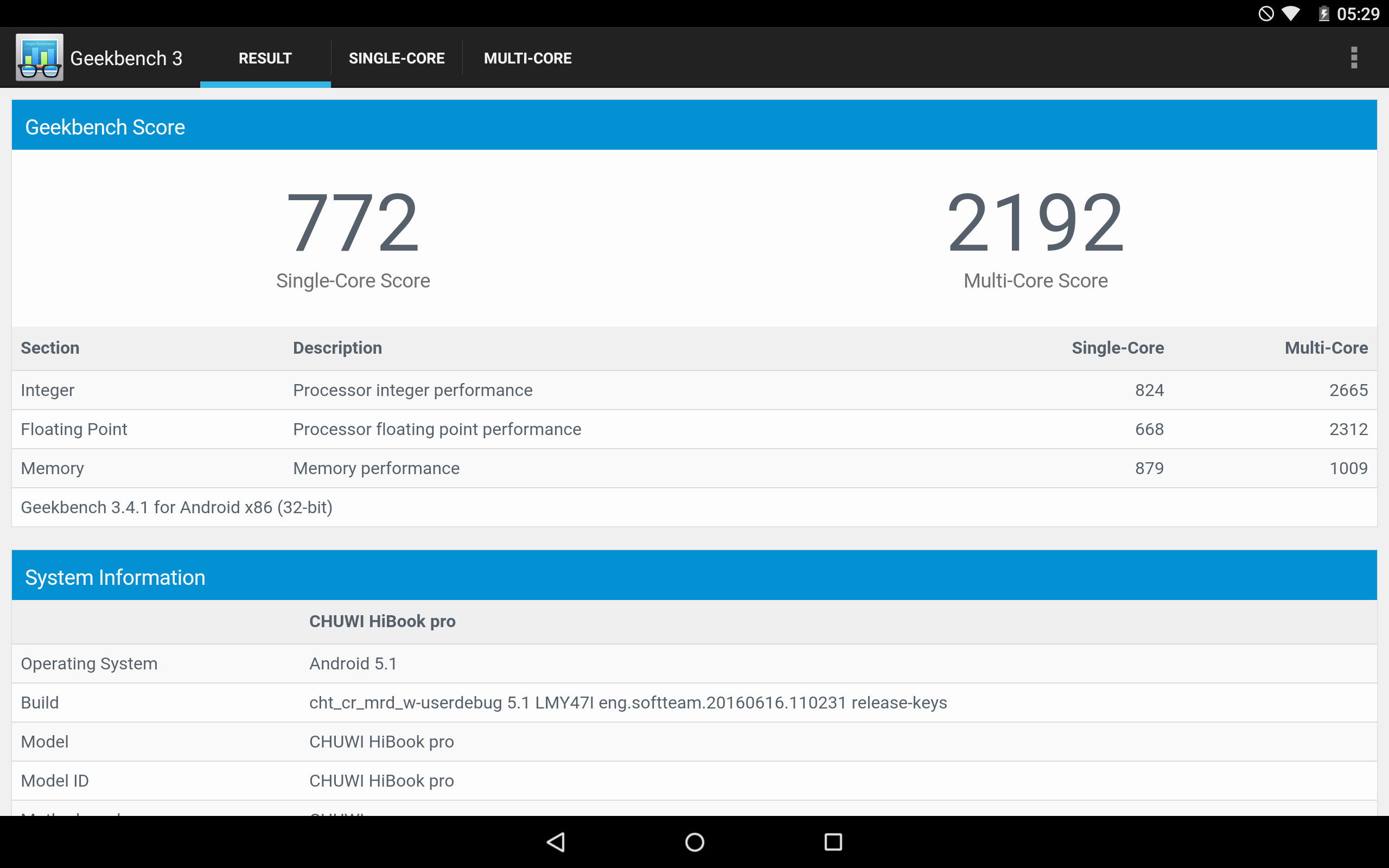
Android ROM and benchmarks:



Design & build:
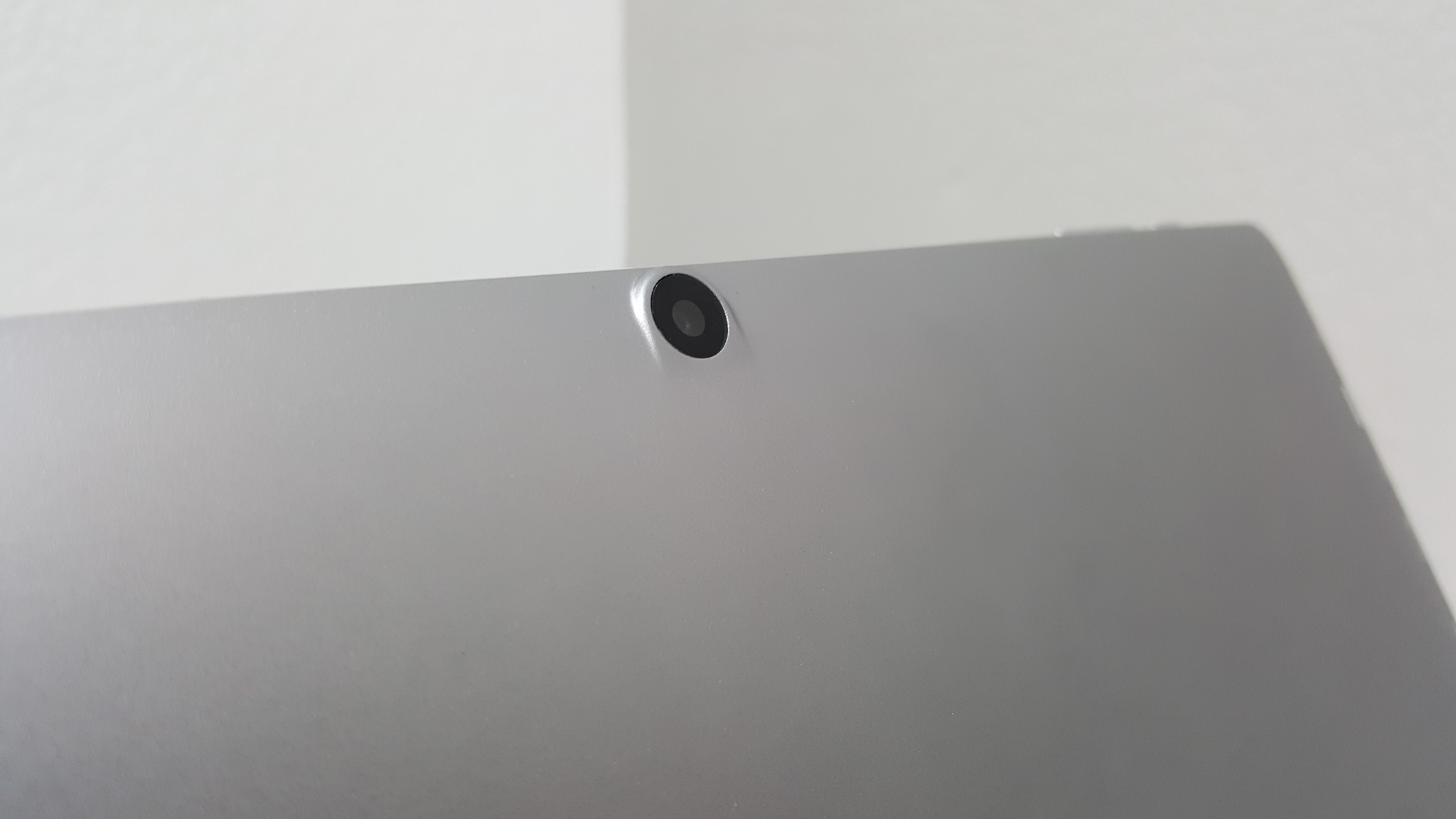
Nothing has changed here from the Hibook. Sadly no full-sized USB ports on the tablet and the type-c port doesn’t work at USB 3 speeds which the Cherry Trail Atom does support. At least the tablet can be charged faster via the USB type-C port at 3A not limited to 2A on USB 2.0 spec. The MicroUSB 2.0 port will power external hard drives, but it can’t be used to charge the tablet. The rear is made out of an alloy unibody and the black plastic screen frame is screwed in place with 4 x T4 Torx screws.
Overall for the price the build is solid, feels good in hand and has no flex where the screen and rear unibody meet. The fully laminated display gives the tablet a more solid and premium feel to it.
Screen:
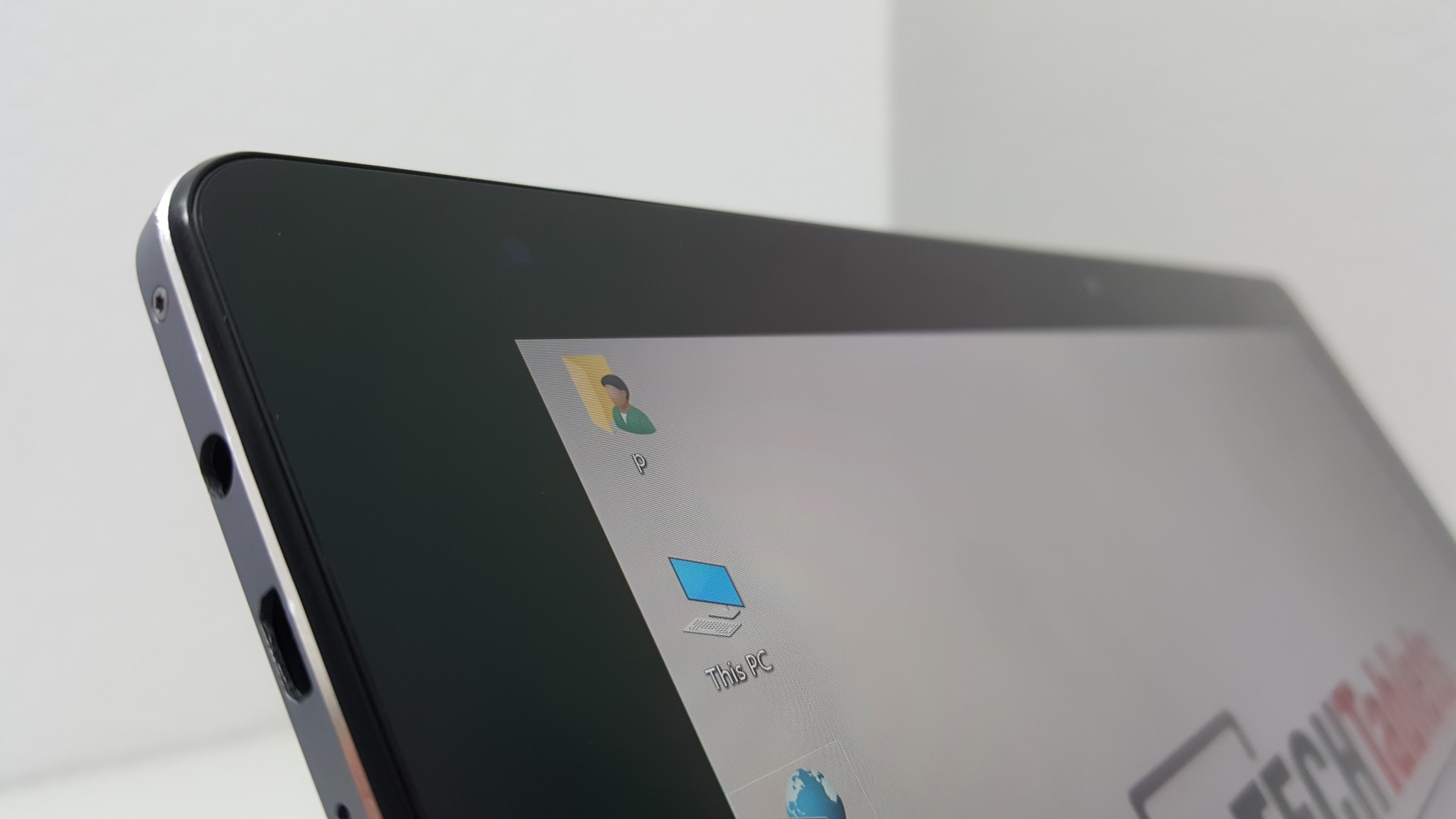
Straight away you’ll notice the screen is a deep black rather than grey with the non-laminated displays before even powering it on. Being fully laminated now, the screen looks very good in fact the best I have seen on a Chinese tablet and it even rivals the Surface Pro 4. It has deep blacks, 396 lux of brightness, 24 when dim (Perhaps a little on the bright side for late night use) and great contrast and colors. With 299 PPI , it’s super sharp and it makes this tablet. It’s a joy to use after all the non-laminated tablets like the HiBook and even the Hi12’s screen I have been using. Viewing angles are very good, better than most.
 The screen spec is a Panasonic 2560 x 1600 16:10 IPS, model MEI96A2 VVX10T022N00. It’s the same screen used in the ill-fated PiPo W8, but in the PiPo it wasn’t fully laminated and didn’t stand out as much as it does in the HiBook Pro.
This screen is 10/10 for a cheaper Chinese tablet.
Sound:
There are loudspeakers left and right like the HiBook, but unlike the Hibook they have a little more volume behind them as if Chuwi added or changed something, maybe a small amp? They still sound very average, with little to no bass and quite tinny sounding. You can hear them in the review at 16:40.
The 3.5mm headphone output however, is very good. Normally all Atom’s I’ve reviewed suffer from the same hiss and static interference. I’m really picky about this and love hiss free clean audio output. The 3.5mm is free of this issue! This surprised me, not only is it very clean with no static, it’s loud and punchy. Going back to my Hi12 with its loud static hiss on both the speakers and ports it makes me want to only use the HiBook Pro due to its superior sound output.
Battery life:
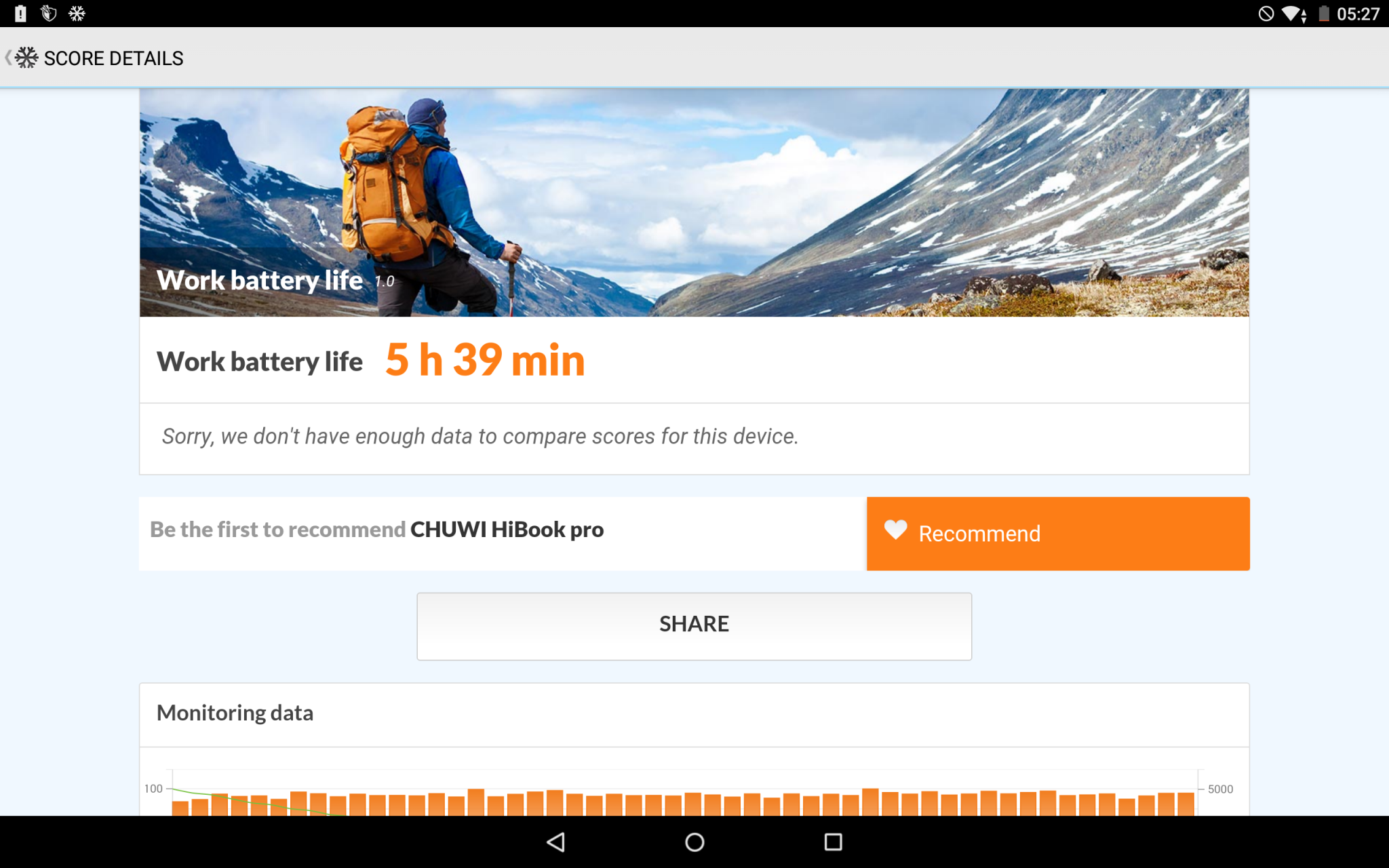
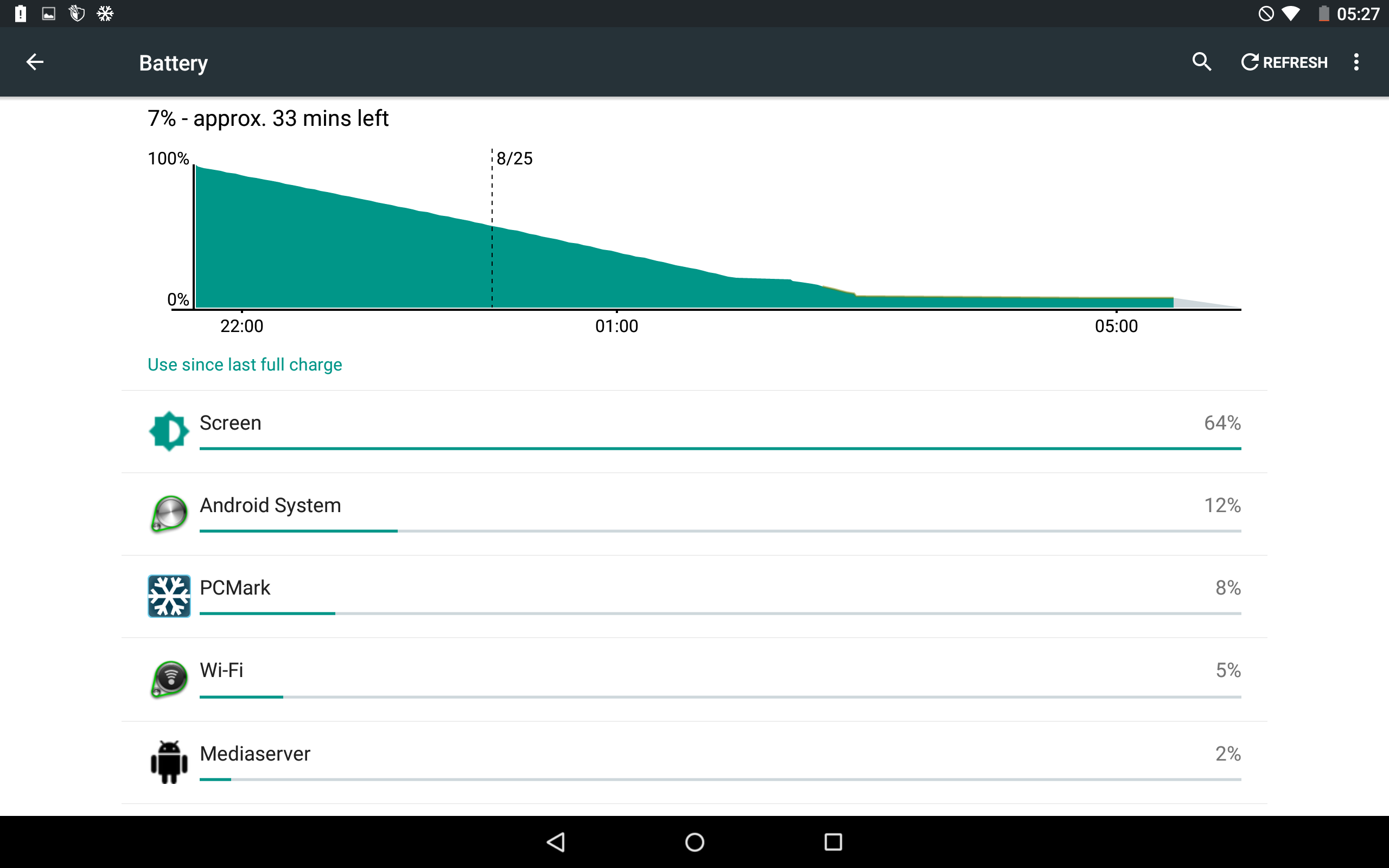
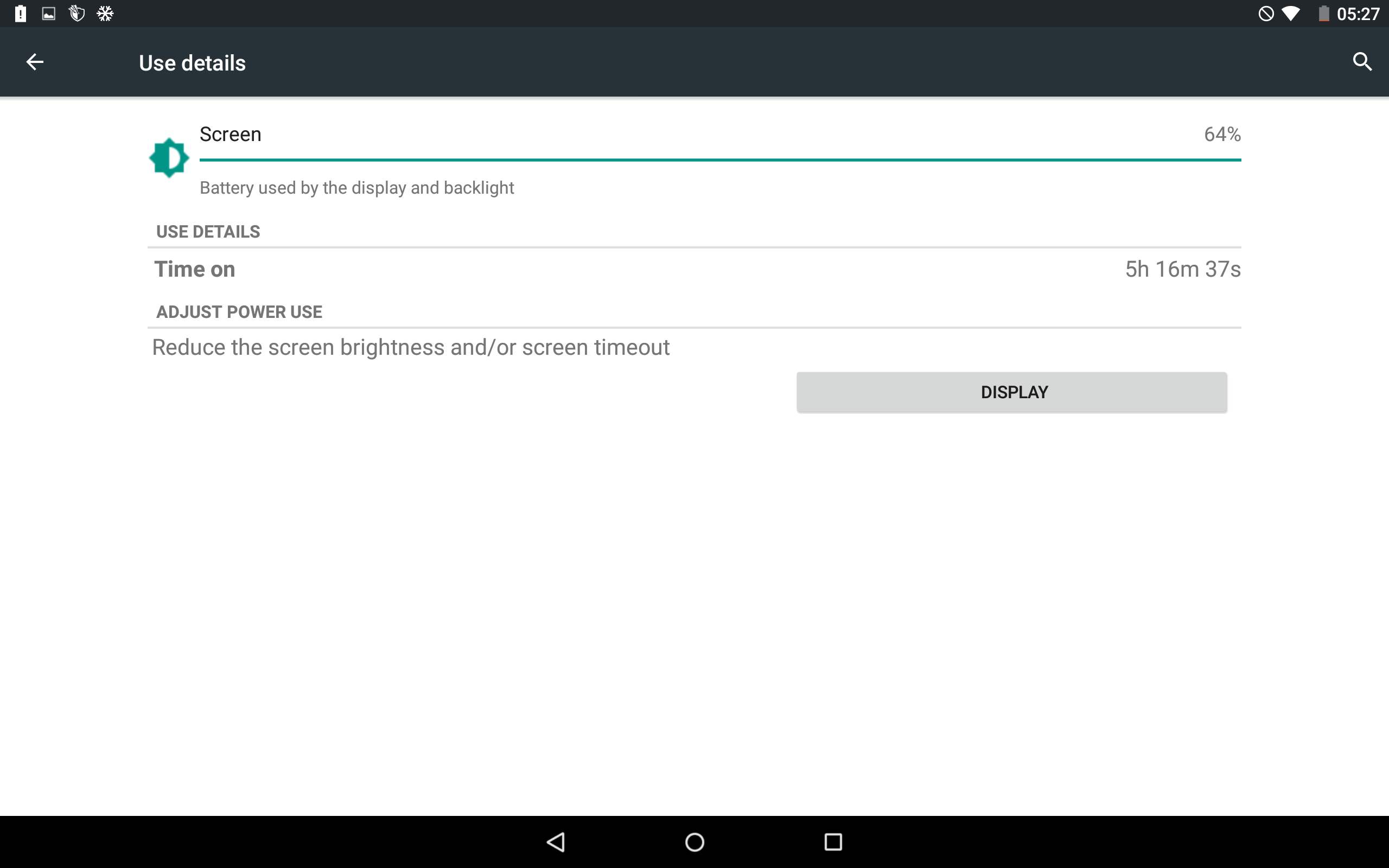
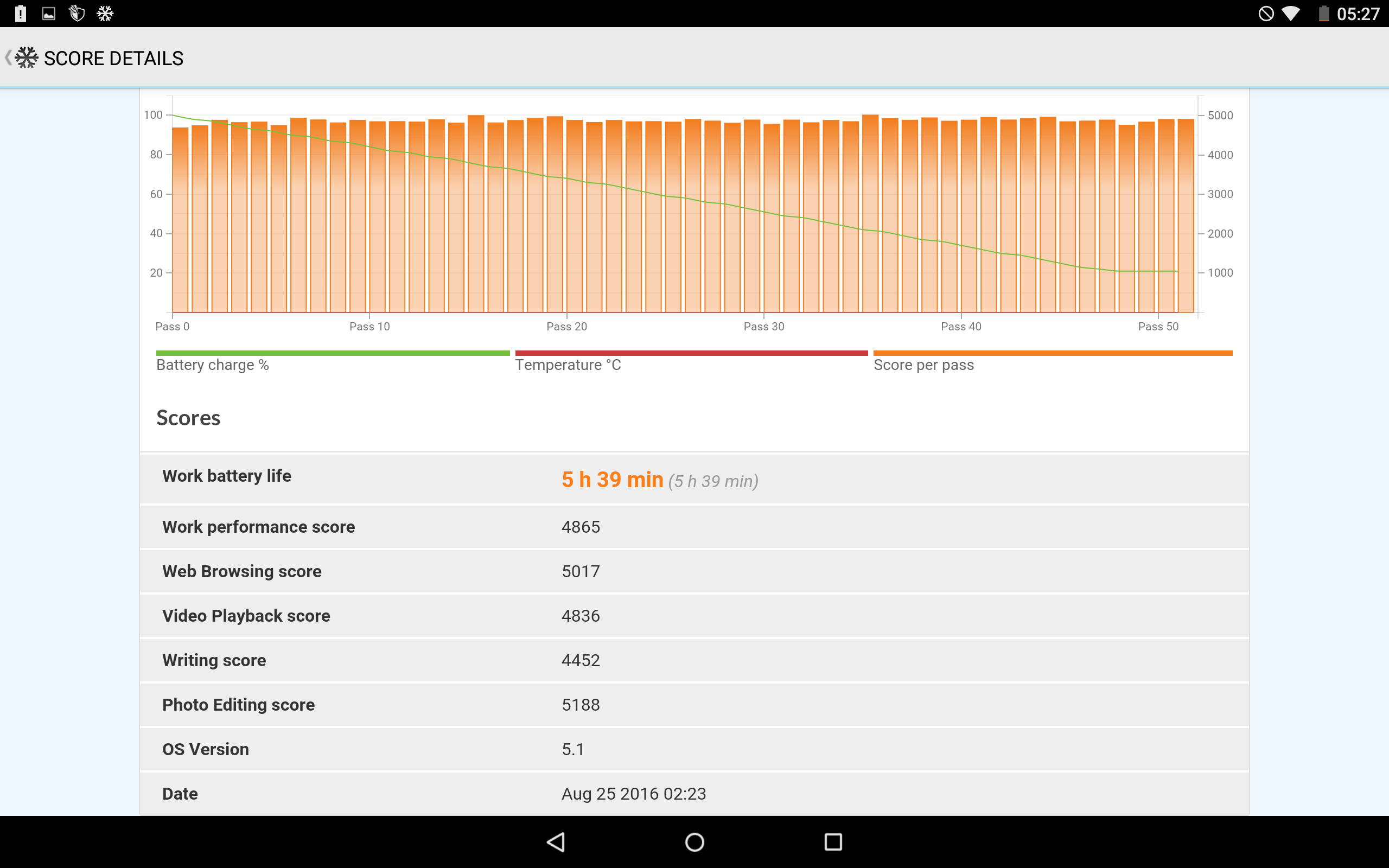
In Android with 200 nits of brightness, it got a PCmark work score of 5 hours and 29 minutes. But you should be able to get around 6 ours of straight use if not more depending on the brightness setting.
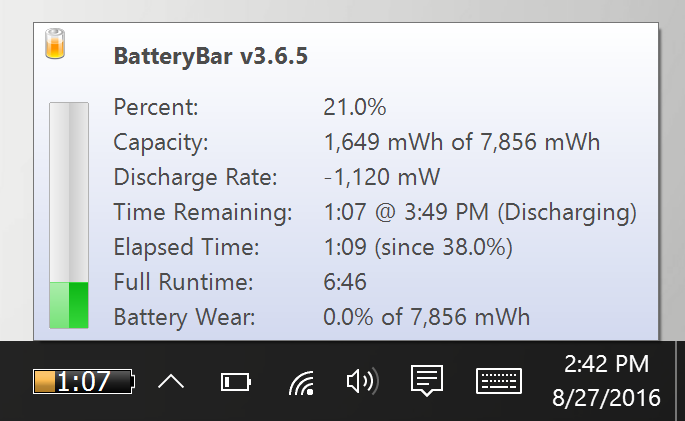
In Windows with Edge open watching a clip of MR Robot, I was only to use the HiBook Pro for 1 hour and loose about 12% battery life. This is with the brightness at 25%. Web use you should be able to get 6-7 hours. Video clips only about 8-9 hours. These is slightly better than the HiBook thanks to the larger 8000mAh battery used. For the screen resolution and 10.1 inch size I find this figure acceptable, sure I would love to see 9-10 hours like teh Chuwi Hi12, but that has a 11,000mAh battery in it.
Final thoughts:
That screen, it has to be the best yet on a Chinese tablet. It’s a enjoy to look at, it’s bright, sharp with good viewing angles and colors. It makes this tablet. The keyboard dock isn’t bad to type on once you get use to the size of it and it has a metal top with two standard USB 2.0 ports. Gestures in Windows can’t be disabled so they can be very annoying due to the smaller size of the touchpad.
Gaming performance isn’t the greatest in Android as expected, it’s only an Atom X5 Z8300 and it struggles with 2560 x 1600. But it will still play some gaming titles just fine, just not all of them. And no full sized ports on the tablet is an annoyance, with no adapters included in the box, at least the keyboard has 2 full sized ports. And still no USB 3.0 speeds like my HiBook is a disappointment.
Besides those faults, the build is solid, with an amazing screen, okay battery life, and keyboard dock makes it a good choice if you’re after the best screen in 2-in-1 dual-OS tablet.


Carmelo
Please don’t buy it, I did it wasting my money…
On W10 touch screen is simply not usable, please search on Google to understand what I am referring to.
In general it is slow, too slow in most of the case.
Chris, I usually trust you but in this case your tablet evaluation is something I can’t really understand.
Paul Croteau
Chris, excellent reviews! How would performance compare with the Samsung Galaxy Tab S? (I have had 2 fail, and am tired f their build quality). Do you see Chuwi upgrading this to a Z8350 soon?
Radu
Now CHUWI HiBook Pro 2 in 1 is at a promotional price at Europa warehouse: http://www.gearbest.com/tablet-pcs/pp_361966.html?wid=3&lkid=10326428
onne wf
hello
nice review
but, i’d like to ask anyone here who knows how to set the resokution display ? (both android and windows)
i feel laggy and sometimes freeze, do i need to install remix os to replace the original android to fix it ?
candeman
Hi Chris, or whoever can help and sorry if you may have got this question before. Im interested in the Chuwi Hi10 Pro or HiBook Which is a better buy, I ideally want it for media consumption / programming / Microsoft Office Work, web browsing with multiple tabs. Performance seems to be better on the Hi10 Pro with lower res screen and it has a slightly better, updated processor, the z8350. Is the screen that much of a downgrade, would I miss screen of HiBook pro?
Thanks.
George
The Chuwi Hibook Pro or Teclast Tbook 12? Both OGS. Difference: size, advantages and disadvantages in each case. No Leather case seems to be available for the Teclast though and I won’t be purchasing any keyboard.
Rick
First time post!! Very interested in this tablet. The specs say microSD card of 64GB max…is that true? Most other tablets are 128GB max
Thanks,
Rick
Orky
Hi Chris. Are you totally sure that the Hibook Pro does not support any Chuwi or other active Stylus? Thanks
TEKNOCORSE
Hi! I aslo own a HiBook Pro for a couple of days, and I can say too what 2k screen is also making Windows UI a little laggy… So I switched to 1080p to get fluid menus and effects.
I’m not sure Atom X5 are really ready for these high resoutions.
Chris G
Check your RAM speed, 1066mhz makes it feel a little sluggish, 1600Mhz it’s smoother. But 2560 x 1600 is very demanding for a Z8300.
nix
Hi, between this hibook prp and the hi12, which one recommend?
Yosia
So it won’t fit hibook’s keyboard dock? Or did I misheard it?
dooz96
This or the new Hi10 Plus (Vi10 Plus with 4/64 GB and dual OS )?
Chris G
If you want the best screen and a better keyboard, I would say this Hibook Pro here. The screen alone makes it worth it.
Johnson
perhaps in d nearest future , would u consider selling ur hibook pro along wt useful assorted assessories?
Chris G
I’m keeping my Hibook Pro, really like the screen.
Tim M
I’m wondering how this would compare to something like the Teclast x98 plus or pro?
Chris G
I think it’s better, great 3.5mm audio, better speakers and the screen is quite something. very nice. Good keyboard too.
Mike
Nice review Chris, and right on time too. Thanks a lot. I was considering the Hi12 and the HiBook Pro to replace my 1st gen. X98 and just ordered the HiBook for the gorgeous screen. Do you happen to know if the Android partition as easy to remove (and reinstall if required), since I’ll be using it Windows only?
Mike
UPDATE: found all required guides/files here: http://forum.chuwi.com/forum-84-1.html. Missed them on my first visit since they were not linked in the HiBook Pro section: http://forum.chuwi.com/forum.php?gid=92
Chris G
You can just delete the RAW android partitions and claim them back with a partition management software. Just don’t delete the EFI bios partitions.
Mike
Thanks, that’s what I’ve been doing on all my devices so far. I was more looking to see if Android can be reinstalled later of if it was gone forever. The links above enable anyone interested to reinstall android and/or windows from scratch just in case. Now only to find a good sale/coupon for a second keyboard so I can leave one plugged in on my desk and keep the original in my travel bag….