TechTablets › Forums › Chuwi Forums › Chuwi Hi10 Discussion › Chuwi H10 32to64bit upgrade [V200] + NEW BIOS and image [V300]
- This topic has 112 replies, 42 voices, and was last updated 8 years, 1 month ago by
Peter Pandora.

-
AuthorPosts
-
January 30, 2016 at 3:29 am #24379
Hello everyone
I’m talking about using the translation software from Japan.
Please help me kind person.
Firmware for Serial number HI10- HI10 42151101029-3000
You can not download the USB2.rar (5.12 GB) from the drop box.
It will result in an error during the download. fuck! !
Please make a mirror site.
Strongly I hope<textarea id=”contribute-target” class=”goog-textarea” dir=”ltr” tabindex=”0″ spellcheck=”false” name=”edit-text” rows=”1″ wrap=”SOFT”></textarea>January 30, 2016 at 4:08 pm #24165@llich thanks for V200 BIOS (608). Uploaded to mirrors.
Firmware for Serial number HI10- HI10 42151101029-3000 download link is wrong.
Thanks,
Ciro.
January 30, 2016 at 4:09 pm #24172I’m afraid, my USB2.0 port is dead. How I can check it?
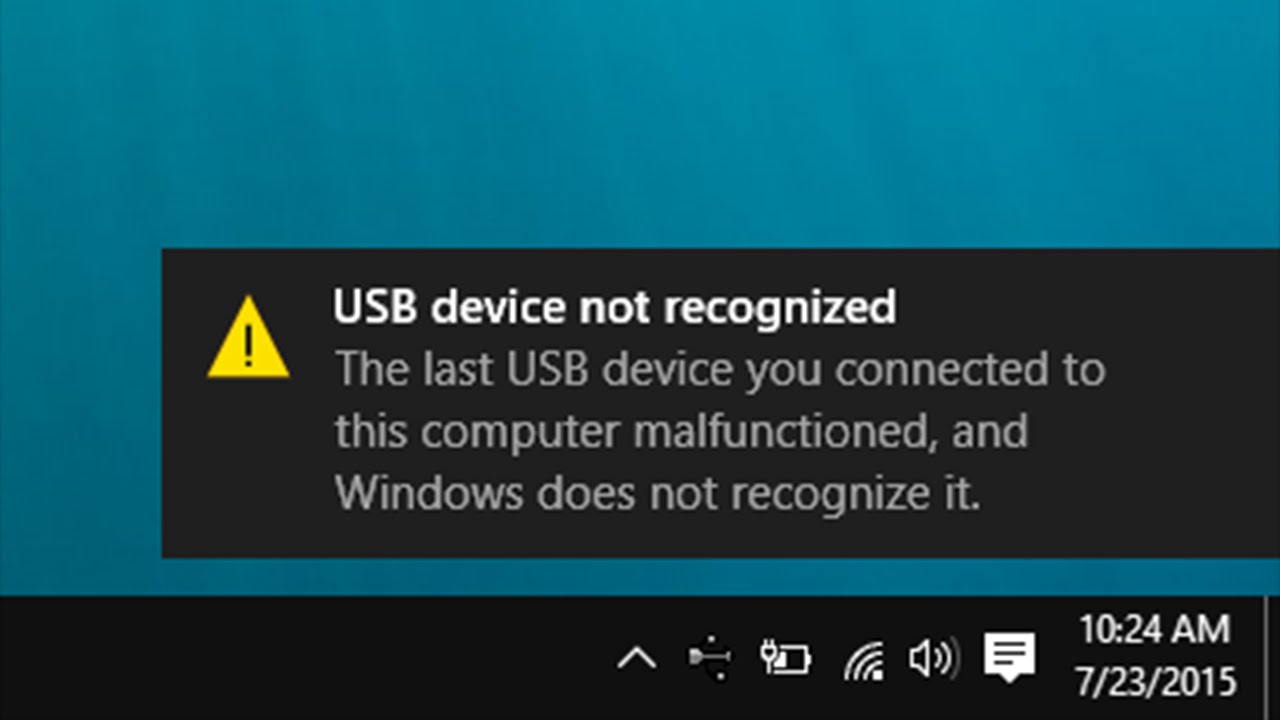
When I plug a keyboard and push F7, it is not working, and when I put a Winpe usb drive, it doesn’t offer me it in boot option. Keyboard and Winpe usb is working in USB3.0 port. So normally should it working from USB2.0 port? If yes, my USB2.0 is not working.
Windows give a popup window with text USB device not recognized (like this).January 30, 2016 at 4:09 pm #24182Hi I have installed Bios 608 and the last OS version recommended by Chuwi but I’m still stuck with my Broadcom Wifi error code 10 and bcmfn2 Device error code 51… I’m starting to regret my Windows 10 32 bits from stock.
Hi Olivier, i think this is a great idea for the moment, do you have a security copy x32 bios and windows? i didn’t do it at moment
 <noscript></noscript>
Sadly I haven’t… Anyway I guess we would have to install the former version of the 32bit bios which could be tricky 🙁
January 31, 2016 at 8:09 pm #24624I don’t think x32 bios are necessary to install x86 windows but i only said for have x32 bios and windows, with all of them do an investigation
Hi @Ciros here are the links, comes from official chuwi forum
http://forum.chuwi.com/thread-15-1-1.html
hope help you
February 2, 2016 at 10:53 pm #24802Hi, does anyone checked those download links for Windows 10 x64 images for tablets with serial number range HI10- HI10 42151101029-3000?
Like #Dmitry noticed, those download links are the same.
Should it be like that, or they put it just for mistake (like Ctrl+C and Ctrl+V mistake 😉 )
Any thoughts?
Another thing. Is anyone already checked or test new BIOS 608 for V200? Any issues after update?
February 6, 2016 at 2:40 am #25097Deleted. Wrong thread. Sorry.
February 9, 2016 at 9:32 pm #25562I’m having trouble doing this update.
As soon as I select USB stick 1, the tablet goes to a black screen and does nothing.
Does anybody have any ideas?
February 10, 2016 at 9:13 am #25588Hi,
I update Bios available for V200 and reinstall Windows following link here https://drive.google.com/folderview […] sp=sharing
After reboot impossible to found wifi (No Icon WIFI only Airplane icon)
It’s a broadcom card eand even using .exe available here ( https://drive.google.com/folderview […] l9wRG9WVHM ) and a reboot it’s not changing anything
Can you please help me ?
Thank you very much,
Regards,
February 11, 2016 at 1:37 pm #25703Nobody can help me ????
February 11, 2016 at 3:35 pm #25709Anonymous
Inactive- Posts: 6
As others have mentioned, are the links and guide in the first post good for serial numbers Q64G42151101029 – 3000?
I just received mine, and sadly it is 32bit Windows 10, so i would like to flash new bios and install new windows and drivers.
Can i use normal windows 10 downloaded from microsoft and install drivers afterwards? where can i find all the drivers?Another question, is Broadcom wifi any different from Realtek wifi? And other aspects of the tablet, is anything different from other batches?
Thanks.
February 12, 2016 at 9:22 am #25790Hi
Hello,
Please help to refund my wifi
bios version : C106_B10UAN.603 X64
Serial number : Q64G421511027XX (modèle V200)
version windows : 1511
Os build : 10586.0wifi : BROADCOM
mistake seen on device manager:
– 802.11n Wireless SDIO Adapter (under network adaptater)
– bcmfn2 device (under system devices)
When I uninstall/install card is not working
When I enable/disable is not workinglwifi card is invisible on Network connections (but bluetooth card is here)

Icon connexion show only Airplane mode

I feel lost, and I try everything said on internet
PLease HELP me
February 12, 2016 at 10:35 am #25793Hi Hello, Please help to refund my wifi bios version : C106_B10UAN.603 X64 Serial number : Q64G421511027XX (modèle V200) version windows : 1511 Os build : 10586.0 wifi : BROADCOM mistake seen on device manager: – 802.11n Wireless SDIO Adapter (under network adaptater) – bcmfn2 device (under system devices)
 <noscript></noscript>When I uninstall/install card is not working When I enable/disable is not working lwifi card is invisible on Network connections (but bluetooth card is here)
  <noscript></noscript>Icon connexion show only Airplane mode
  <noscript></noscript>I feel lost, and I try everything said on internet PLease HELP me
 Hi, there´s the same for me and hundred of users
Support is not a work for users around the world, it is work for chuwi developers and technical service, but chuwi don’t do it nothingI also hope the solution
February 12, 2016 at 12:14 pm #25799Okay, well this is great. Question – what do the benchmarks look like after this windows upgrade?
I wonder if the extra 1gb of ram, the proper 64 bit processing would speed things up appreciably.
February 12, 2016 at 3:38 pm #25809Ok I try with Bios 608 version but still the same issue
I don’t know what to do now
-
AuthorPosts


 <noscript>



- You must be logged in to reply to this topic.