TechTablets › Forums › Jumper Discussion › EZBook series › EZ Book 3 Pro V4 Samsung eMMC far better than the first batch V4 no name eMMC?
Tagged: EZ Book 3 Pro, Samsung emmc, V4s
- This topic has 8 replies, 3 voices, and was last updated 8 years, 11 months ago by
sportnok.

-
AuthorPosts
-
October 20, 2017 at 8:09 am #73680
I got the V4 early September and compared it with my previous V3. The eMMC was horrible slow.
Right now I’d like to know if the V4 Samsung eMMC “edition” has improved a lot.
Both of my ssd are the long ones that do not fit through the hatch.
I would love to buy another V4 with that stock samsung eMMC and use a 64 or 128 Micro SD or USB stick as my daily data storage. That way I won’t need to buy a short M.2 SSD.
Is that samsung eMMC really faster?
Good luck - WOLF
October 20, 2017 at 10:47 pm #73707October 22, 2017 at 8:31 am #73771I know about that but I just wanted to know the Samsung speed.
Currently I have not started using the V4 and could I can buy a 4s and add a fast 128 micro SD for data.
Good luck - WOLF
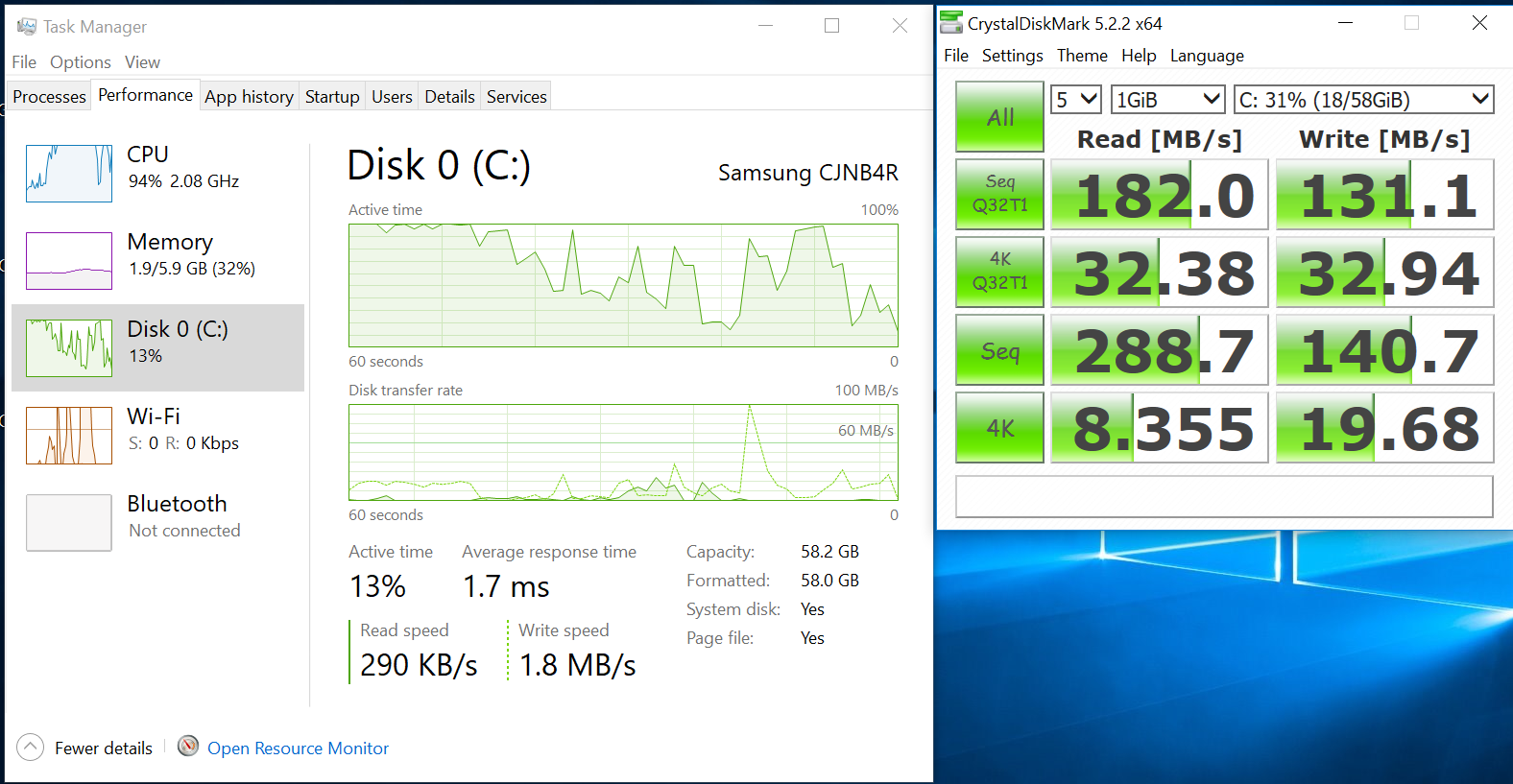
October 22, 2017 at 4:35 pm #73784The link I posted shows the speed of the samsung, much faster. Micro sd wouldn’t help as the slot for it is usb2 speed, best bet is buy a 128gb SSD and fit that.
October 23, 2017 at 2:43 pm #73840Thanks, I checked the link.
My main question was, if the V4s with the samsung emmc delivers the specification of the V3 cause I bought a V4 and noticed that the V4 is remarkably slower. I can get along with 64 GB emmc for Windows and my programs if I put my data on an external storage like the micro sd.
Most of my data are in a private cloud I can access over vpn if I miss something on the go.
But that will not work with the V4 with no name emmc cause this is very slow. With your png it seems to me that the new samsung emmc is even faster than the V3 and therefore I will buy a V4s to get rid off most drawbacks and to avoid to open the hatch. But the aliexpress SSD seems to be pretty cheap.
Thanks a lot for your support and help.
Good luck - WOLF
October 25, 2017 at 7:04 pm #73920Why don’t you remove the whole back off your V4 and fit the 2280 SSD, just like you would with the v3? Should work fine.
October 25, 2017 at 7:08 pm #73921What I would like to know is why the bios change to HS400 doesn’t work with the V4, and is there a way to get it to work, or find a similar change to improve the eMMC speed. I know using an M.2 SSD works, but it would be good to get the eMMC to a proper speed, as I am sure it can go faster.
Any ideas??
October 25, 2017 at 8:15 pm #73927Hello just to share my experience. I had version 1 which had a speedy emmc 200mbs speed and now I have the v4 with generic emmc 65mbs. The speed difference is not that dramatic as the benchmarks suggest. Also I bought a ssd 128gb Kingspec for V4 and the speed difference is not that dramatic too despite the ssd speed 400mbs. So don’t be afraid of that “slow emmc” because it doesn’t feel like. Or just buy a cheap $40 ssd and have your peace of mind .
October 26, 2017 at 7:39 pm #73979Hello just to share my experience. I had version 1 which had a speedy emmc 200mbs speed and now I have the v4 with generic emmc 65mbs. The speed difference is not that dramatic as the benchmarks suggest. Also I bought a ssd 128gb Kingspec for V4 and the speed difference is not that dramatic too despite the ssd speed 400mbs. So don’t be afraid of that “slow emmc” because it doesn’t feel like. Or just buy a cheap $40 ssd and have your peace of mind .
It would just be nice to have a faster eMMC, its annoying knowing there is a fix for the other eMMC’s but not this one!!
But yes I have fitted a Kingspec SSD.
-
AuthorPosts



- You must be logged in to reply to this topic.