EZbook 3 pro not switching ON (it is, but super hard to do)

EZbook 3 pro not switching ON (it is, but super hard to do)

TechTablets Forums Jumper Discussion EZBook series EZbook 3 pro not switching ON (it is, but super hard to do)

Viewing 2 posts - 1 through 2 (of 2 total)
  • Author
    Posts
  • #148940
    Darius
    Participant
    • Posts: 1

    Hi.

    EZbook 3 pro nearly year old.

    after some longer time (let say night) is very hard to power it on. But if it finally running, there is no problem to restart, or shut down and switch on again as many times as you want. But after while some times i’m just losing hope to fire it up again.

    • Not power on, i mean no blue light no any light in the screen.
    • No Bios settings changed (haven’t been there at all actually)
    • When PC not switch on, i have tried to hold power button for 30sec then pause and 4 sec etc.
    • It seams that i’m more lucky when charger is connected. But still is hard.

    Actually i have replaced batteries for this machine. And problem maybe started after this.  Not sure.  While working it working well, charging Ok, and battery last normally.

    And again, once is finally working, there is no problem to switch it off and again ON. On little press and wuoalia. But not after night or some longer time.


    #149069
    Chupa
    Participant
    • Posts: 882

    how about do not switch it off?

    put it in sleep or hibernate mode and see if this solves the problem.

    if you do not use it for a longer time, just leave it plugged in, because sleep lasts a few days max and hibernate lasts a few month max with a full charged battery.

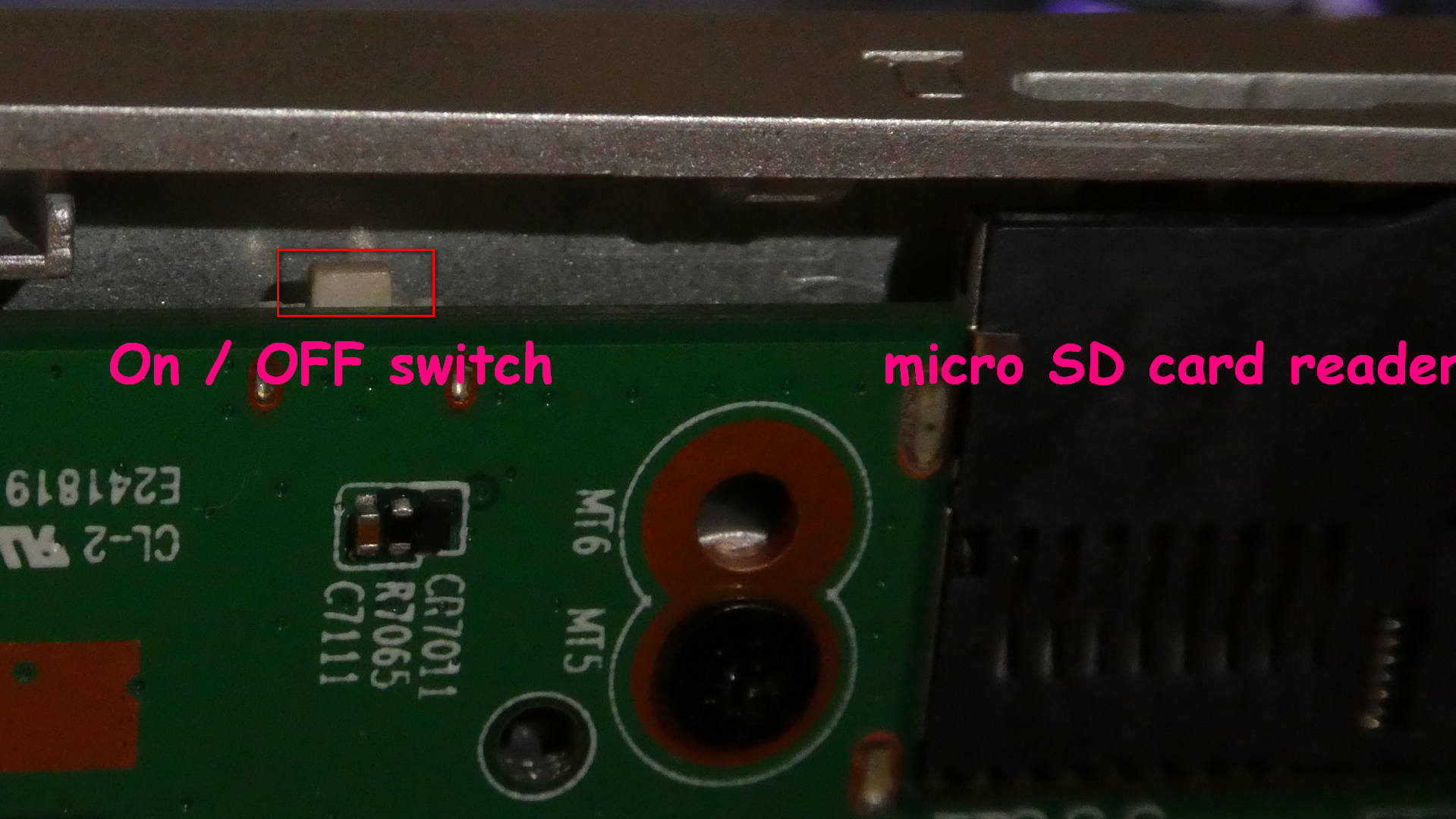
    also, there might be a hidden on/off touch button hidden inside.

    in my jumper 3s it is on the port board opposite to the main board below the micro sd card reader.

    it reacts the same way the power button normally reacts, including long press for forced shut down.
    Need Help?
    1981 soldered my first Sinclair computer 1K, tapedeck * 1984 build and sold IBM clones 8Mhz, 512K, 20MB HDD * 2018 messing with ultrabooks

Viewing 2 posts - 1 through 2 (of 2 total)
  • You must be logged in to reply to this topic.

Lost Password

Skip to toolbar



