

TechTablets › Forums › Chuwi Forums › Chuwi Hi12 Forum › Randomly powering off under low battery. Battery calibration issue?
Tagged: Chuwi hi12 powering off
- This topic has 78 replies, 33 voices, and was last updated 7 years, 3 months ago by
Atis.

-
AuthorPosts
-
May 17, 2016 at 7:00 pm #37729
Awesome find!! I mean, boo on performance loss but stability is more important. I would rather get used to a little less gaming/power rather than watch the battery like a hawk. Are there any other settings? 1333mhz? Maybe only loose a little performance, but only loose 5% rather than 10%?
May 17, 2016 at 8:29 pm #37748Zoenphlux it depends on what matters to you. I’ve had my unit set to the faster ram speed since about 4 minutes AFTER I got it and haven’t felt any reason to flip back. It could be that every unit is a little different but I’ve yet to have my unit power down prematurely (even at the faster settings). I’ve only taken it down to about 20% once or twice though so I can’t say it won’t EVER happen. The other thing is I think I saw Chris mention that on his tablet it would happen EARLIER if he had a hard drive and other things plugged into the unit. I never really plug anything into my unit besides a wireless AC dongle.
That being said, 10% in a benchmark is exactly that 10% in a benchmark. I suspect you won’t likely “feel” it in most general use. It’s something that is measurable but not necessarily very demonstrable to the actual user. Worst case, set your ram at the high speed and if you ever need to use that last 30% of your battery flip back to the bios and turn it down.
May 18, 2016 at 12:45 am #37772I am afraid to say but my unit repeats abrupt and random shut off regardless of having been set the ram speed at the factory default. The abrupt shut off seems to occur somewhere in the range 20-30% when the unit has been started using from the battery level above 50%. I have performed a few cycle of 1-hour charging (until the battery level exceeds 30%) and booting after the occurrence of the first abrupt shut off at 23%. The results show that the abrupt shut off still occurred on my unit but the battery levels at which the shut off occurred were below 20% almost around 15%. The program running on Windows10 each time was the only YouTube video playing on the Firefox browser. Although it may depend each single unit.
May 18, 2016 at 12:47 am #37773Re: stability – I had fair share of hearthstone games that I could have won auto shut down on me. Was quite annoying so I think I’m gonna keep it at the default clock speed
I left it to charge from 0-100% to calibrate the battery. I’ll report in tonight if any more hearthstone games go pear shape from the shut down.
i think there are afew strange strings, but the ones which I am willing to try are auto/800/1067/1600 for memory speed. I don’t understand what the remaining options in the bios are
May 18, 2016 at 7:30 am #37792Today I’ve just played a video in Full HD for 5 min (https://www.youtube.com/watch?v=P5_GlAOCHyE) and the computer shutdown suddenly with 46% of battery, this is crazy!!! I’ve checked in the Bios and my memory ram frequency is set at 1067 Mhz, I have the Dual Boot model…
We need a solution from Chuwi!!
May 18, 2016 at 4:30 pm #37846Doesn’t work for me either, my memory is at 1067 and still crashes at 20-30%
May 19, 2016 at 1:52 am #37877I played some games (hearthstone and kingdom rush) last night and couldn’t bring the battery down to 30% so I can’t update my findings. Didn’t shut down on me. The battery life is too good to run down in one evening.
i also did reflash my bios so maybe that helped because all my bios settings are back to default optimised values.
i also emailed Banggood but I doubt they will be helpful.
hopefully the problem stays gone. It’s a pretty good tablet
May 20, 2016 at 8:12 am #38008Chuwi publish on the official forum a new dualboot BIOS. In description is: … to solve the wifi disconnet issue, reboot issue….
Maybe it’s the solution for the “powering off” failure.
http://forum.chuwi.com/thread-1160-1-1.htmlMay 20, 2016 at 3:32 pm #38033I think it worked. I played hearthstone non stop down to 35% at 50% brightness. Seemed ok. Anyone else give it a shot?
running the battery down is really tiring…. The battery life is too good haha
May 20, 2016 at 7:55 pm #38052Chuwi publish on the official forum a new dualboot BIOS. In description is: … to solve the wifi disconnet issue, reboot issue…. Maybe it’s the solution for the “powering off” failure. http://forum.chuwi.com/thread-1160-1-1.html
I would try it if I can download it. What’s the dropbox password?
Chris | Admin
Please support us and help keep TechTablets online. Affiliate revenue is used to pay for the server, studio apartment (Techtablets HQ) and buy new tech to review. Without it, this site would be dead.
Next up for review:
Ordered and waiting for my: BMAX S15 & Teclast F6 Plus
Currently testing: LG G8X & Redmi K30May 20, 2016 at 7:56 pm #38053Nevermind it’s en.chuwi.com
Edit: Flash it and nothing has changed. Same build date and time. Testing now but my battery is at 90%, takes a long time to drain will report back if I can get it to power off.
Chris | Admin
Please support us and help keep TechTablets online. Affiliate revenue is used to pay for the server, studio apartment (Techtablets HQ) and buy new tech to review. Without it, this site would be dead.
Next up for review:
Ordered and waiting for my: BMAX S15 & Teclast F6 Plus
Currently testing: LG G8X & Redmi K30May 20, 2016 at 8:49 pm #38057It is reported that Emily fom chuwi forum said about the 30% shutdown : “if battery go low, use usb hand power dynamo for full energy support”…
May 20, 2016 at 8:59 pm #38059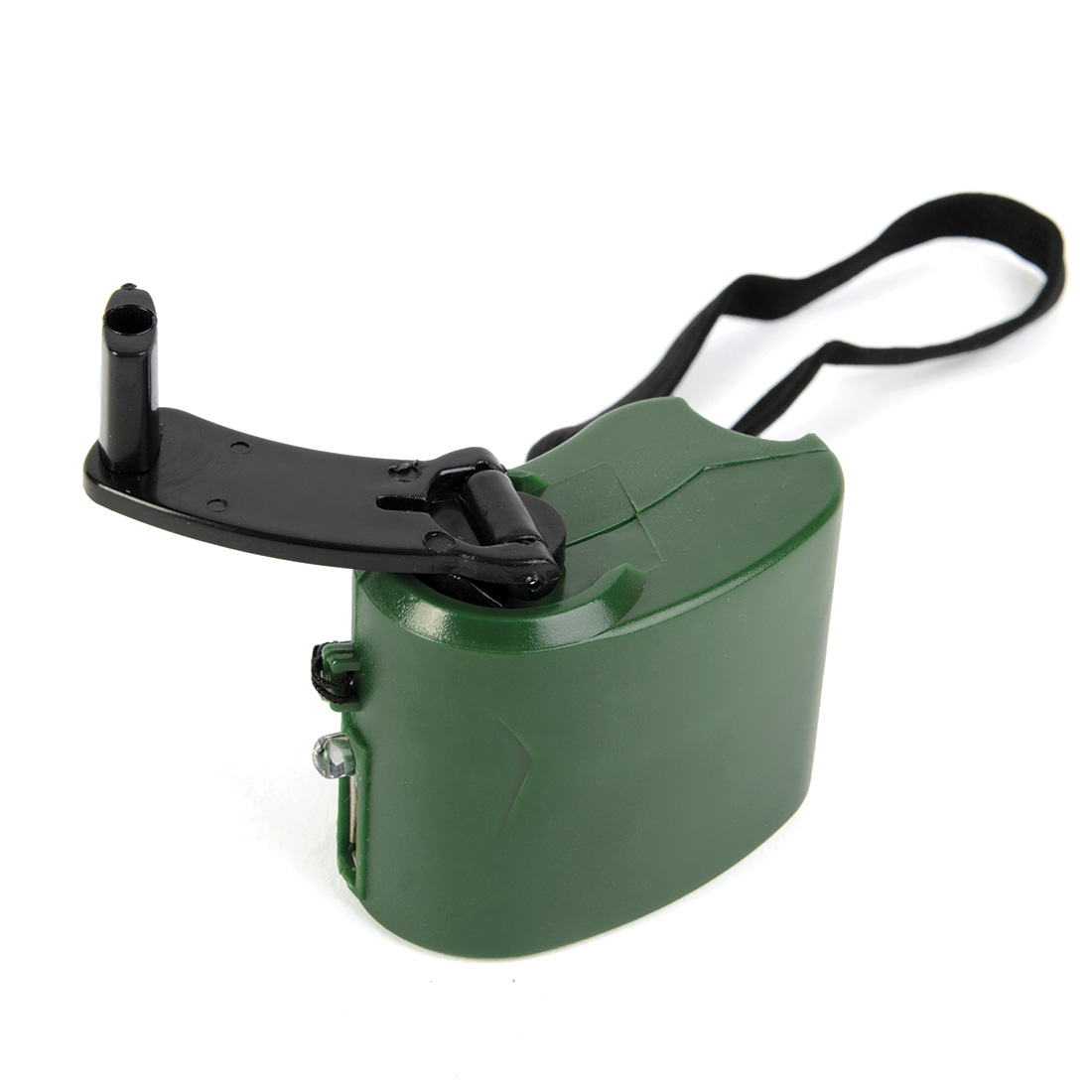 May 20, 2016 at 9:10 pm #38060
I don’t have any issue when using the hi12 in windows just browsing internet on Edge. I can’t get to 5% without issue.
Are your hi12s shuting down only when watching videos or playing ?
The only problem that I have is that I need to restart the wifi connection manually when using my wifi usb dongle when I resume windows. It seems that the “latest” FW fixes a wifi issue, is it this one? Not willing to try to flash a FW and brick my hi12 if it doesn’t fix that.
May 20, 2016 at 10:37 pm #38067 -
AuthorPosts








- You must be logged in to reply to this topic.
