


Forum Replies Created
-
AuthorPosts
-
I have an huge issue with arrogant people like you who a) dismiss the info which other people give them and b) do so without doing at least some research yourself.
Chill out, I didn’t dismiss anything, did I?
How about YOU use some readily available software that can check CPU C states? How about YOU then spend hours and hours trying to diagnose what the issue is? How about YOU then go out of your way to purchase new hardware to attempt to solve the issue? Go on, do it yourself.
That’s exactly what I wanted to do and the reason for asking how you did it.
C states were measured via ThrottleStop. The HingeAngleService was started and stopped on demand with services.msc. All power usage was measured with minimum brightness, WLAN off, and all background processes terminated. Power usage was logged with batteryinfoview. Once again: With minimum brightness, wifi and bt off, all background processes stopped, windows 10 1903, no devices connected: 2.0-2.1W. With Hinge Angle Service: 2.5-3W.
Great info, thanks for finally sharing!
But don’t worry. YOU shouldn’t need to waste time to try what I MYSELF decided to TAKE MY OWN TIME to SHARE with the community. No, YOU keep on doing what YOU want to do. It’s ALL about YOU. YOU do what YOU think is best for YOU.
I don’t worry at all and of course I do what I want and what I think is best for me. Everyone should live his life this way. This is what makes us happy.
Don’t even consider what OTHERS might possibly even remotely have to say. I’m getting 10hrs on my Teclast regularly at school. But you arrogant people aren’t willing to listen to others, let alone even CONSIDER taking ANY trying out what other people take the time to type on these forums.
What’s the point in visiting forums if not to read what others have to say?
Thanks for taking the time to rant offtopic and also answering my questions!Some more findings:
It will only charge until unplugged and will not charge again when plugged in.
This is the only way to get it to charge:
- Reboot into bios
- Unplug the charger
- Shortly press the power button so the notebook turns off
- Plug in charger and wait ~9 seconds until red LED at the charger port turns on
- Now it will charge until unplugged. The notebook can be turned on and boot into windows and will continue to charge.
My bios version is 5.12
tPAD 3.02
Build date 03/30/2018 16:50:43
Default bios settings.
Ok this is weird… I left the notebook unattended and it completely depleted its battery. It didn’t give any reaction to the power button.
So I decided to give it another try and plugged in the ravpower charger. First the blue led blinked, then the red led turned on and it started to charge at ~14Watt. The charger should be able to provide 12V / 1.5A max. At least it’s charging!
How do you know your idle power consumption?
How do you know if your CPU enters C2 state or not?
How do you know HingeAngeDetection causes an extra 0.2-0.3W power consumption?
There is no way to reproduce your results without any info on how you measured them.
Did you change any BIOS settings?
If I plug in any charger to the USB-C, windows tells me it’s charging and the red LED turns on, but no current is flowing and it does not charge.
If I plug in to this charger, windows also thinks it’s charging, but the red LED does not turn on and no current flows.
https://www.amazon.de/dp/B07PQBXD5P
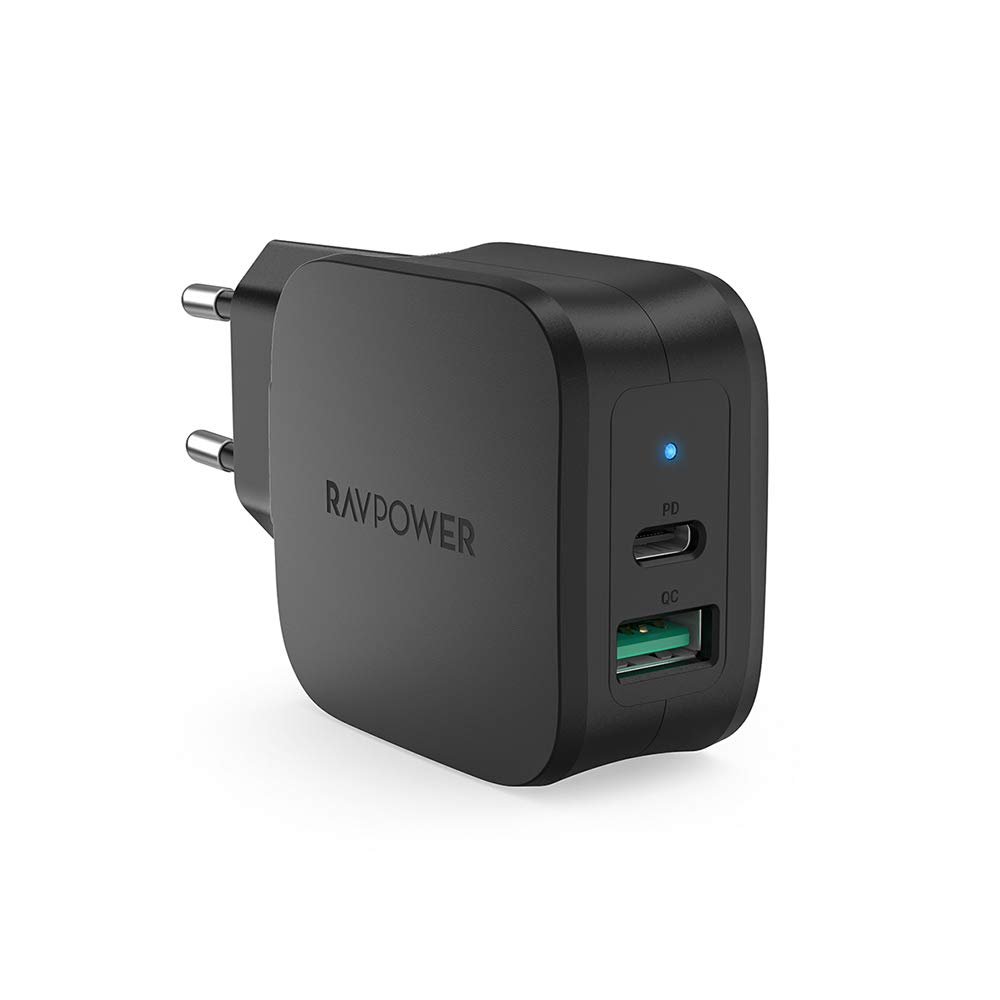
I tried thunderbolt enabled and disabled, but nothing works.
-
AuthorPosts

