
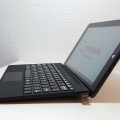

DO NOT BUY THIS EQUIPMENT.
PROS- it is a small, unusable laptop type device that is poor in every department. it runs windows 10, poorly, in desktop version that is completely unusable
CONS
1. Cannot use the device while charging. If you plug in the laptop/tablet, a CONSTANT notification appear onscreen with sound that blocks whatever your doing and dims the screen saying ‘YOUR LAPTOP IS VERY LOW BATTERY’. This screen pops up constantly, 10 times a second and is minimized 10 times a second. it plays a noise and dims your screen, you cannot click or cancel, it is like a virus. The only way to stop the pop-up is to pull out the charging wire and it normally turns off
2. they have installed some ‘intelligent’ system that tries to predict what you do. If you accidentally swipe your finger across the screen or keypad, it will ‘predict’ what you wanted and change everything on your screen. if you are reading, and you touch the pad or screen, it will close the window and you will lose everything, it will change tab, it will minimize. If you try and scroll down the screen, it will predict this and start turning off your laptop as some smart predictor. Nonsense. I am an intelligent human and IF I WANT TO CLOSE THE WINDOW I WILL CLOSE IT. IF I WANT TO SHUTDOWN I WILL SHUTDOWN. DO NOT PREDICT FROM THE WAY I TOUCH THE PAD WHAT i WANT.
3. you cannot show the windows taskbar if you hide it. If you have use the function to hide the task bar, there is no way to show it again without plugging in the keyboard and continuing to mouse-over the taskbar area until it appears. if you use the touchscreen, it will not work and will start to launch apps that you select
4. when you turn the laptop on, it does not register the touch screen until windows is booted. it gives you the option to choose between windows and android with a big ‘OK\ button. windows is allready selected with a 10 sec timer, you cannot click Android or OK because it does not register the touch screen.
5. the battery popup has another CON because it is the laptop/tablet is completely unusable whilst charging, trust me, a constant nonsense irritating battery notification will CONSANTLY POP up on your screen with a irritating noise that you battery is low / charging, you cannot minimize or click because it immediately appearzs every 0.001 sec.
6. the keyboard is terrible. it never registers clicks or types. I have another similar notebook with the same keyboard and I can type no problem, however, with the chuwi, it drops 50% of keyboard clicks, even if you properly focus on pressing them down. today. i tried to use the Chuwi and plugged it in, but it was unusable because the battery popup overrides windows, i unplugged the charger and when I tried to type ‘windows 10 notification battery constant popup spam’ i could not type it on the keyboard and had to type it on my phone instead, the keyboard simply wouldnt pick up letters that I typed. The messages where like this ‘indx0 10 nfion btrey constn popp spm’
7. it disconnects from Wifi every 5 minutes. Every 5 minutes, the Chuwi disconnects from my wireless Wifi. This does not happen with any other device. This makes browsing and streaming impossible. Every 5 minuts, I need to reconnect to my wireless by minimizing the browser and going to the network area. Normally while doing this, I will accidentally touch the keypad or touchscreen and it will close my internet browser because it predicts that a swipe means to close the application. If i accidentally swipe it in another direction, it shuts down.
8. the power button rarely works. When I try to power the Chuwi on, it takes about 5 or 10 tries of holding down the power button very aggressively for it to turn on. I notice this with other cheap hardware. When you press the power button for 4-5 seconds, the screen should come on, however you need to this atleaset 5 times for it to work. when you try turn the Chuwi on for the first time in the day, you hold the power button in and you hear it register the clic/pushdown but you know that it will not turn on, you try it again and again and again but it still does not work. Somewhere around the 6th or 7th time it will turn on.
This is the worst piece of technology I have ever bought. I tried to use it about 10 or 15 times and everytime I did, I went into a fit of rage, a physical fit of anger because of the battery notification. When I finally got the laptop charged and tried to browse, it constantly ‘predicted’ what I, an intelligent human, wanted, and it would constantly close the internet browser and shutdown the laptop any time I accidentally swiped the screen or touched it.
I eventually grew so angry at this Chuwi that I deliberaltly tried to break it into two peices over my knee and then threw it against a wall. I then grabbed the chuwi and bent it in two pieces until it was completely broken, I stamped on the screen about 10 times until it was completely smashed and broken into pieces.
