
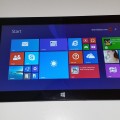

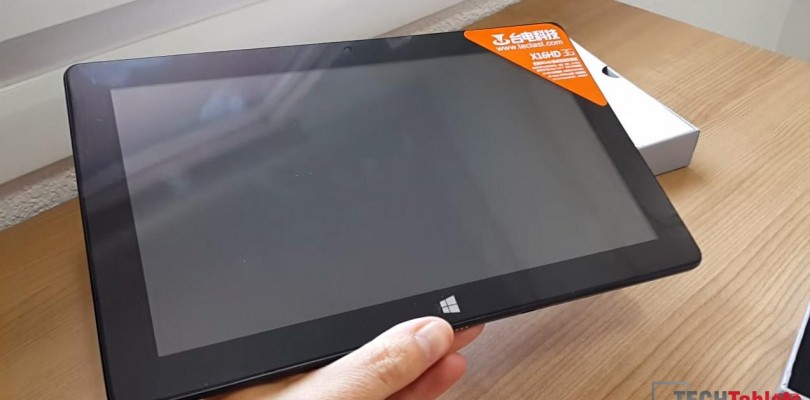
Our Teclast X16HD 3G arrived a few days ago for review. Here’s the unboxing video and a hands on look at Android and Windows on the system. The X16HD 3G is very similar to the X10HD 3G I reviewed a few months ago. They both sport the same 2.16 Ghz Z3736F Atom processor and have 64GB eMMC drives.
So far I my first impressions are:
Pros:
- Great build quality, slimier and more solid feeling in hand than the X10HD 3G
- Very bright 1080p 16:9 IPS panel, up there with the best of them at 395 lux.
- 10.1 keyboard docks work, but when closed don’t fit 100% of course.
- Very loud audio output in both Windows and Android.
- Windows 8.1 Pro and not Bing oddly enough.
- Slimmer than the X10HD 3G
- Side aiming speakers offer good stereo separation
Cons:
- Windows 8.1 Pro would not activate itself on my unit (My Ali express later gave a fix for this)
- The audio while loud has some static when between tracks.
- Port placement is a little strange, HDMI and microusb on the top and there is some distance between the ports.


reamonrsv2
hallo,
i have a few Problems, but i can only one think say:
“Please Help me”, i Need a new android Firmware, with 4.4 dont work more thinks 🙁
Now i with the livetime are very..very… ;-(
So perhaps you can help me and say me , i Need a new Rom ( perhaps 5.1 or 6)
Please und 100000000000000000000000000000 thanks.
I am new…
Tomik
hi Chris
i have a problem yesterday i installed xposed installer 2.7 experimental 1 on android and restarted my tablet and now i can’t run it at all it only shows teclast and intel logo again again and nothing happen ( i can choose systems in dual boot) only windows is working now i tired to flash android rom in dnx mode using manufacturer flash tool but i don’t detect it (isocusb,intel android device drivers installed) please help
Ragnar Ironblood
Hey, Chris, will you make a comparison with Chuwi Vi10? Since there’s an updated 64G revision, a comparison review would be highly appreciated. IMO, Chuwi is a clear winner, but I’m eager to see whether the performance impact is drastic, due to the FHD of X16HD.
Chris G
Hi, sorry, but I don’t think I will be buying the 64GB version. I have my 32GB one and I can’t justify getting one just for the extra space and to benchmark the larger eMMC.
Ragnar Ironblood
Nah, you didn’t get me. All I meant 64G makes Vi10 a competitor, and thus it’s time for the comparison review of X16HD vs Vi10
Sukniyom
Hi,
I’ve seen your unboxing video and saw it was English interface in Windows 8.1, as your above post it was windows 8.1 Pro.
I have this X16HD but it comes with single language Windows 8.1 (Chinese), I’ve tried several ways to change to English interface but failed.
So, could you give some instructions how you can change to English in Windows 8.1 or how to install Windows 8.1 Pro on X16HD
Thanks.
Chris G
Mine was shipped out with English (US) already installed from the seller. When I factory reset it, I couldn’t download English either, it seems it can only be done behind a Chinese IP, you need to use a VPN with a Chinese IP to do it. Haven’t tested this yet.
Kostas
Hi Chris,
I would like to congratulate you for the good job and all the information that you provide!
I am looking for the latest BIOS Version for Teclast X16HD and I was not able to find it from the official site of teclast.
Regards
Kostas
Chris G
Hi, I don’t think Teclast have released it. And bios dumps result in bricks so not recommended.
Tim
Hi chris,
To start with, Thanks for the video’s, reviews and technical information you have supplied. It has been invaluable.
I have some simple questions about the Teclast x16hd:
1 – What version of windows 8.1 did the dust settle on (pro or bing) and did teclast supply the Windows pass key or ali-express.?
2 – How much bigger is the teclast X16HD compared to the teclast X98 Air ii? Maybey a video? Hint hint….
3 – Is the Google play store fixed? Or fixable?
Two more :
– Will you be reviewing the Chuwi i10 dual OS/boot.? 64gb availability in future? The specs have full size usb ports.
– What is the difference between “the new design” TECLAST X98 and the “original design” ?
I know some of these questions should maybe be asked of ali-express or teclast but i thought i would start with you..
Thank you again and keep up the great work..
Tim
Chris G
Hi,
To answer your questions:
1 – Windows 8.1 Pro in the end.
2- It’s about 2cm longer and almost the same height
3- It’s fixable play store. I have posted a how to on this here: http://techtablets.com/2015/04/how-to-root-teclast-x16hd-3g-and-fix-google-play-store/
I’ve not seen or heard about the Chuwi i10 dual os, do you have a link with more info on this one? If it has full sized ports and is interesting I might just buy it to review if I can sell of some tablets to fund it. The difference between the old X98 and the X98 Air 3G, it’s really the same as the Ipad before the iPad Air was released. Smaller bezels, same screen, but a faster 2.16ghz processor over the Z3735F 1.8ghz one.
Chris G
Ah nevermind I found it on their weibo http://www.weibo.com/chuwi#_rnd1429469976722 It’s just announced, so when it’s released I will take a look at it.