

Updated: The coupon now gives $28 off and this brings the price to $119
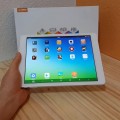
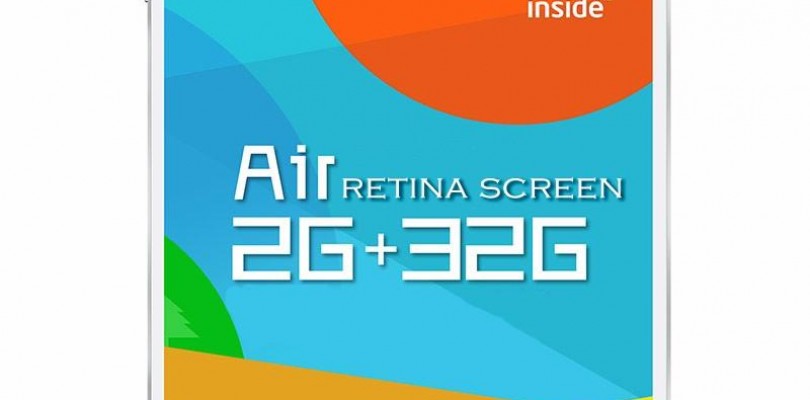
Teclast’s X98 Air III is their cheapest X98 series retina tablet. It was released to combat the Cube i6 Wifi model which was the cheap Atom Retina tablet around at the time. The X98 Air III is now just $119.99 with Banggood.com‘s new $28 off coupon 4c3218 making it the cheapest one around. The good thing about this tablet is you can flash a Mirek190 X98 Air II/3G Custom Rom on it without any problems. As the hardware is essentially the same and if you’re feeling adventurous you can even convert it to a dual boot Android 5 and Windows 10 machine.
I reviewed the Air III a while ago in the below video review:


Andrew
Heh chris just seen this (its in korean)
A x98 air 3 Square?
http://m.11st.co.kr/MW/Product/productBasicInfo.tmall?prdNo=1392892051
It looks as thought they have changed the thermal for it
Mark John Caro
Many an air iii including mine has been bricked by your instructions Chris. Yet you didn’t seem to put a very serious caveat on your how-to article or even update it with better instructions. In your article, it took me a while to figure out what is brush and Andrews. Do you really speak english?
Thanks,
Mark
Mr.j
And it’s Chris fault that you brick your own device haha
Maby you need to do your homework before you try it.
Chris G
Clearly it’s not my guide. You didn’t obviously read this part: “Here’s the translated how to and links to the files (Below)” I was translated from Chinese using google translate. If you followed the instructions correctly it will not brick.
Rafał
I’ve been following your videos and the site for quite a while now and I still can’t really decide on a tablet. Looking for an 8-10″ that would have a reasonable battery time for up to 150$. Which one would you recommend? This one? As the price seems really great. Or maybe Chuwi Hi8/Vi8, Cube iwork8? Any other? Thanks!
Chris G
Chuwi Vi8 Plus so far seems the best of the new 8″ ones under $150. If you can go a little higher the Xiaomi Mi Pad 2.
Frank
I have also been following your blog, visiting almost daily to try to find an 8″ tablet.
I’m looking for an 8″ tablet around the $150 mark as well, but I really only want Android. Love the chuwi ranges but its all Dual OS or Windows but honestly speaking, from my experience with Windows tablets, its just not very useful in its current format.
Other than the Mi pad2, did you have any other 8″ tablet Android you would recommend? Will only be using it for browsing internet and streaming video (e.g via chrome cast/apple tv)
Thanks!
nowa
Well I’ve flashed Mireks ROM on 5 Teclast X98 air 3g units and all have been perfectly fine… I think the issue with the cameras were if you have old HW id, like one of the earlier builds, also, some combinations of BIOS versions showed issues with the camera…
I for one will try and flash my X98 air iii units with Mireks ROM again when I get them… Should be soon if Bang repeats my previous experience with them…
bkch0
for me, the cameras work fine taking pictures but does not work properly in skype or at all with barcode scanning apps.
nowa
Thanks for this one. Just ordered mine… After struggling with Gearpest to dispatch the 2 I ordered back in November last year…
Nuts
“The good thing about this tablet is you can flash a Mirek190 X98 Air II/3G Custom Rom on it without any problems.”
Has this ROM been fixed? Air III users were having issues with the camera and other things and did not recommend this ROM at all
Chris G
I’m running Mirek190 V6 on my Air III right now and the cameras work just fine, so does the Rom. Where are people not recommending this Rom?
Nuts
In your forum 😉 http://techtablets.com/forum/topic/best-rom-for-x98-iii-m5c5/
I’ve also read that the rom causes some 3D games to crash. Most of the posts should be in mirek’s thread for the rom
Chris G
I see 🙁 Well it works fine for me and I’ve been using it for over 6 weeks with a Mirek190 rom.
Kuba
Does your both camera works on Skype? How you manage it? I have M5C5 with boot.img from 2nd post xda and Mirek V7.. issue with camera still exists 🙁
Chris G
Cameras work, but I haven’t used skype on it in. I’ll take a look.
Kuba
Ok let us know. Camera doesn’t work in any other app than the stock one.. I mean both cameras.