
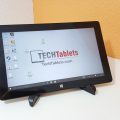

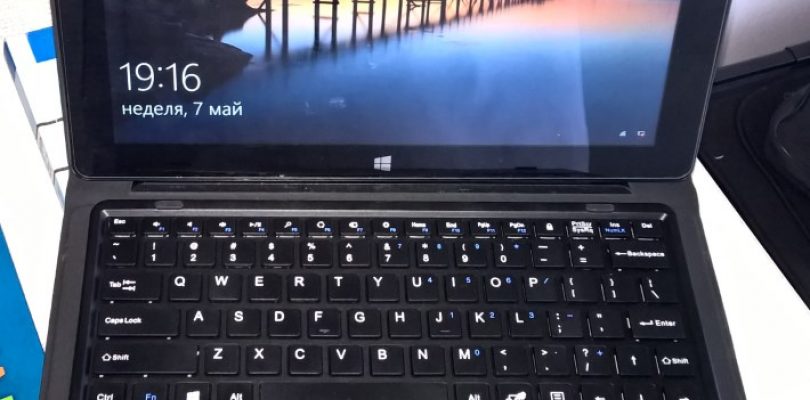
This is my review of the Teclast Tbook 11 tablet and the Teclast T11s keyboard.
Usage: During the working days, I use it at my workplace for my own personal needs like Skype, Messenger, Viber, etc. I also browse various websites, mostly using Microsoft Edge. During the weekends, I mostly read PDF books, watch videos and play games like Fallout Shelter and some oldies through DosBox.
Photos: http://imgur.com/a/AibLY
1. Tablet
What I like:
- the screen is very good for indoor tasks; colors are excellent
- depending on the usage, the battery can last the whole day; up to 12h for light, occasional use
- no throttling; the case stays comfortably warm even when playing games
- reasonably light; comfortable for holding when watching movies in the bed
- touchscreen response is quite good
What I don’t like:
- awful under direct sunlight
- there are occasional creaks/squeaks when holding it
- no full sized USB port
- too much storage space allocated for Android
- static noise from headphone jack
- cameras are awful
- microUSB/HDMI ports are located at the top (landscape)
What is so-so:
- speakers are ok; not too quiet
- sound quality is good through the headphones, but there is static noise
- wifi range is good
- bluetooth range is acceptable too
2. Keyboard
I have to mention that I have both the T11, and the newer, T11s keyboards so this will be more of a comparison, rather than a pros/cons review.
Keys
There is no perceivable difference between the keys. Both variants have good tactile feedback and seem solid. The problem is that it is smaller than a normal QWERTY keyboard and if you write with all fingers, you will probably make many typos/misclicks.
Keyboard body / Touch pad
Again, there is no visible difference. The plastic is on the cheap side attracts fingerprints easily. It seems durable, but would get shiny very fast if not cleaned often.
The hardware left/right touchpad keys feel better on T11s yet I’m not sure if this is due to manufacturing variations.
The touch pad works very well in both cases. I don’t have any complaints.
Case
T11 is a dust magnet both on the inside and on the outside. T11s has a rubberized material on the outside. It also feels more solid and is definitely harder to bend, compared to T11. In addition, T11s takes less space on the table, not only because of the shorter stand, but also because the small lid part is located behind the stand, not in the front of the keyboard.
T11s is heavier than T10.
Magnet
I made a quick test by trying to lift the whole case, when holding the tablet and I can conclude that T11s has a stronger magnet.
Final words
I may update the review at a later point. Surely, I have more to say about this product and I may add/update with more information and/or photos later. Don’t hesitate to ask if you have any questions.
I’m satisfied with my purchase ($137 at the time I bought it) and I believe that the good things outweigh the bad and I could easily recommend that tablet for everyone looking for a lightweight device with excellent battery life. In the end of the day this is an Atom tablet, so please don’t treat it as a full-fledged laptop replacement.

filippo
Hi, I’m from Italy, I bought Teclast Tbook 11 but I’ve found two problems:
The upper part of the display (opposite to the windows logo) is not sensitive to touch, but it works only with mouse.
But the greatest issue is that the integrated microphone does not works… I have to delete and than to reinstall audio driver and in that moment works, but as I reboot, microphone has disappeared and it necessary to repeat all this long procedure…It’s frustrating and I think it’s a serius problem (no skype, no Cortana, etc…)
Chris G
Great review, thanks for your effort!
Daniel
You are welcome, Chris. Although I registered just yesterday, I’m following TechTablets from quite a while and I’m glad to post my short review here. I appreciate your efforts; you are definitely helping many people around the world to make the right choice.