
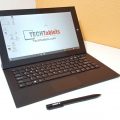


Gearbest has just given me the tracking info for my Teclast X3 Pro which is now finally shipping out of China after a months delay almost. The Teclast X3 Pro, like the Cube i9 I’ve reviewed, is powered by a Core M3-6Y30, but unlike the Cube i9 this model has double the RAM at 8GB and stylus support. The design is exactly the same as the X2 Pro, with
The design is exactly the same as the X2 Pro, with a 11.6-inch 1080p screen, 128GB SSD and it has rather large bezels top and bottom with squared off edges on the tabelt.
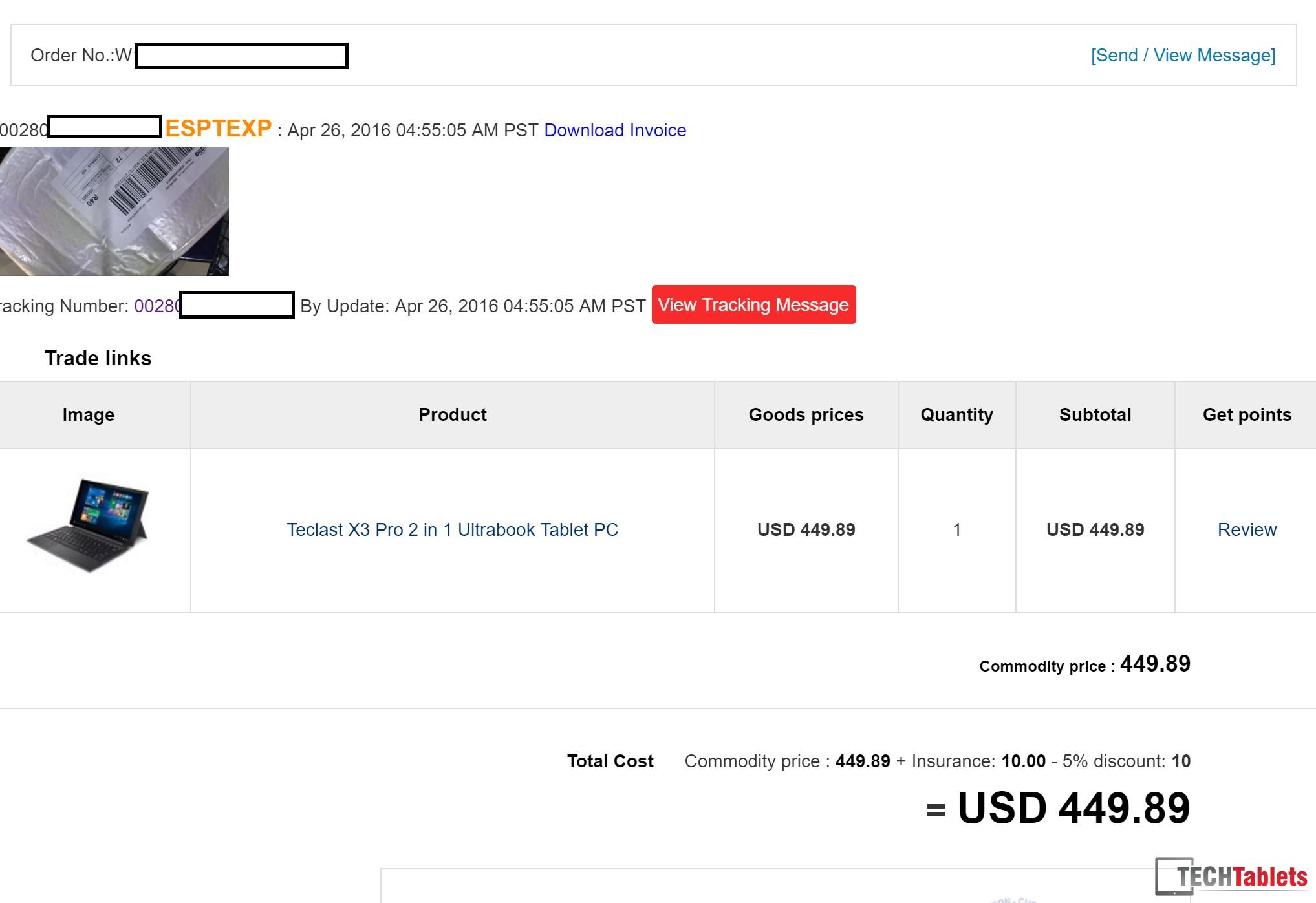
It will be reviewed here on TechTablets in the coming weeks and my unit cost was $449 USD which I thought was okay considering the spec and it’s only just released when prices tend to be higher. I picked it up from Gearbest who seem to be the only ones selling it that offer PayPal. Banggood doesn’t seem to stock it yet.
Gearbest’s Teclast X3 Pro listing






Rajni Sharma
Prashant Bhatt is shairing http://goo.gl/qUwRKx Gearbest link but he said about Everbuying also can you provide me that link ?
JIB
Here is link for the tablet at Everbuying. http://goo.gl/VfMN6r
Ka Wing Chin
I received the Teclast X3 Pro today and I’m typing this message on that tablet :D. The Windows License is pre-installed on the system. There is no sticker on the tablet or anything with the license key on it. You can use a tool, like Speccy, to read out. According the manual there is a backup tool on the Teclast official website. I couldn’ t find it.
Windows 10 is already installed on the system and there is also already an user account named teclast. There are a lot of preinstalled software, like office suite (needs to be activated), Chinese and Korean software, WizNote (in Chinese). I want to do a clean install, but I couldn’t find any drivers for X3 on the official website. I hope you can help me with this.
The design of the tablet is well designed. It got sharp corners. The bezel is thick. The back feels like cheap plastic, but it doesn’t like it will break. I think the tablet is not that sexy if I compare to other tablets I’ve seen and hold. It’s quite heavy when you hold it with one hand. Well it’s a 11.6 inch tablet.
About the keyboard which I used to type this message. It’s the fixed angle keyboard version. Typing is ok, be sure to turn of the touch pad. The touch pad supports gestures. The build quality is ok, better than other dockable keyboards I’ve tried. There is one key, the arrow down key, which is doesn’t feel right when I pressed on it. I think the mechanism is broken.
I haven’t tested the performance, battery or daily use stuff. My first priority is to reinstall a fresh Windows 10 without those bloatware.
Bjorn Muller
My Teclast X3 Pro arrived yesterday, a few days after the X3 Pro keyboard. I do not intend to compete with Chris, just leave a few early subjective observations – and ask for help.
I am not using the tablet for gaming, just for general PC work and it feels fast. A positive factor is that it does have support for 802.11ac, even though this has not been mentioned in the presale specs. Build is solid and it IS as heavy as I expected. I am still in the process of installing and configuring software, but I have not found any real issues yet. Every time I buy a new Chinese device, I am hoping to see the battery indicator drop at a slower rate, but this will probably not be the one.
Now the keyboard. It is the “magnetic click” one, feels very solid – and heavy. Keys feel good to type on and would be OK – if only all of them worked. The numeric keys 12347890 in the upper row (all except 5 and 6) have no effect whatsoever. Lower and upper case is the same – no effect. It is also not language sensitive, so it is a hardware defect. It is difficult to know if it is a problem with the actual keys or e.g. a docking connection problem and, in the latter case, if the problem is in the keyboard or the tablet. The USB2 connector on the keyboard does work, though.
Another keyboard problem is with the trackpad. Sliding a finger across may cause the size of objects like desktop icons or browser pages to vary up and down, completely erratically and uncontrollably. The annoying factor is very high and it makes it practically impossible to use the keyboard.
The keyboard is the same as is already used for X2 Pro, so I am wondering if anything like this has been observed before. I am hoping some X2 user may be able to comment.
Bjorn Muller
I think I have solved the problem with size variation. This keyboard has the mouse buttons integrated with the touch pad. If you have clicked the left mouse button and don’t remove your left finger COMPLETELY before moving the cursor with your right finger, it becomes a size changing gesture. Even now, when I know about it, it is very difficult to avoid. It requires very strong discipline on how you hold your fingers. I have looked in vain for any way to inactivate gestures.
Sven Oesterreich
Can you tell something about the stylus, like how accurate it is and so on?
Bjorn Muller
I am afraid not. I don’t have a stylus pen and probably never will. Even when young, I could not draw a straight line and at 81, my skill hasn’t improved :-).
Chris G
Just got my X3 Pro, the stylus accuracy seems okay, not as good as my Surface Pro 4, but not bad. I’ll have a video demo of it coming up soon.
Prashant Bhatt
I’m a bit confused, from which website should I buy ? Gearbest http://goo.gl/qUwRKx or Everbuying gearbest is proving more discount on this tablet but on everbuying the price was $400 yesterday but today it has been increased.. should I wait or what ??
JIB
Gearbest and Everbuying are the same company. They ship from the same warehouse. So just buy from whichever site is giving the best deal at the time. Gearbest has a better loyalty points program than Everbuying (if use points or coupon Everbuying doesn’t give points on purchase but Gearbest still does). They constantly do promotions and flash deals so it is just a matter of finding a price point you are comfortable with and buying it. If you are always waiting for the next great deal you will wait forever.
Gal
Wow, Intel announced that they quit the mobile market and will no longer make Atom chips.. So… All of the next tablets will have core M? 🙂
Gal
OK, apparently it’s just part of the mobile market. Oh well.
MisterDeery
It’s sort of a shame. The atom line was just starting to get interesting (using an atom 2 in 1 as my main device for a couple of months now and it’s holding up quite well).
hopefully we’ll see some nice next gen apollo lake celeron/pentium tablets coming soon.
Benjiro
Well, those Atoms did not save that much power compared to the Core M’s, and they are frankly a lot slower ( 1/3 per core ). It makes sense to finally dump the Atom line and focus more on the higher performance ( and more profitable Core M & Celeron lines ).
MisterDeery
I don’t disagree about the power efficiency of the atoms, I just meant that, as of the cherry trail atoms, performance has been quite acceptable (for me anyway) for my day to day tasks, which is great considering how affordable atom devices are, when compared to the core M series.
I suppose that the atoms being dropped will bring the cost of entry level core M’s down a bit (hopefully). I’m not totally familiar with the current/next gen pentium/celeron chips, which intel wants to fill the gap with, but so long as they have the same level of affordability as current atom devices, i’ll still be pleased.
Benjiro
Even the basic Celeron’s are faster then the Atom’s at a better / same energy efficiency.
I remember the old 330’s from years ago. While the new Atoms are about 3 times as fast and better in energy efficiency, they pale compared to the steps made by its bigger brother in terms of energy efficiency improvements.
The Atom was originally designed as a low cost solution for low power management / integrated system / fan less. But over the years they are slowly evolving towards full feature set cpu’s, that just can not compete anymore with the “full blown” cpu’s there power efficiency.
Maybe the atom’s are eating too much into Intel there profit margins. Cheap = low profit but still take a lot of money because its a totally separate product line that needs to be developed. While there other share a lot of the same architecture to the point of some lines being just disabled cores / feature sets. I understand why they do not want to continue this line.
The question becomes indeed. Will the prices drop of the core m’s? I suspect not … they will probably keep selling the older Atom’s for the next few years ( no more r&d costs, just production ) and let the gap widen between the different product lines.
Tiago Santos
So what’s going to happen with dual boot tablets??
Without atom´s can we have dual boot ???
Thanks
Benjiro
Tiago Santos: The Atom is just a x86 processor like just about any Intel or AMD cpu. Without the Atom the market can still pick a whole range of different x86 CPU’s with low power usage.
And yes, they can still dual boot Android / Windows on a x86 cpu. Like the Core M serie, Celeron serie, the Pentium serie and the whole i3/i5/i7 series etc …
Prashant Bhatt
I’m a bit confused, from which website should I buy ? Gearbest http://goo.gl/qUwRKx or Everbuying gearbest is proving more discount on this tablet but on everbuying the price was $400 yesterday but today it has been increased.. should I wait or what ?
Willie Anderson
Intel is cancelling only the Sofia and Broxton chipsets. These were specifically targeted at mobile phones only, as they have (had?) integrated 3g or 4g modems. Chipzilla will still be making Atom chipsets for the tablet market.
Willie Anderson
Oops, my mistake. Broxton has no modem, and indeed would be a tablet chip.
Chris G
No quite, we will still have the Apollo Lake. It was going to be named as an Atom. But now it seems it will be called a Celeron or Pentium (To sell more) This might be the end of $99 tablets, but not the end of cheaper Chinese tablets, things are only going to improve with the Apollo Lake just recently announced.
Craig Walkerdine
Hey Chris! Can’t wait for the teclast x3 pro, see how well it stacks up against the cube i9
Are you thermal modding and increasing the voltage on the x3 too?
I just want a tablet to game on! I could throw away my mipad 😀
Giuseppe
Chris is your tracking code working?
My teclast x3 pro was shipped same day as your from gearbest but still not working code..
Chris G
The code works, but is doesn’t give me any info on delivery dates.
Developer_Mode
Dear Friend Chris G:
The Teclast X3 Pro does not exist.
There are only renderings, but has not yet come on the market
Chris G
How so? It’s shipping.
Developer_Mode
Sorry Chris:
We have a unit in HTCMania
At first there was no real photos.
The stores also gave a lot of information.
Look the review:
http://www.htcmania.com/showthread.php?t=1161553
Giuseppe
Today is working mine tracking code too 😉
The only problem is GearBest have wrong shipping mode with one much slower -_-
Rob
Do bear in mind that the Cube i9 is currently cheaper than the X3 since Cube’s official shop on Aliexpress has it on sale at $450 so at the moment it’s better value than the X3. I was going to go for the X3 as it was cheaper but now it doesn’t have this advantage I’m more tempted with the Cube as it has the bigger screen and I have no use for stylus support, although the 8GB RAM is very tempting. So many difficult decisions!
Developer_Mode
Teclast x3 Pro is a ghost
gianluca della pietà
Hi Chris,
are you going to review also the new Samsung Galaxy TabPro S?
Chris G
Hi, no unless Samsung send me one which I doubt as they never replied to me on a review unit request. And I just don’t have enough in the review fund to buy all the tablets. Looks very nice with that SAMOLED 2160 x 1400p screen.
gianluca della pietà
I bought it some days ago..it looks a very nice tablet..well constructed and with a wonderful screen and a very good battery life. But I can’t do a comparison because I have no experience on other similar tablets like surface pro etc, so I hope one day you will have a chance to review it.
thanks
Peter Pablo
if you have it at home
why do you need a review of it? 😀
its a top notch quality product for a lot of money
Benjiro
I think he means that he ended up buying it a few days blindly. And he likes a bit of extra confirmation ( if he made the right choice ) with a review.
That is the problem if you never buy a tablet before, its hard to judge. My last tablet was like a Android Ramos W30 HD years ago. And i fell very disappointing ( especially when opening the package, seeing all the scratches on the screen, clearly the seller sold me a second hand tablet for new ). That is also part why i am a lot bit weary of Chinese Tablets.
Huawei with there X2 Mediapad offset some of my fears ( great quality! ), but as they have no windows tablet out yet ( matebook is still not out and more expensive then i like ). Acer Alpha 12 looked good but they are now screwing people with overpriced i5’s only selling ( instead of there cheap i3 line ).
The main issue i worry about is the weight, because they are hitting 900g for the tablets and that is a lot of weight to hold in your hand. And the lack of laminated screens ( nothing more annoying then light reflecting in your screen ).
gianluca della pietà
Because his reviews are very detailed and also with good comparisons, so I’d like to know what he could think about this product.
Peter Pablo
mine was shipped to 🙂
iam from EU as you and payed only 389€ – they had 28 units for this price for only 12h.
Bon Voyage
How did you became aware that they had 28 units for that Euro price?
Was it with shipping from EU warehouse?
Peter Pablo
nope, it comes from China
i dont know how but it was a limited offer for just 28 units
no coupon code required
I was refreshing the site all day long for 5 – 6times/day 🙂
Franck Harth
Same for my order, I just received the tracking information today. I was lucky to pay only $430. I hope to receive it quickly.
Benjiro
Looks like the prices is different compared to your buy price. Its now $477.13 ( 27$ more ). Aha … you got a 5% discount, that is why its cheaper.
Is it still only using 2 * USB 3 ports? No USB-C connector, i think this was mentioned in one of the previous posts…
Chris G
Yes still the same USB 3.0 x 2 and the design is all the same as the X2 Pro.
JIB
Curious. What shipping company is “ESPTEXP?”
Eggbert
I’m guessing but it means Espana expedited.
Eggbert
+ I think
Eggbert
If the Aussie dollar hadn’t tanked so much in the last year or two I would have been all over this.
Chris G
Just found it, it’s http://www.envialia.com/ that’s the express courier company. Seems a new one.
JIB
They seem to be pushing new shipping companies lately. I ordered a Cube iWork8 tablet and paid for expedited delivery. In the past expedited to me in Thailand would be DHL and I would receive the item the next day. Recently they have been shipping Kerry Express and the package goes ground from China to Thailand and takes seven to eight days. Not happy about them introducing a slower service for “expedited” delivery to Thailand.
Chris G
I’ll have to see how long mine will take. I imagine it will be a few days slower than DHL.
Developer_Mode
You sure you have not “The Tracking Dead”???
No actual photos anywhere
On china no exist information
Дима Романов
Awesome. I look at it as I mght give my cube to my father and take X3 pro. Looking forward to it
By the way, x3 pro has 2 keyboards – one whih is a case-like with cover and the other which is a fixed angle keyboard with a usb port. and its keyboards cost 30-40 bucks compared to 50-60 bucks cube i9 without both usb and nicer cover. Well done there teclast.
I hope screen is nicier then cube. I have a tiny hope, that teclast would have a sata ssd.. but no way, right? And that its cooling is better then cubes.
By the way, Chris. I tried playing with intel OC utility, even played with bios, but in reality, it doesnt INCREASE values past normal. Effect that you ve seen on cube is 100% from modding cooling/ And btw I dont remember, but when you had troubles with cube-s bios – didnt you find a bios reset hole which is right next to volume button?
Rob
So you have the cube i9? Do you know if it will run an android emulator smoothly? Was looking at this or the X3 for that purpose mostly. Hopefully the thermals will be better and the screen will be much improved over the crappy one in the x16 power.
Benjiro
Fairly sure that the X3 will run the same results as the i9… Depending more or less if a thermal mod is needed or not. The X2 already ran hot because they allowed for a higher power usage but that gave also more performance. While the i9 by default has a lower power usage unless you mod it & increase the power usage limit.
The x16 is running a Atom … That thing is about 2.5 times as slow per core. So yea … there is a major difference between the Atom & the M3/i5/i6 cpu sets.
If you want a preview / comparison, look for a few x16 vs X2 reviews, because the X3 is probably identical as the X2 ( general hardware point of view… of course more memory / maybe different memory type / cpu upgrade ).
Chris G
I’ve got the hard style keyboard for mine as the didn’t like the dust magnet fabric on the case fold up style one. If your overclocking options are locked in the bios you won’t have the unlocked power options. The reset is next to the volume buttons.
Developer_Mode
Gearbest play with you
Viktor
Beside the newer Intel CPU and 8GB it’s pretty much the same as the X2, which scored lower than the Cube i7 Stylus.
Maybe those 8GB will improve this machine by a lot, but from a overall quality point of view it seems inferior.
Benjiro
From what i see in the review its:
Cube i7 Stylus: 8.5
Teclast X2: 8.3
But from the user reviews:
Cube i7 Stylus: 7.4
Teclast X2: 8.7
Looks like the Teclast X2 score higher. The big difference is that the i7 is cheaper then the X2. And now the X3 is cheaper then the i9 ( role reversal ).
Take in account that the Cube i7 Stylus shipped with a non-functional USB3.0 port ( ran in USB2.0 speeds ). That i consider some major inferior quality ( only got fixed with the second batch ). And it shipped with the Intel GFX scaling issue… So from a historical point of view the X2 was better quality on release.
If you compare the i9, then yes, technically the X3 is running behind a bit. It has the 8GB memory & Stylus support, but it lacks the kickstand, USB-c port. But it compensates in price ( at this moment alone its like 477 vs 530 ). From a price point of view its in a better position with more real hardware trow in the mix.
It will probably take the i9 Stylus to overtake in the hardware department ( when they finally add a stylus ). Frankly … releasing such a expensive tablet without stylus support is just stupid.
Viktor
I’m just counting Chris reviews here, the USB3 speed issue was an Cube i7 not i7 Stylus problem and the scaling issue is rather negligible; it can be fixed in seconds via software.
The X2 was also released months later than the Cube i7 Stylus and even with that opportunity it couldn’t beat it.
It’s the same scenario now with the i9 and a (slightly) later released X3, Intel might have preferred Emdoor / Cube before Teclast which could be another indicator for quality. (Microsoft was first choice with it’s Surface Pro)
The Active Stylus on the X2 / X3 is just a cheap Goodix controller, the Stylus is barely acceptable but the capacitive touch is clearly inferior to FocalTech.
Personally i prefer a decent FocalTech capacitive touch controller (without stylus support) as used by Cube.
Viktor
Wanted to add: you can get a 10% coupon on the Banggood mobile app which reduces the i9 price to $500, still a bit overpriced but it’s closer to the Gearbest X3.
Benjiro
From my point of view its a missed opportunity by Cube to release the i9 without the proper active stylus screen.
Fairly sure that Microsoft got preferential treatment for some money / deal in return. For example the Surface Pro 2’s Samsung screen that later they end up in Chinese tablets ( when the exclusivity expires ).
Did Teclast lose a opportunity. Sure … they where able to upgrade the X2 properly and not just swamp out a few pin-compatible components. Cube did a major changeover from the Cube i7 -> i9 … Frankly, if the Cube had the proper Stylus and the 8GB ram, i will have been very strongly temped to buy it.
Now with both manufactures not having the “perfect” product as both are missing elements, its driving me frankly crazy. The stylus is something i do not compromise with because of the need to draw diagrams etc …
When i sold my Sony Z Ultra and got the Huawei X2 Mediapad, i have no regrets beyond that one point… losing the ( inaccurate ) stylus support from the Sony Z Ultra ( and that was not even a active stylus ).
So that makes the whole Cube i9 a big issue for me. And lets face it … 8GB is still better then 4GB… Said the guy with 96GB in his system. *lol*
Viktor
It could be (theoretically) possible to retrofit a wacom stylus, it is more or less just a “mat” you can place between the display and aluminium sheet inside the tablet (Cube i9).
http://www.ebay.com/itm/NEW-TOSHIBA-PORTEGE-M200-WACOM-DIGITIZER-SU-019-C01-G83C00037310-/131615825307