
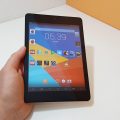

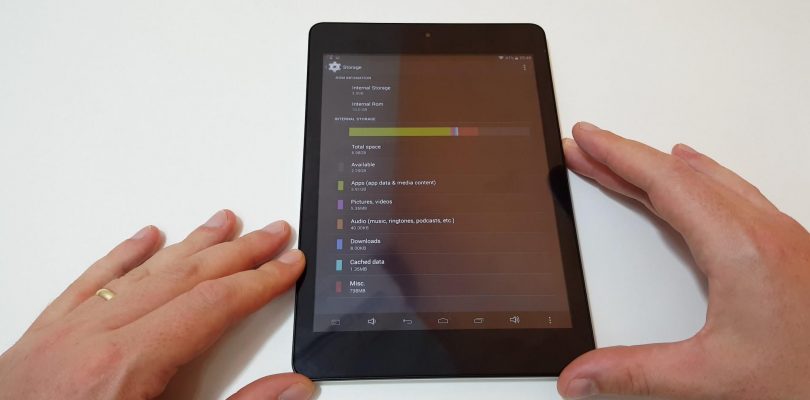
A little behind schedule with all my internet issues. Better late than never here is the review of the X89 Kindow (Just the Android side). It’s a 7.5 inch, 1440 x 1080 Samsung IPS Dual boot from Teclast. Last years Atom Z3735F, 2GB of RAM and 32GB eMMC. Not a great spec great, but the price is. Only $76 at Banggood.
Pros:
- It’s cheap
- Nice 240 PPI 4:4 screen. Up to 310 cd/m2.
- Rom speed is good
- Good build for the price
- Dual OS
- 3.5 mm headphone jack is a 4 pole one with mic support
- HDMI output (1080p max)
Cons
- Android 4.4.4 is getting old now
- Gets really hot to the touch. Up to a toasty 50 degrees on the rear surface!
- 32GB of storage split between two OS’s isn’t fun
- 128GB MicroSD card wouldn’t mount in Android.
- Loudspeaker is very poor, not loud enough and distorts.


Regilio Bouma
hi chris mine had a charging problem
so i reset the tablet via windows…. and it got stuck on 81% for 2 hours. so i turned it off. and back on. and now windows wont boot, i mean its i na boot loop.. so yeah. fuck but android works.
but i want windows… and after some time i get to the setup screen blue. for continue to windows 10. reinstall of usb. repair windows. or exit.
but problem is touchscreen wont work any usb port also not. imposible to get a mouse or keyboard…
do you know any thing that can help me…
vcespon
Hello, I saw an offer for the X89 Kindow and decided to get it, to use it mostly as reader and media player.
It is a smaller version of the X98 Plus, with less RAM and a older CPU. This thing gets really hot when not idle, the CPU reaches the maximum of 85º C while playing videos. So, I decided to perform the same thermal mod as in my X98 Plus. The chip arrangement is very similar.
So I decided to use 15x15x0,5 mm copper pads. One for the CPU and one cut in half for the RAM chips. All surrounded by a silicone thermal pad that maintains the copper pads in place. I did not get results as good as in my X98 plus, mainly because this thing has a plastic back that does not make contact with the EMI shield, so the heat is not transferred to the back.
A couple of pictures…
http://i.imgur.com/yOHIsNG.jpg
http://i.imgur.com/QeY4KlX.jpg
Jason
Chris, what is your battery life reporting as in HWMonitor? I just got mine in the mail yesterday and it shows a full capacity of 15480 out of 18490 with a wear level of 17%. Does that sound right?
vcespon
Mine is showing 15476 in “Full Charge”, and 18490 in “Designed”
Jason
Thanks for responding vcespon! That’s relieving to hear, as such similar values seem to imply that HWMonitor simply isn’t reading the battery stats in this tablet properly.
Bonnom
But how is it for reading?
Chris G
Okay, covered at 08:12 in the video eBook and a PDF magazine. It does make an okay eBook reader, but the battery life would only be around 4 hours max reading.
Ben
i personally used it to read in the dark at night and it was in my opinion still too bright even in the lowest setting for brightness.
I have not figured out how to activate dark mode in windows/android. maybe i’m using the wrong apps.
Readability is good for fonts although its abit small if you are reading a graphic novel and its text heavy.
Chris G
If you use Play Books it has a night reading mode.
Ben
Thanks! I’ll try it later with cbr files
Pawel
Thank you for the review Chris. Sadly it is another no go for me I’m starting to loose hope of getting a good 8 (4/3 ratio) or 9.7 tablet with hdmi output…
fewt
It was only 74 degrees in my house when I took this picture, it was taken shortly after the device died.
http://i.imgur.com/wmKk7WI.jpg
Cons: Even though its cheap, the device may not last 24 hours.
Ben
Nice review. I’m hopeful some heat mod could work for the Kindow…