

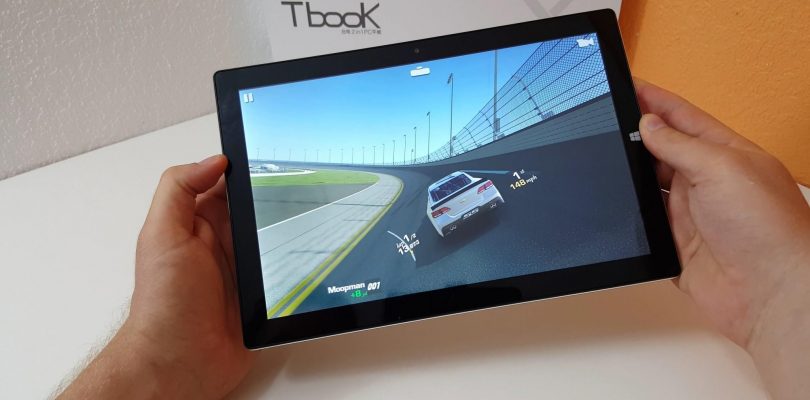
In cased you missed this on the TechTablets YouTube channel here is the Tbook 10 full video review. Note that I gave up waiting for the keyboard dock to become available so I could review them at the same time. It’s still not out yet, but should be by the end of the month, I’ll review that later. This is a long review that covers both operating systems and everything else I could think of. Check the time codes (below) to skip to parts of the video that interests you the most.
01:08 – Design
02:38 – Screen
03:40 – Dual OS Boot Menu
04:09 – Android ROM
05:15 – Android Benchmarks
07:08 – Android Browser Performance
08:23 – Speakers in Android
08:55 – Google Play
09:40 – Android Gaming
11:50 – Thermal – Surface Temps
13:11 – Windows & Device manager
14:29 – Windows Benchmarks
15:45 – CPU/GPU Temps
16:01 – MicroSD & HDD Support
16:39 – Performance & Edge Browser 4k Playback.
19:20 – Edge 4k Streaming Test
20:00 – Stylus Test
21:44 – Windows Battery Life
22:53 – Charge times
23:43 – Camera
24:19 – Gaming: A8A, LoL & Counter Strike
27:42 – Recap with Pros and Cons
Next up is the Cube iwork12 and the Jumper EZBook 2. Later I’m expecting the Teclast X80 Power next week, the 8″ Z8300 1920 x 1200 Hi8 Pro competitor.


renzo
hi just some info
my tbook 10 had weak audio , low volume and hickups on the right speaker, or left only worked so… I opened up the tablet..
as it turned out, the right speaker had an internal wire stripped, causing short on the right audio output. i isolated it .
no more bad audio.
to increase volume dfx 12 free can do wonders, even when the windows10 anniversary update already improves it.
cheers
Walter Yan
A bit late to the party but if the keyboard is below 500g, this could be quite a compelling system for school kids.
Just a quick one, when the micro usb is plugged into a power bank while using, I believe you say it will not charge. However, will it at least draw power from the power bank instead of the internal battery?
Thanks.
Evgeniy Myalik
Good afternoon.
You could not make out the plate and show what it looks like from the inside?
Ananias xor
hi my friend i have tbook 10 and i have thought to return it and take chuwi hibook because of the speaker is the chuwi speaker far away better than tbook so as to return it ???thnx
Roberto Góis
Hello Chris,
can you make a test with the stylus Tbook 10, using the Google Play Books to underline the books? I’m curious to know if it works.
Best regards,
Roberto
Chris G
The stylus doesn’t work in Android for me as seen in the video review. The Cube iwork10 Ultimate stylus is 20 times better and works in Android.
bpinakel zford
can i install android/windows app on sd card ?? does it have gps ? i mean is thr any gps chip/hardware in built within this device ??
vgiozo
Spelling error in the title “Tecalst Tbook 10 Review ”
Thank for this
Chris G
Thank you, typo fixed.
Eggbert
I keep tossing and turning about whether I go the cheaper option of a Z8300 tablet like this for around AUD$300 (including keyboard), or just suck it up and get the cube i9 which is over double the cost (again inc keyboard).
Value v performance. Are the Core-M’s really that much better?
PS. I also understand a proper SSD (and a 128GB at that) is also a large factor in extra cost.
BBaker
All these Z8300 devices all seem pretty much the same. Boring. I’d be more interested if one of them at least ran some different system… Remix OS, or some flavor of Linux. They need to do something to differentiate themselves. All running the same processor and OS makes it hard.
Chris G
I agree, makes it very hard to review them too. We need a Z8750 tablet finally or more Z8500’s at least. I’ve jsut got a new min pc to review the Beelink BT7, it has a 128GB SSD and X7 Z8700 for around $200. If only they did this in a tablet with a 2160 x 1400 screen with at least 2 x USB 3.0 ports and tri boot? Remix or Linux, Android 6 and Windows 10.
murdic
I bought an Onda 0book 10 pro because it’s got a Z8700: faster, 25% more graphics EUs than Z8300 (cube iwork 10 goes blackscreen then recovers in about 6 seconds too often), should charge quicker with 5V 3A DC port although smallish 6500mAh battery, has USB-C – and stylus. Then I noticed the keyboard’s similarity to Teclast Tbook 10 s keyboard, and I think they’re the same. Aluminium rather than the cube’s plastic, the keys are quieter and have a nicer feel, better damped. But, the axle holds the tablet higher than the cube’s, it feels less stable and opens out a couple of degrees less. The Onda stylus also looks the same as this Teclast’s, and it works as poorly. What were they thinking? No pressure graduation, a finger works better on the onscreen handwriting panel than the stylus. Faster processor, but no dual boot, stylus useless.