
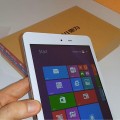

so i just figured out that the usb port is selective. have a usb with light in it to figure it out better, but basicly when you boot the tablet, the usb otg MUST be plugged in, ALSO there is an 1 side to it, 1 Side is appearently Charging faster(the non Black one) and the Black icon is usb-3, Now on MY USB cable, The icon is on the Fast-charging Side by mistake, That WHY i had troubles for 3 days trying to figure out why my keyboard wasnt working, then i tryed my usb flas hdrive it wasnt working(it was on the wrong side) it took me 3 days to figure out i just had to flip it over, because the cable MUST ALSO be PLUGGED IN WHEN YOU BOOT THE TABLET, else the OTG wont work at ALL, until Boot.
Hopefully this information will save millions , But SERIOUSLY just take your patience with courage because yuol need it, I’m now figuring out HOW to isntall win 7 but Rufus Just fail yet.

Harald
Hi Sean, because you know much about USB Ports I involve you with a problem on my USB Port with thre hope that you can help me.
The USB with inside blue does not recognise any Device. Alwas Error Code 43.
I have updated my Windows 10 for Insiders last Build 16188. I restored all drivers from the system because it might be that from the beginnig this port worked as well the other.
Do you have any idea?
Thanks for you time.