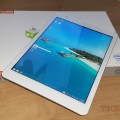
This video goes over how to Install only Windows 8.1/10 on a Teclast X98 Air 3G or Air II.
How to Install Only Windows on a Dual Boot X98 Air II or Air 3G
How to Install Only Windows on a Dual Boot X98 Air II or Air 3G



This video goes over how to Install only Windows 8.1/10 on a Teclast X98 Air 3G or Air II.

Daniel Leal
Hi, I followed this tutorial on my new teclast x89 kindow and installed only windows to enjoy the storage on it, I didn’t know how to create bootable usb with teclast’s files that I downloaded from baidu because the windows was in a strange format and instead of being an ISO it was named “install.wim”. So I formatted & installed windows 10 and everything went well but the touch screen had the y axis inverted so I decided to extract windows/system32/driverstore using 7zip from the install.wim and formatted windows again and set it up offline and then I installed the drivers extracted but I got the same result so I did some research and found out that there could be a file on windows/INF called touchsetting.gt that could be causing the axis inversion but on my tablet I couldn’t find it, can you help me Chris? I spent 3 days on this and I had no success :(
Jay
I updated mine to windows 10. And the r mostly no issues except 1. My headphones aren’t being recognized by windows. In the playback options the headphones don’t come up. I did some research and I think probably a driver is missing. Ur website is the only place that has the drivers for the tablet. Hopefully u can help me
Giovanni de Vries
How should this on the (Onda v919) they seem the same but I am but not to boot Windows from USB stick
Tony
Great help