


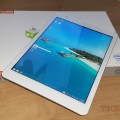

Teclast X98 Air 3G direct sunlight legibility test
This one here is a request I had a few months back and recently requested again, how is the Teclast X98 Air 3G in direct sunlight or in the shade outside? I recorded these two quick clips in the midday sunshine and then the shade. The video comes out much worse than it looks in person. However it is still not really the best, I wouldn’t recommend this tablet for direct sunlight reading. On t...[Read More]

Using the Teclast X80h as a desktop PC with its HDMI
In this video you’ll see how easy it is to use the Teclast X80h as a full blown desktop PC, of course a low powered one at that. But with the HDMI output, and a keyboard and mouse. You can easily use this tablet as a tiny desktop for web browsing, watching youtube, movies and videos and basic light gaming on it.
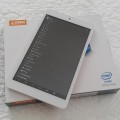

Teclast X80h Dual OS
The Teclast X80h is a dual boot WIndows and Android 8" tablet, powered by an Atom Z3735F with 2GB of ram. It has a 1280 x 800 res IPS screen and a 32GB eMMC drive.

Video: Onda v919 Air 3G 3DMark and PCMark 7 scores posted
Here’s a quick video with the 3dmark and Pcmark 7 scores, this is a request from a YT user to upload the scores. I did not bother recording the actual benchmarking as it’s to long and boring!
Onda V919 Air 3G Dual OS Forum
Visit our forum for Ona v919 Air 3G discussion http://techtablets.com/forums/forum/onda-forum/onda-v919-air-3g-discussion/
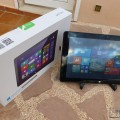

Onda v116w
The Onda v116w is a 11.6" dual boot Windows and Android tablet. It has a full sized USB 2.0 port, Home button and well as features you'll find on other Z3736F powered tablets.
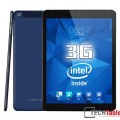

Onda v116w, Teclast X80h and Cube i6 Tablets Up For Review Next.
Trying to keep the ball rolling, I currently have the Teclast X80h Dual Boot, which I have already filmed a few hands on videos of. It’s been out for a while, but the dual boot version is quite new, similar to the Chuwi Vi8, with the same IPS panel, but in white. And the Onda v116w, it’s a 11.6 inch tablet, 1080p screen also a dual boot and it has a full sized usb 2.0 port. If you̵...[Read More]
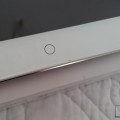

Our Onda V919 review is now complete
I’ve had a good couple of weeks using the Onda V919 Air 3G Dual OS and have just finished up the review for this Chinese Air clone. Chek out the review here. It’s a solid tablet, just let down by a few points. Worth a read if you are looking for a retina display dual boot tablet.
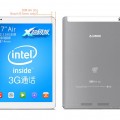

Teclast X98 Air 3G Battery meter fix for 7% stuck issue and only one cell reported
I was given this fix that might come in handy for some from Generic Account on YouTube, Many thanks Here is the fix for the battery meter: 1. Open a new command prompt (run as Administrator) and run: powercfg -setdcvalueindex SCHEME_CURRENT SUB_BATTERY BATACTIONCRIT 0 This will allow the battery to run down completely without shutting down/hybernating before it runs out. 2. Discharge the battery f...[Read More]
