

Edit: This deal is part of the Gearbest Chuwi 12th Anniversary sale now on here until the 25th.
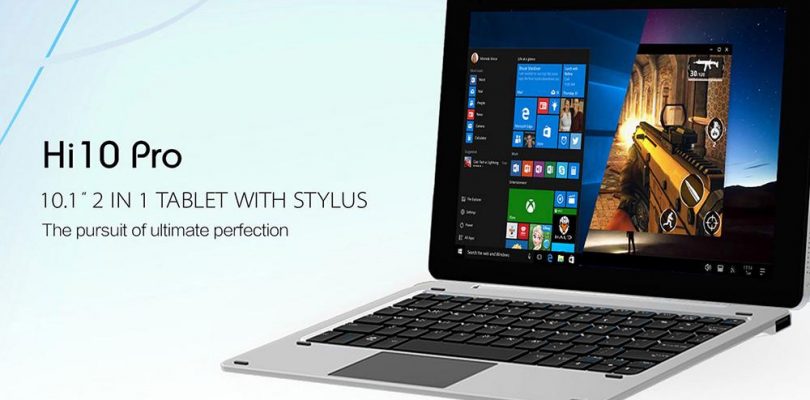
Spotted by Radial Apps, Gearbest has dropped the price of the Chuwi Hi10 Pro (I just received mine last week) to $160. It’s basically a Chuwi Hibook, but I see it as an improved version so far in my use of it. USB type-c runs at USB 3.0 and it has Remix OS 2.0 based on Android instead of stock Android 5.1. Remix OS suits the 2-in-1 style better I feel and the HiBook type-c port, at least my one only ran at USB 2.0 speeds which is one of my cons.
My review will be coming soon, but it will not be so in depth due to it being basically a HiBook which already got the review treatment. And the keyboard isn’t bad, metal palm rest, two full sized USB 2.0 ports and a firm typing experience without and flex or bounce. A keyboard that reminds me a little of the Del Venue 11 Pro’s only keyboard dock.
One thing to remember if you get a stylus or keyboard. Make sure it’s the Hibook Pro/Hi10 Pro keyboard and the HiPen H2 (Newer version) things are getting confusing!
The deal is here.


Darragh
Hi chris, I know that the chuwi hi12 has pressure sensitivity and palm rejection but does the hi10 pro.
I need these two features but would prefer the smaller hi10 pro screen. Thanks in advance
Lorenzo Crispi
Chri… i’m watching that Chuwi company is growing up! This company makes now nice devices with a good value for money! When in your point of view their will start to sell new tablets 2 in 1 with new Apollo Goldmont processors? I’m looking forward to seeing them…
BBaker
How easy is it to upgrade Remix 2.0 to Remix 3.0? And is it worth the trouble?…anyone know what 3.0 improves on?
Chris G
Should be via OTA I would imagine when Chuwi releases it. It’s based on Android 6.0, where Remix OS is based on Android 5.1.
BBaker
You now have even more OS choices for the Hi10 Pro (and perhaps the non-Pro?
A forum user just reported he was able to get Linux (Ubuntu 16 w/kernel 4.8) running running on this, albeit with manually building/configuring some things. http://techtablets.com/forum/topic/linux-mint-on-a-chuwi-hi10-tablet/page/20/#post-50152
soonup
I’d love to get a tablet with a working stylus.
I’m not a painter, but i want to take notes (that i can read afterwards 😉 )
looks like the stylus ain’t working.
http://forum.chuwi.com/thread-2423-1-1.html
http://forum.chuwi.com/thread-2314-1-1.html
can somebody confirm if they are working or not?
Chris G
My Hi12 and Hibook stylus the HiPen doesn’t work. You need the HiPen H2 (version 2) for stylus support on the Hi10 Pro.
soonup
I’d love to get a tablet with a working stylus.
I’m not a painter, but i want to take notes (that i can read afterwards 😉 )
looks like the stylus ain’t working.
http://forum.chuwi.com/thread-2423-1-1.html
http://forum.chuwi.com/thread-2314-1-1.html
can somebody confirm if they are working or not?
Ammar Yasser
i bought it
it works fine on both windows and remix
however i got 2 issues
it doesn’t work properly when it is charging
and i am not able to use phoshop with it
can’t use its tool can only select them!
Ammar Yasser
of course i have Hi10 pro and i used Hipen H2
Kina
Why can’t you use photoshop with it? What happens?
(I’m an artist looking to buy a stylus enabled tablet and will be needing it to work in photoshop so this is important to me.)
Nick
Hi Chris,
Would you go for this or the Hibook Pro? The screen is the only kicker but would you say it’s that much better?
Mike
I’ve only held the ‘regular’ HiBook for a minute, but IMHO the Pro screen is FAR superior to it. Just my 2cts, but seeing how Chris would even consider dumping his trusty Hi12 fot the Pro, I’m guessing he’ll agree. For me personally, the only negative about the HiBook Pro’s screen is its dimension: I’d love a 3:2 screen of that quality in this form factor.
Chris G
Yes, the HiBook Pro’s screen is a Panasonic panel and a super nice one at that and fully laminated makes all the difference. The other thing I like about the Hibook Pro is the audio output on my unit is 100% static free, clean and clear audio. Sounds much better than my Hi12 which is plagued with the common static buzz on the 3.5mm jack.