
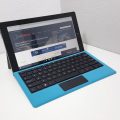

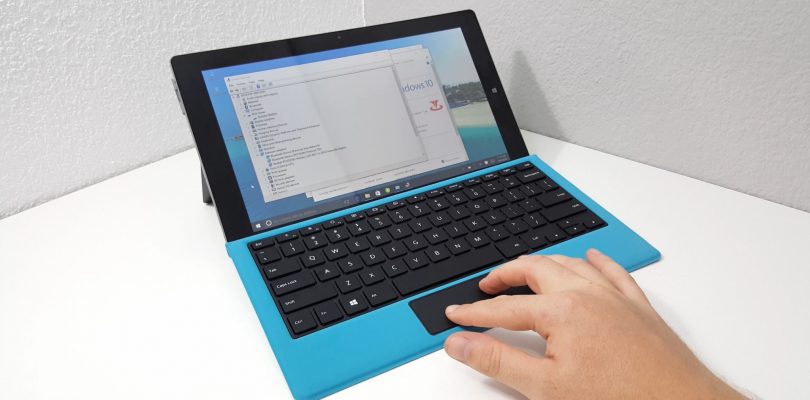
This has been on the YouTube channel for a few days, but here it is for those that aren’t following the channel. The Teclast Tbook 16 Power, looks exactly the same as the Tbook 16S however, it has a type-c port and different internals. The most powerful Atom chip (perhaps ever) the X7 Z8750. This has a maximum turbo of 2.56Ghz, a huge 8GB of RAM (For an Atom tablet) and 64GB Samsung eMMC. Unboxing video below:
First impressions:
- The screen looks great in terms of color and viewing angles however, I find it’s a bit dull. Looks to be around 230 lux only.
- The Tbook 16 Power can be charged via the type-c port. Port support data and charging at the same time. No display out.
- The build is very solid, it’s well made. Plastic hard frame, metal rear and metal kickstand.
- The keyboard is the same as the 16S’s, high-quality decent typing experience.
- Touchpad is too short, but the accuracy and sensitivity has been stepped up to compensate for this.
- The touchpad as no swipe gesture support, which would be a bit of a nightmare on a pad so short.
- Speakers are both on the right side, okay volume. But do distort at maximum volume.
- The 8GB of RAM is dual channel, which should offer double the RAM bandwidth vs the single channel Atom X5 Z8300
- My Tbook 16S stylus doesn’t work on the screen, seems Teclast change the stylus over the 16S model.
- The screen touch response and accuracy is good, things feel quicker and snappier than the Atom X5 Z8300 powered Tbook 16S.
I’ll be checking out the performance of a Z8750 and 8GB combination. Some benchmarks, Android and Windows gaming, see if we can get some fluid frame rates from popular titles.


Blisset
Hello, I purchased this tablet a few days ago after I see this video.
Some days ago a firmware update arrived on Android side and the tablet don’t boot anymore in Android side.
After dual boot menu, if I select Android I get ACPI BIOS ERROR blue screen.
Windows instead boot normally.
How can I fix the Android boot? Do you know the combo keys for hard reset?
Where can I download the Android firmware of Tbook 16 Power?
Thank you very much
Dave
Hi Christ,
when can we count with your review on this tablet? I am highly interessted and just wait (and hope) for your good word to buy it. Checking you site every day 🙂
Greetz
Dave
Dave
Chris! I mean Chris! 😀
Chris G
It’s a no buy, my review is coming in a few days. Thermal throttling, super dim screen. Not recommended!
Noel Djitro
Hi Chris
I saw the pen for Teclast Tbook16 power on Gearbest…
http://www.gearbest.com/tablet-accessories/pp_595435.html?wid=21
can you review it?
Thanks.
Chris G
I’m not going to review the pen, but the tablet review is coming asap. The reason being it’s super basic. Just an accurate pointer giving palm rejection. But zero pressure sensitivity makes this thing useless for writing with.
wy727272
I am using the samsung evo 256gb microsd card and have been experiencing constant loss of detection. I checked for the storage controllers in device manager and found one of the SD Storage Class Controllers was missing every time the SD card losses detection. I tried to update the driver but it doesn’t help. Any solution for that?
Pete
Chris does their version of Marshmallow support adoptable storage? With separate partitions on sdcard for each OS and is 128Gb the limit or can 256Gb cards be supported?
Chris G
I don’t think it doesn’t I don’t see anything different in storage options in Android. I don’t have a 256GB card, but my 128GB one works just fine. If you want both OS’s to see the card use exFat. Android can’t read NTFS, unless it’s added. Or dual partition it. Frist partition fat32 for Android, second NTFS for Windows.
Pete
From what I can tell from your video I would want at least 32Gb for Android apps. The 18.02Gb available space is far too low hence why I would want the adoptable storage of at least 16Gb added to that. Which would leave about 112Gb of data storage for a 128Gb micro sd card. It seems only Onda supports 256Gb cards which is a shame.