
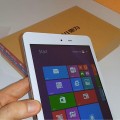


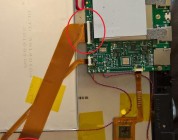
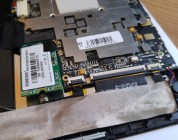
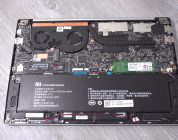
My busted Hi8 was opened up today, I was hunting for the screen digitizer part number so I can order a replacement after I broke my Hi8 screen. The internals of the Hi8 show a decent build quality, no cables crossing over the battery cells or any of that nonsense. No thin battery cables or poor solder jobs here either, it looks fine. Not bad for such a cheap tablet I think. There is even planned space for a micro sim reader and modem. Which would suggest that Chuwi have plans to release a 3G version?
Okay so the touch screen panel I can confirm is not the Vi8 part. This is a PINGBO brand of touch panel and the part number is PB80JG2296. Unfortunately, I can’t see to locate anyone that sells it online. So my Hi8 will not be fixed anytime soon for my final review summary video. I hope in a month or two it will be listed online somewhere. But only if the price is right, this is a $100 dollar tablet so if the screen is going to cost $50 well, it’s not worth it. Best sold off for spares or repairs.


Prashant Sakariya
Hello Chris, Thanks for the amazing video… i am thinking to change it’s camera can suggest me how can i find its up-gradable camera?
Chris G
Not upgradable. Nothing is in these cheap tablets.
Dean Fisher
Is there a link to a new screen for the hi8 busted mine today and I’m sad want to fix it
Mehmet Harman
crashed my tablet chuwi hi8
I can sell the screen and other parts
if you are selling or you get the motherboard I need
Naimul Islam Niloy
will it fit?
http://www.aliexpress.com/item/Original-New-10-1-Wexler-TAB-10i-Tablet-TOPSUN-F0037-COB-A3-Touch-Screen-Digitizer-Panel/32331569431.html?aff_platform=link-c-tool&sk=nunaEqbM3%3A&cpt=1453828517276&aff_trace_key=8ae31d0431c04795948386f6e90525dc-1453828517276-01026-nunaEqbM3
Regilio Bouma
chris here http://fr.aliexpress.com/item/CHUWI-HI8-Dual-Boot-Android-4-4-Window8-1-IPS-8-0-Inch-1920-1200-Z3736F/32404202301.html?aff_platform=link-c-tool&sk=nunaEqbM3%3A&cpt=1453828517276&aff_trace_key=8ae31d0431c04795948386f6e90525dc-1453828517276-01026-nunaEqbM3
44euro…. th hole tablet
Spidy
Hi thanks you for the video. I bought one of these tables and same as you dropped it can cracked the screen. Have you found anywhere selling a replacement screen and is it difficult to replace?
Regards
Robert Mitter
Thanks for the video!
I am very pleased with the hi8, but one thing that bugs me is that there is some crud between the touchlayer and the screen, i guess that means those layers are not bonded.
Since you have opened it up , could you tell me, is it worth the effort to open the device up and remove the crud with a can o’air , or is it not feasible to do so?
Thanks in advance!
Kyung-Wook Kim
Thank you for your video. Awesome.
I have a couple of questions.
1. Is it possible to remove the charging indicator? the red one. I really want to.
2. In the first place, how do you open up the device? Is it possible to assemble it back w/o any damage?
Chris G
Hi, the charging led looks to be on the other side of where the usb port is. I didn’t dig to much further around this. So looks like you will need to remove the motherboard.
To open it, remove the 4 x T4 torx screws and then use a credit card, guitar pick or plastic pry tool to go around where the sides meet and open it up. It’s easy if you have opened a tablet up before. Just move around the plastics slowly separating the two half’s and closing it back up you push and clip it back together, no harm done if you’re careful.
Simon
Great video, thank you. Especially in 4K, awesome!