
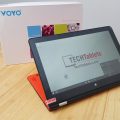

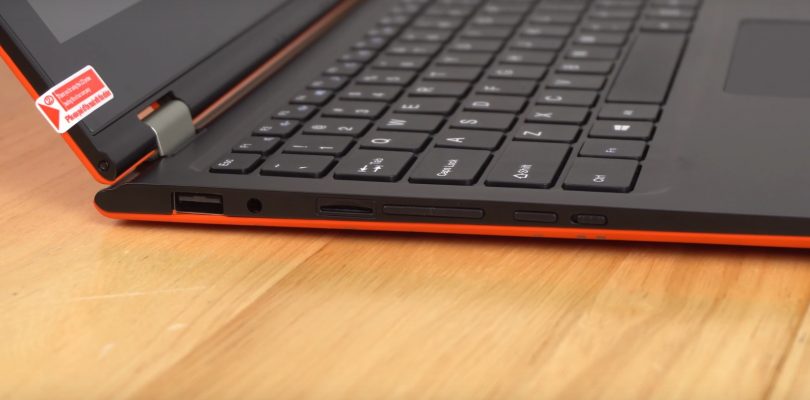
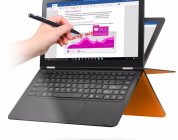
My Vbook V3 Apollo Lake N4200 arrived a few days ago, here the unboxing video with a detailed first look at the Voyo Vbook V3 in action. So far the speed of it is great, dual channel 1600mhz RAM + N4200 2,5Ghz and 128GB SSD means it feels quick and snappy, the keyboard however, hasn’t improved from the Core M3 version I reviewed and the Atom model. The keyboard has some bounce and flex, feels a bit cheap and the keystrokes aren’t the greatest feeling. And the screen is only 180lux bright, fine for indoors. But not in bright environments.
In a way I see why Intel dropped the Atom name from the Apollo Lake, the N4200 feels faster and a big improvement over the Atom’s, something below a Core M, but a big step up over an Atom X7 Z87X0. This unit I bought from Gearbest, currently going for $359.
First impressions:
- Poor keyboard, this one of my main issues with the Core M3 13.3″ version
- The RAM runs at 1600Mhz (Max speed) and dual channel
- 128GB Forsee SSD as the boot drive and 32GB eMMC just has the drivers already loaded onto it (Nice touch)
- The 1920 x 1080 13.3″ screen is IPS, large bezels and only 180 lux means it’s not very bright. Okay for indoors and that’s it.
- The touch screen is at least accurate and viewing angles, colors look fine for an IPS.
- All USB ports power external HDD’s
- The boot speed is quick and the system feels overall quick and responsive.
- The Pentium N4200 performance is much better than an Atom X7 Z8700. A nice step up from the Cherry Trail.
- Thermals, battery life, performance and gaming will all be covered in the full review I’m now working towards.


nat
Hello Chris G.
Great for the article on the Voyo vbook v3 and your video
I have just subscribed
My daughter (9 years old) needs a touch-screen laptop with pen, for school with a screen at least 13 inches or very near.
Use :
No outdoor use
Not a lot of video games 3D, YES video youtube and skype
(if I understand your test: the cam becomes 2m I think, correct ?)
Is the Voyo m3 a machine you would advise me or you know of a machine 13 “3 or more, with stylus pen (mandatory) more reliable?
(Pen Not necessarily sensitive to pressure, BUT mandatory for simple drawings in Pain – Gimp, writing and selection + validation)
What is your return after 3 months?
I have a small budget
Thank you very much for your advice
Good to you
Nathalie
Very good job, Keep going
Best Regards
Paul M
go to the home page of techtablets.com and look at the list of the best, they are in descending order
top one is this
https://techtablets.com/cube-mix-plus/
there’s a successor, the cube mix plus 2
https://www.gearbest.com/tablet-pcs/pp_590393.html
just be sure to order the keyboard and stylus which are separate items
Paul M
the old model is still on sale in some places
https://www.banggood.com/Cube-Mix-Plus-128GB-Intel-Kaby-Lake-7Y30-Dual-Core-10_6-Inch-Windows-10-Tablet-PC-p-1109155.html?rmmds=search
sportnok
Don’t forget the 17% off coupon, da8982
Paul M
good spot, thanks!
Salvo
Why You don’t write the full review in this forum? You don’t have many simpaty for this product???
Paul M
he’s a very busy guy.
have you donated to support him before you get all self-entitled? https://techtablets.com/support-us/
Salvo
No comment !
Salvo
Sorry, this had my curiosity !
mine was not a serious comment????
Salvo
I have the original Lenovo Yoga tablet. ?
Paul M
I’d be very grateful if you could download and make a USB bootable live linux image and just spend 10 minutes testing to see what works and what doesn’t out of the box!
thanks
Salvo
Dear Chris, Many thanks for your review, can you see if the ram memory is expandable to 8 GB ?
Pete
I would be interested to learn what Apollo Lake cpus the Weibu SU16A & SU122A models have https://www.youtube.com/watch?v=9G3xryC16nE&t=157
Chris G
N3450 I would guess, they look like the Teclast X5 Pro, well the 12.2″ one is the same. Maybe from the same ODM?
Brad
Since, as apposed to most Atom based devices, I am pretty sure Linux will run OK on it (save for perhaps the touchscreen driver), It will prob feel like Core-M speed on Linux.