
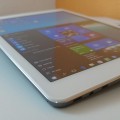


For those having issues flashing their X98 Pro’s with Mirek190’s new Teclast X98 Pro custom rom. This new flash tool should make things easier to flash the V1 ROM. Just place the Rom in the folder, boot your X98 Pro into DnX Mode and then run the FLASH.bat and follow the instructions, easy!
flashing tool v1 – put rom files into rom folder then :
– boot device in DNX mode ( power + vol+ + vol- )
– run FLASH.bat
Downloads:
[wpfilebase tag=browser id=126 /]

![[Updated] More Details Emerge On The Teclast X98 Pro](https://techtablets.com/wp-content/uploads/2015/08/Teclast-X98-Pro-image-15-178x140.jpg)

jose javier villalta limones
hola por favor dime como hacerlo paso a paso…..por grcias [email protected] [email protected]…
pozer0118
May I know if the method for flashing Mirek190 V3 is the same as V1, as mentioned above?
Luisje Susmu
All OK Thanks
willy
i cant download stock rom and mirek rom …. got this msg when i click link : “Fatal error: Uncaught exception ‘Google_Service_Exception’… “. are there any alternative download?i try to fix my stock rom that playstore always stop and close when download apps…Thank 🙂
Chris G
The flash tool has been updated to include the 47% battery meter stuck issue fix.
S0und
http://forum.xda-developers.com/x98-air/general/how-to-fix-inaccurate-battery-meter-t3266746
Also i would give some highlight to user PeterTech, how figured out how to solve the quick battery drain issue under android with the x98 Air variants. Mirek also updated his ROM to include the “fix”.